Managing company knowledge should be simple—store information, search for it, get instant, accurate answers. But managing your company knowledge base should be simple (store information, search for it, get instant, accurate answers. But in reality? Many platforms overcomplicate the process. Slow searches, outdated content, and clunky interfaces. Teams waste time on “key features” instead of getting work done.
Guru is a popular choice for project management software, among other things, but it’s not the only option. Many teams find their search too slow, it's organization frustrating, and its features lacking. If you’re exploring Guru alternatives, we’ve rounded up the best knowledge management platforms for 2026, so you can find the right fit for your team.
We’re here to help you figure out which resource Guru alternative on the market is right for you. So you can automate knowledge management in a way that fits your needs.
Guru alternatives at a glance
The Downsides of Guru
Okay, but why are we looking at competitors? After all, Guru shows up in many ways for its users looking for resource management.
Still, there are some downsides that can’t be ignored, and for a knowledge management platform, you want to be able to easily search and find accurate information from your own knowledge base.
That’s a problem for many users, which is why you’re searching for the best Guru alternative.
“There's so much information that can be stored within Guru that it takes a lot of ongoing, dedicated maintenance. In both companies I've used Guru at, cards become outdated and don't get the proper updating in a timely manner. Thus, I've used outdated information for decision making.”
– Justin T. from G2
Here’s what users don’t love about Guru:
- Slow search and navigation: The point of working within a single knowledge base is that you can centralize all of your information in a single location and access it all quickly and easily. Sadly, Guru users find the platform to be slow and difficult to navigate, not great for a knowledge base software.
- Poorly organized content: Guru is not known for being particularly intuitive, so organizing your content within the platform can be problematic. Users find themselves spending time building a knowledge base that should build itself.
- Unreliable features: Guru starts with a free trial, and then only moves up to $15 per user, per month, so it’s not super expensive (though those “per users” can add up). But for that price, it should do more than the bare minimum. There are no real options for advanced features.
- Interface is clunky: AI should be easy to use and extremely intuitive. In this case, users complain Guru does not have a user friendly interface.
So, let’s talk about those alternatives to Guru and what they have to offer your enterprise-level or small business.
1. Bloomfire
Bloomfire is a wonderful knowledge management platform for teams interested in indexing massive amounts of varied content. You can even index video. This means you can get super precise responses

With Bloomfire, you’ll get a robust centralized knowledge base. Plus, your team can collaborate openly through their messaging system.
Users can also expect seamless integration with other existing business tools like MS Teams, so they don’t have to worry about bouncing from one platform to another.
However, its functionality isn’t very robust, it cannot tackle long questionnaires in a short amount of time and serves primarily as a content library.
Bloomfire Key Points
Top Features of Bloomfire
- AI-powered search
- Deep indexing of content
- Collaboration tools like discussions, comments, and user role management
- Customizable content libraries so users can tailor knowledge
Bloomfire Pricing
Bloomfire doesn’t offer pricing plans on the website. You’ll have to book a sales call, so the Bloomfire team can create a custom plan that makes sense for your needs. You can also request a demo, and the company does offer the first 30 days free for certain plans. These plans include:
- Single Team Access
- Department-wide Access
- Company-wide Access
Pros and Cons of Bloomfire
2. 1up
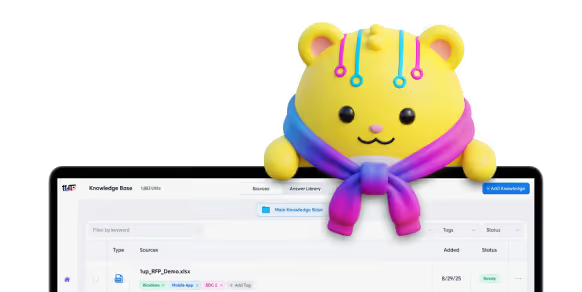
1up is a robust AI knowledge management platform (while having the simplest interface). The platform offers a single, unified source of truth for your documents, website, and other knowledge sources. All information is centralized in a knowledge base, and 1up mines that data for questions to user queries in record speed.
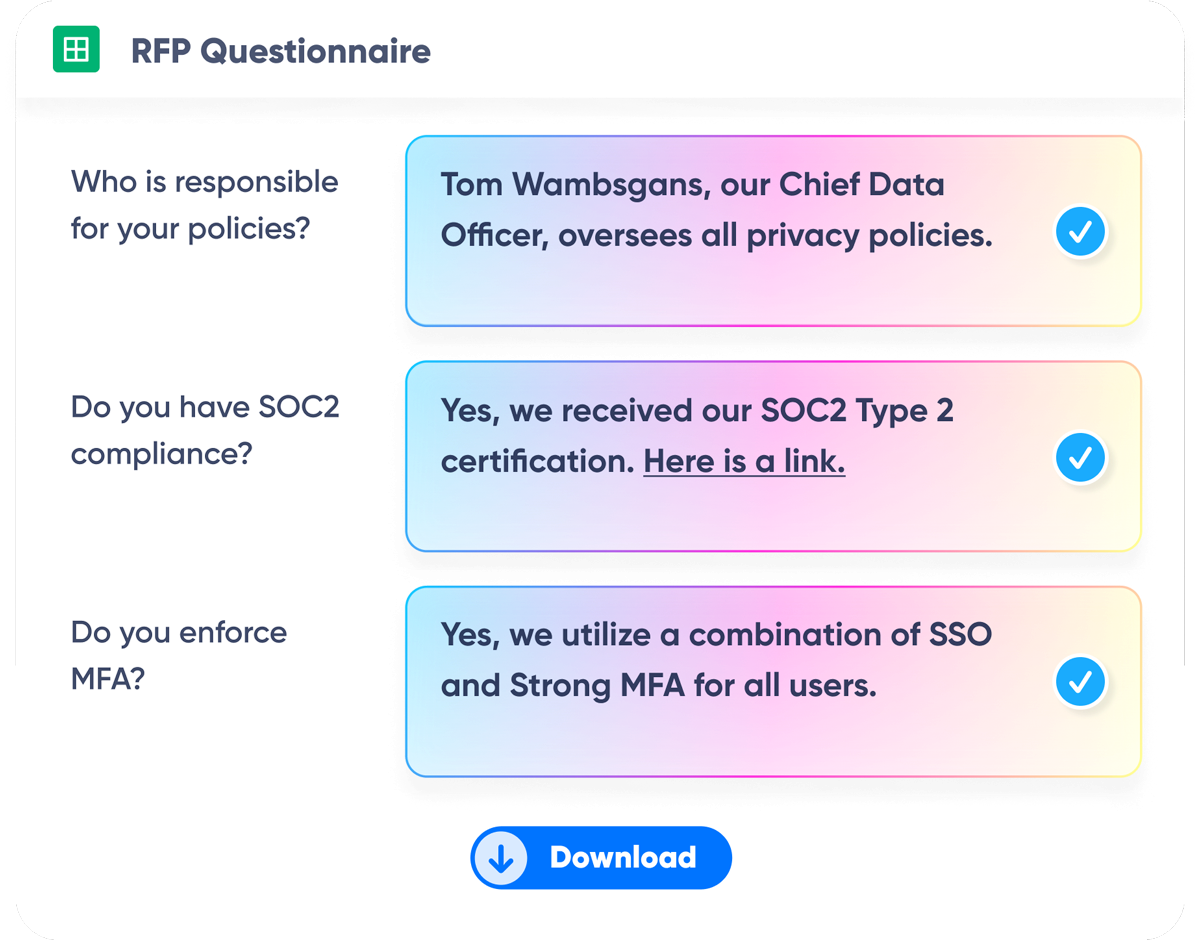
Accuracy is the top priority when it comes to the automated responses at 1up, and we ensure users don’t have to deal with confusion, hallucinations, or delayed responses, by sourcing all data from you.
Plus, with 1up, you can fill out questionnaires that are hundreds of lines long in minutes, whereas with Guru or other Guru alternatives on this list, it would take at the very least, hours or days.
Comparing 1up vs Guru? Check out this deep dive.
1up Key Points
Top Features of 1up
- Automated Question Answering
- Onboarding in Minutes
- Automated Multi-Question RFP and Questionnaire Responses
- Knowledge Base for Accurate Answers
- Workflow Management
1up Pricing
1up offers a 14-day free trial and starter, as well as pro and enterprise plans.
- 1up Starter: From $250 per month (up to 5 users)
- 1up Pro: From $850 per month (up to 20 users)
- 1up Enterprise: Contact sales to discuss
Pros and Cons of 1up
3. Slite
Slite’s claim to fame as a knowledge management platform is that it is easy to use, for even the least technical members of your team. It centralizes all of your company’s data and offers an AI assistant to help draft documents based on that data.
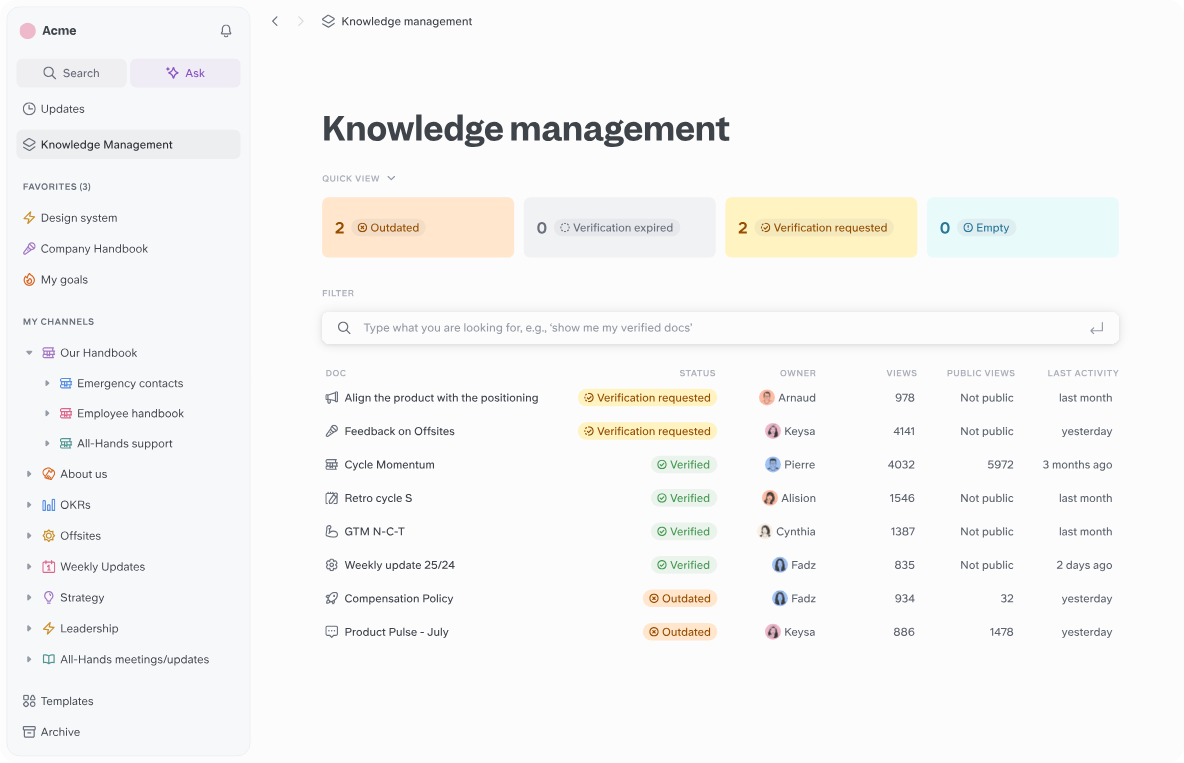
Slite can summarize, translate, and generate documents for users all from company files. It will also help users create visual content for beautiful presentations and sales playbooks.
The platform offers collaborative features, so teams can communicate with each other and admins can track progress.
Key Points
Top Features of Slite
- Centralized knowledge base
- Collaboration in real time among team members
- A channel structure for documents
- Insights for better performance from AI
Slite Pricing
Slite offers a 14-day free trial and standard, premium, and enterprise plans.
- Standard Plan: $8 /member/month
- Premium Plan: $12.50 /member/month
- Enterprise Plan: Contact Sales
Pros and Cons of Slite
4. Knowmax
Knowmax advertises itself as a knowledge base for learning. The features on the AI-powered platform are all geared towards fast and easy employee training and superior customer service. So, companies can upload their company files, and team members can access information quickly to perform their customer-facing jobs better.
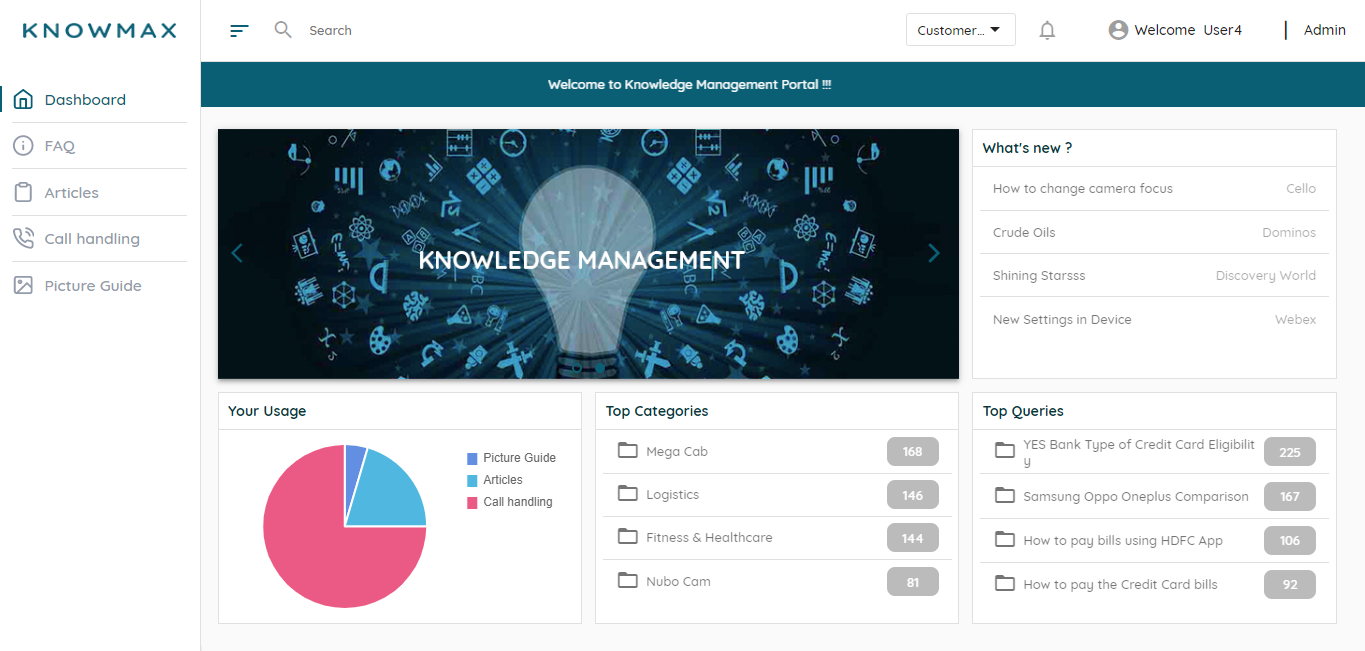
Knowmax’s AI will summarize long articles, provide assessments of articles, and repurpose information based on user context.
The platform also allows users to create content faster, turn written language into comprehensive visuals, and design decision trees.
Knowmax’s Key Points
Top Features of Knowmax
- Advanced search capabilities using natural language queries
- Intuitive knowledge base for creating and organizing articles
- Real time assistance from agents in the customer service platform
- Customizable workflows that allow teams to contribute to knowledge base
Knowmax Pricing
Knowmax does not offer any information on its website about plans or pricing. Users must contact sales.
Pros and Cons of Knowmax
5. Qatalog
What many users consider great about Qatalog is its simplicity. It is an AI-powered knowledge management platform that will pull your company data from all of your sources of truth. You can integrate documents, applications, and messaging systems. Qatalog will mine through it all to find accurate answers and deliver them to search queries.
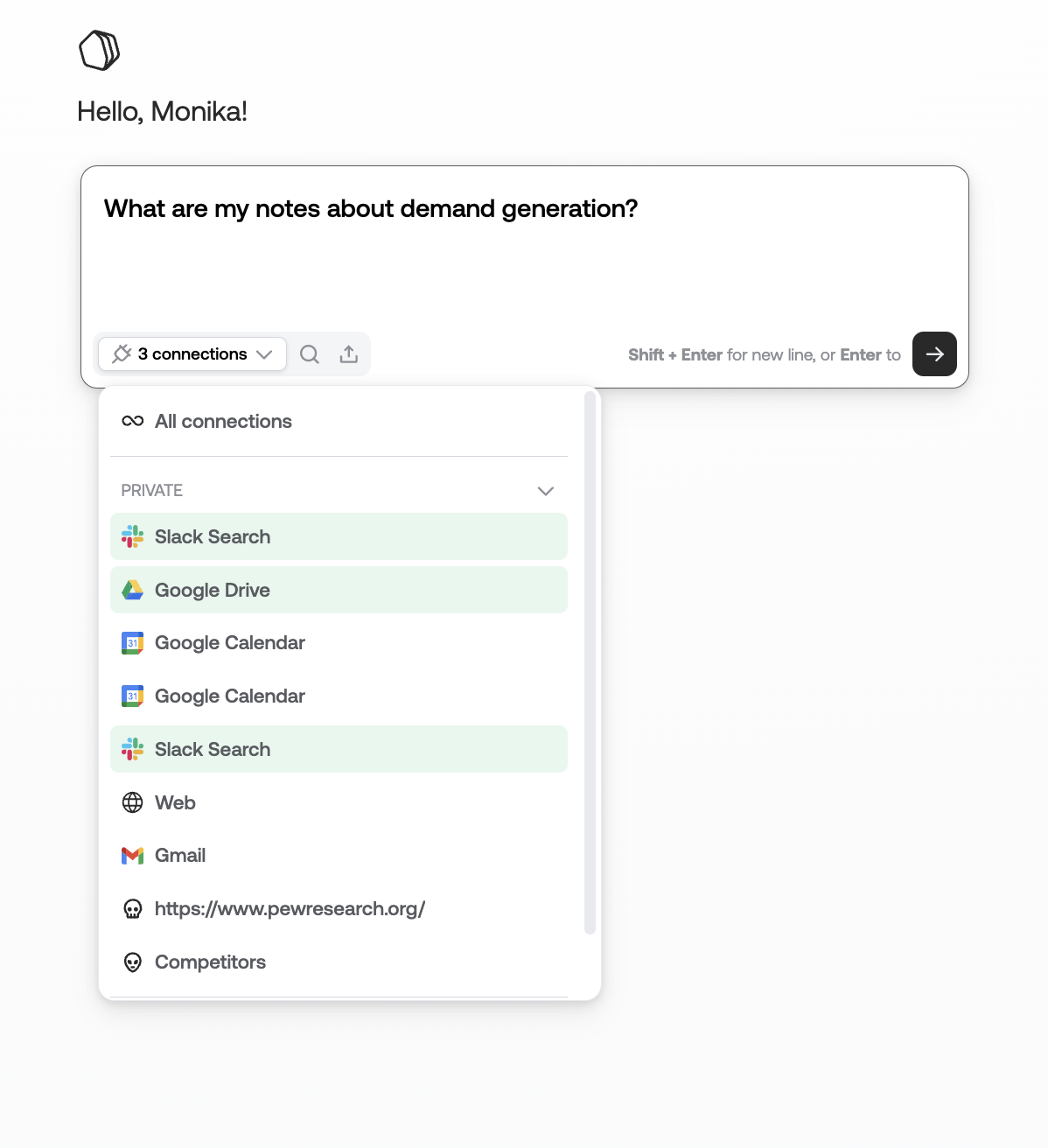
Users don’t need to pre-index data, learn to use a complicated platform, or switch around many applications. You can simply connect your data to Qatalog and work from its unified platform to find answers and communicate with your team.
Qatalog’s Key Points
Top Features of Qatalog
- RAG capability: Qatalog combines federated search technology to gather information with RAG, or Retrieval Augmented Generation, so AI can gather and synthesize information from multiple sites.
- Conversational interface: Users can ask questions in plain language and AI will respond accurately.
- Real-time access: Qatalog is always live, updating with the most accurate sources and delivering those responses.
- Customized permissions: Admins can control who has access to what information on the platform.
Qatalog Pricing
Qatalog offers a 14-day free trial and a demo, but there is no pricing information on the website. Users can choose from Pro and Enterprise plans but must contact sales for pricing.
Pros and Cons of Qatalog
6. Archbee
Archbee is best known for its AI-powered document building, creating, and organizing. The platform will centralize all of your company data and then help you create documents based on that data. These could be sales playbooks, proposals, or product docs for customers or developers.
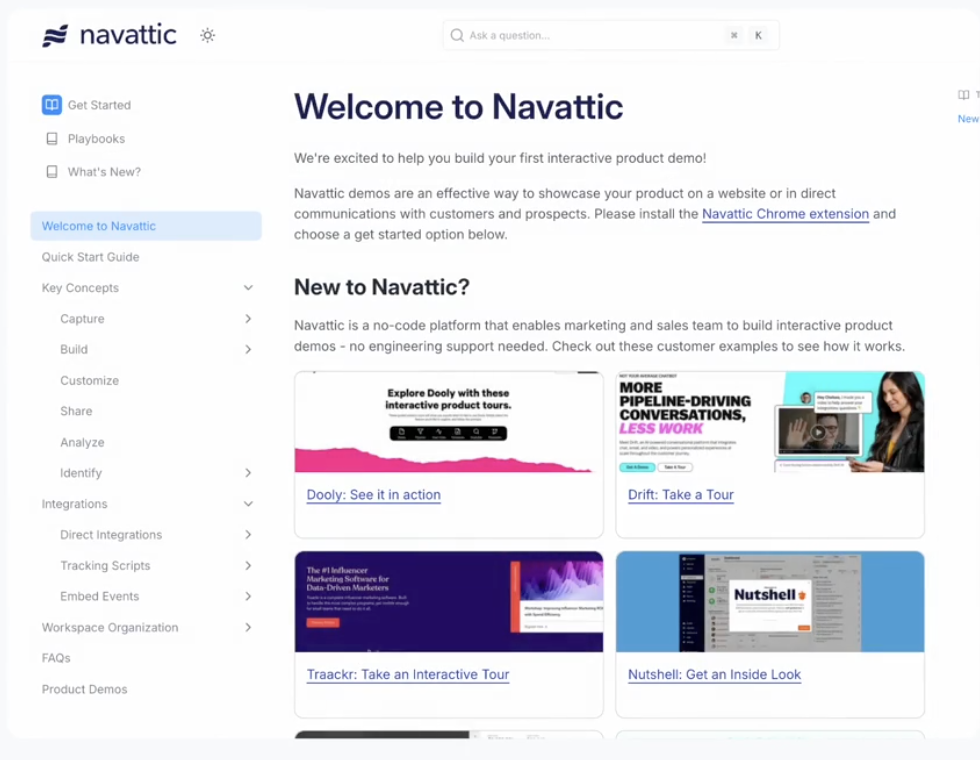
The platform will update your internal knowledge base as needed, in real-time, and apply changes to any documents you’re creating. From within the platform, you can also communicate with team members, customize content with interactive tools like drag-and-drop, and tag docs for future reference.
Archbee’s Key Points
Top Features of Archbee
- Reusable content
- Customizable blocks of text and content
- User access control
Archbee Pricing
Archbee offers a 14-day free trial and 50% off for two years of early-stage startups, plus growing, scaling, and enterprise plans.
- Growing Plan: $50 / month
- Scaling Plan: $200 / month
- Enterprise Plan: Contact Sales
Pros and Cons of Archbee
Centralize and Unify Your Knowledge Base with the Right Software
As knowledge management platforms go, all seven of these are good options, depending on your specific needs. And each one has its own best features.
But 1up beats them all because we have all of those best features in a single place.
1up offers a centralized hub, AI-powered automated responses and document creation, and easy collaboration. Plus, you can integrate with your CRMS and messaging systems.
We’ll even make it easy to onboard your channel partners.
We do it all, and we want you to do it all too, with us. Get started with your free trial today.
FAQs
When evaluating Guru alternatives, make sure to prioritize fast and accurate search functionality, intuitive organization, AI-assisted content creation, and seamless integrations with your existing tools. The right platform should save your team time, not make things more complex.
Yep. Archbee is designed specifically for technical teams, especially software developers. It's great for document creation, real-time collaboration, and reusing existing content. If your focus is product documentation or technical onboarding, Archbee may be the right choice.
1up is the leader in this category. We offer the fastest and most accurate automated answers by drawing directly from your central database. Our system can fill out complex questionnaires and RFPs in minutes. It's ideal for sales and operations teams.
Knowmax is optimized for internal customer support teams. It offers tools like decision trees, natural language search, and contextual content delivery to improve both employee training and customer-facing service quality.


Working With SMEs on RFPs: A Practical Guide
%20(1).jpg)
The AI Trust Gap: Why Only 1 in 5 Workers Actually Believe it
.jpg)
Knowledge Automation: How Top Companies Deliver Answers at Scale

AI Users Prioritize Accuracy Over Speed
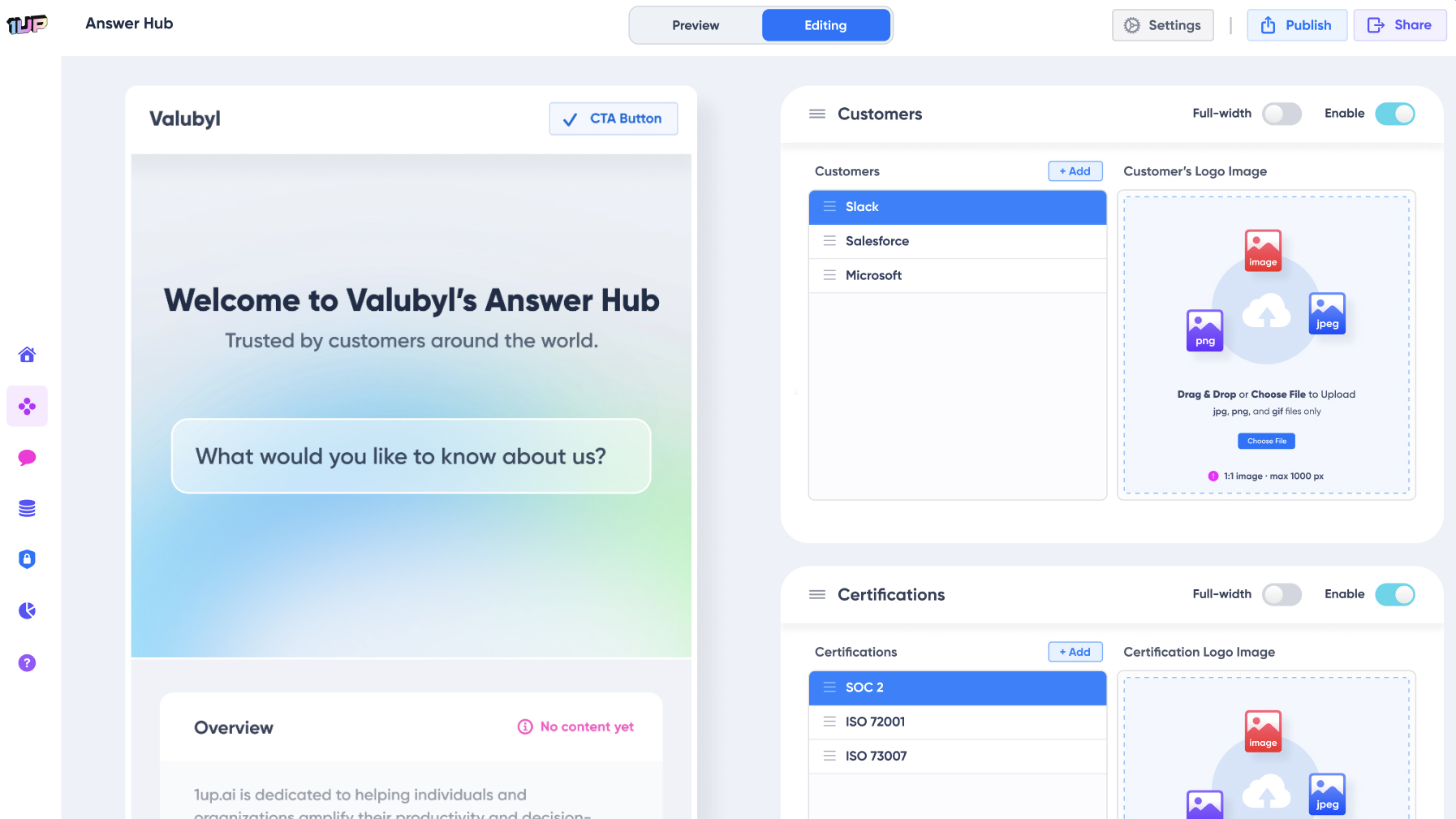
How to Build an AI Sales Agent in 5 Minutes
1up your sales team