Questionnaires are one of those things that eat up your team's time in ways that are hard to explain to anyone who hasn't lived it. You get a request. You track down the right people. You wait. You follow up. By the time you send the response, days have gone by and your IT or security team is irritated because they had to drop what they were doing.
The good news is that most of that work can be automated. You already have the answers. You just need a way to organize and use them.
This guide walks through how to build a company knowledge base that can be used to answer questionnaires from scratch, what to put in it, and how to keep it running well over time.
What are the Common Types of Questionnaires?
There are two main problems when it comes to fast questionnaire turnaround:
The Information you need is Scattered
Questionnaires require a mix of product, compliance, technical capabilities, SLAs, and data handling policies. The answers are rarely centralized. Your security policies, product documentation, compliance reports, audit summaries, and past responses are spread across different folders, drives, and inboxes.
Answers are Siloed by Department
Answering a questionnaire requires pulling in staff from security, engineering, and legal. That coordination alone can take days. A knowledge base solves this by capturing all those answers once, not by adding more meetings, so you never have to chase them down again.
These two challenges make enterprise search difficult and make the process feel like you’re starting from scratch every time. By centralizing your answers and knowledge, you can bypass the frantic searches for the right document.
Of course, the pain varies based on the type of questionnaire you're responding to.
Most questionnaires fall into one of three categories:
1. Security and Compliance Questionnaires

These are very common and often take up the most time. They focus on how secure your company is and if you follow important rules and regulations.
What they ask about
They cover things like your security standards such as SOC 2 and ISO certifications, how you protect personal customer information, which is PII, your data loss prevention plans, and what you do during a security breach.
The Format
Common security questionnaire formats like CAIQ, SIG, and VSA usually come as large, detailed Excel files and can be very dense.
2. Functional DDQs and RFPs

DDQ stands for Due Diligence Questionnaire, and RFP stands for Request for Proposal. These are all about your product and services. Companies use them a lot when they are looking to hire a new vendor.
What they ask about
They ask if your platform has certain features and how your system handles specific tasks. You will see these often in bidding and proposal processes.
The Format
These can come in spreadsheets like Excel, or structured documents like Word or PDF.
3. Financial DDQs

Financial due diligence questionnaires cover your company's financial status, legal information, and sometimes questions about your environmental, social, and company governance or ESG practices.
What they ask about
They focus on the business side of your company, not the technical side.
The Format
Unlike the other two types, these tend to come in as Word documents or PDFs rather than spreadsheets.
Your knowledge base needs to cover all three. The good news is that the same core set of documents in your product knowledge base goes a long way in answering questions across all of them.
How to Setup a Knowledge Base for Questionnaire Automation
Getting started takes less time than you'd think. Here's how 1up automates security questionnaires:
1. Connect Your Knowledge Sources
You have already built up years of product docs, policies, and completed questionnaires. This is where you put them to work. First, sign up for 1up (it's free).
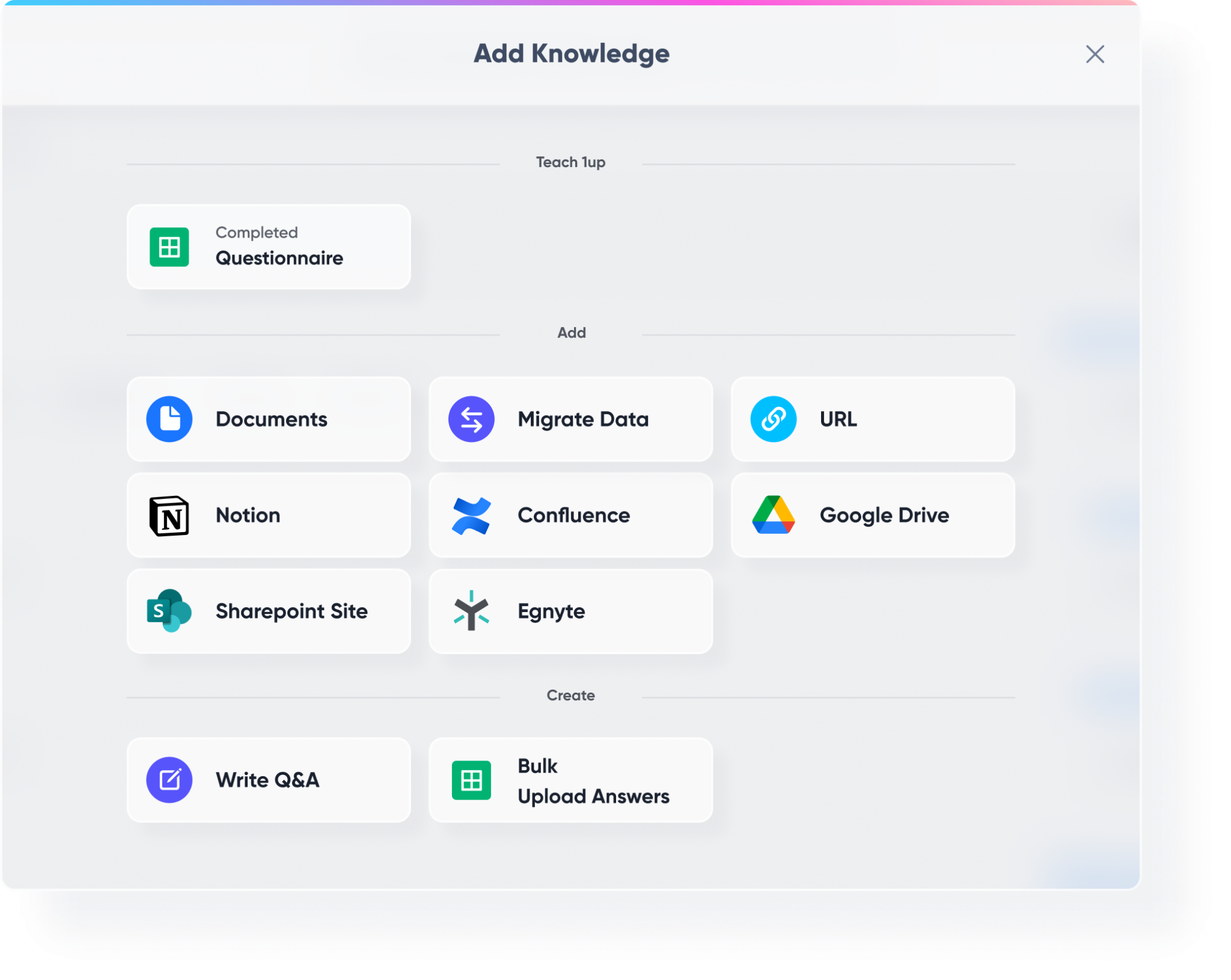
Hit Add Knowledge and you will see every way to bring content in. Documents, URLs, third-party integrations, or a migration from another tool. Most teams start by adding their main website and letting 1up crawl it. From one domain it can pull up to 1,000 pages, so your product docs, support content, and public-facing pages all get picked up in one go.
2. Tag and Categorize Your Data
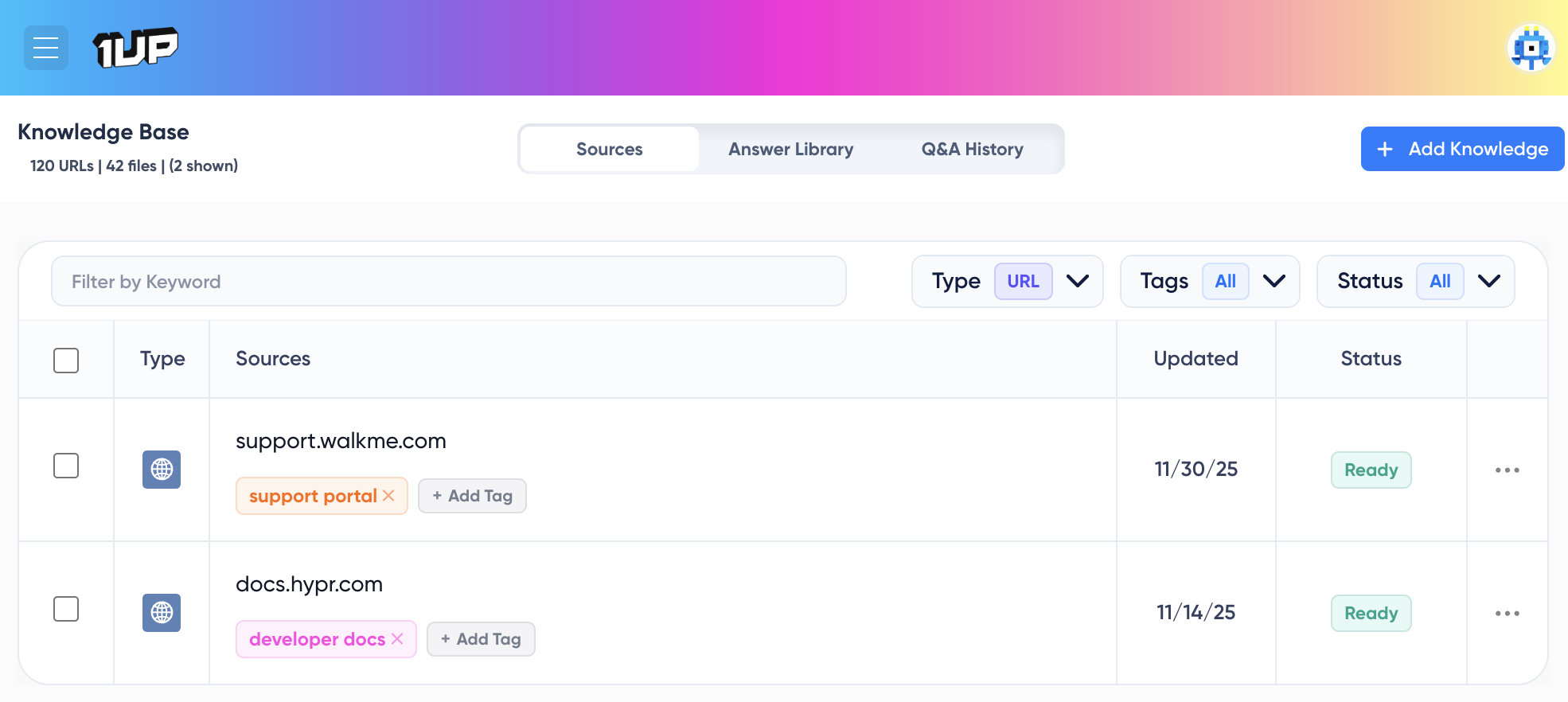
Once your sources are in, tagging them is worth the few extra minutes it takes. Tags let you group knowledge by topic, product, or category, so when 1up generates answers it can pull from the right sources rather than everything at once. You might tag your SOC 2 report as infosec, your product docs as a product, your marketing materials as sales. Later, when you are filling out a security questionnaire, you can tell 1up to focus only on infosec and product sources and ignore the rest.
3. Upload a Questionnaire for Automation
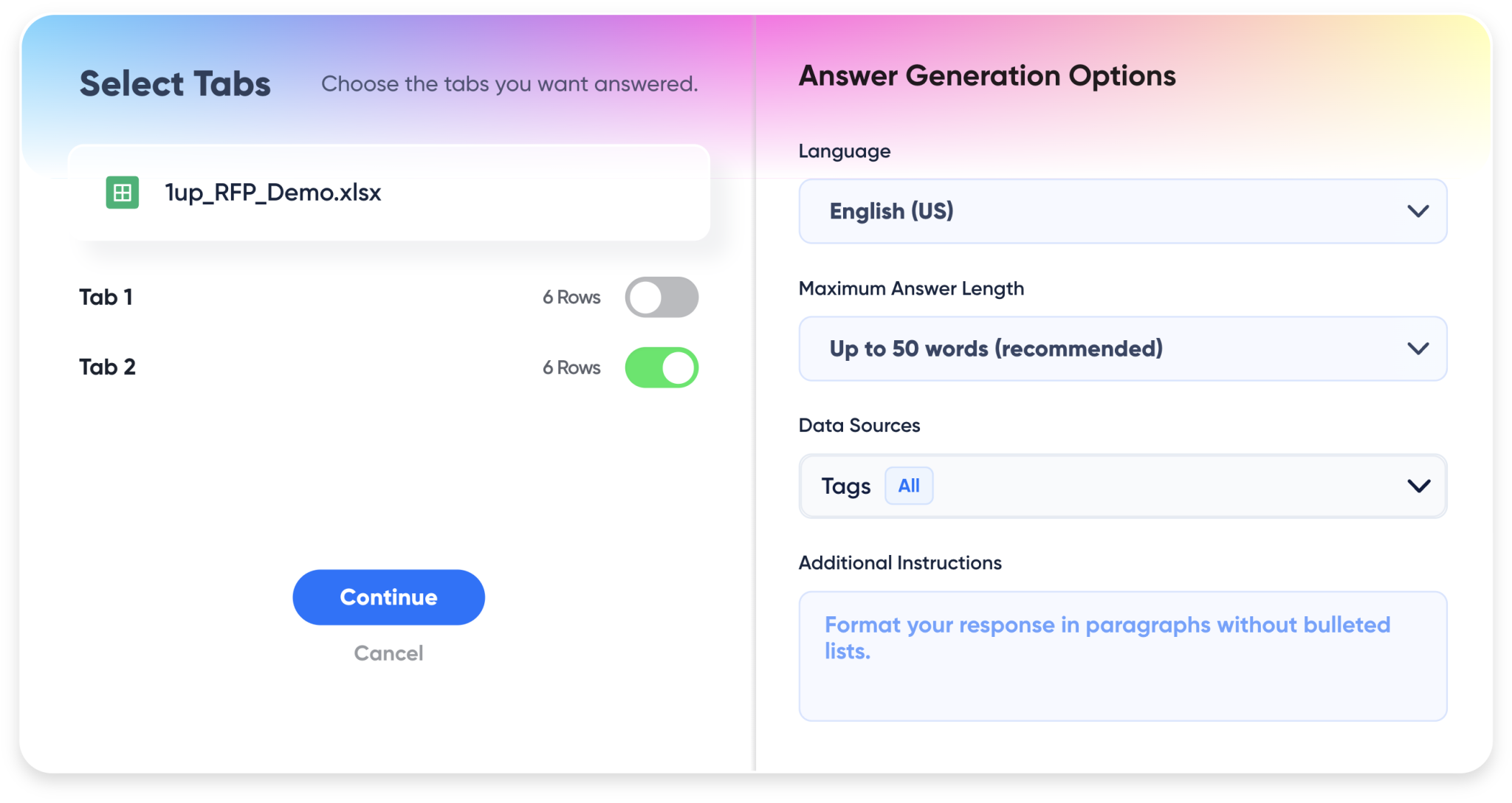
Once your knowledge base is set up, uploading a questionnaire takes about 30 seconds. Drag and drop your file or choose it from your computer. 1up accepts Excel, CSV, Word, and PDF formats. It auto-detects the questions, requirements, response fields, and answer locations, so you do not need to map anything manually.
You can set a maximum answer length for short responses, pick a language if the questionnaire is not in English, and add any additional instructions like "respond in paragraph format" or "keep answers simple." Keep those instructions brief if you use them at all. 1up is already tuned to match the tone of your connected knowledge, so too many rules can get in the way.
What if it's a web portal questionnaire?
Here's how 1up automates web portal questionnaires:
4. Review it in 1up
Once 1up has generated answers, you can review everything before it goes out. Each question shows a Short Answer, a Long Answer, and an Answer Library tab where you can pull in a previous response if you have a better one saved. Pick whichever version works best and mark it for export.

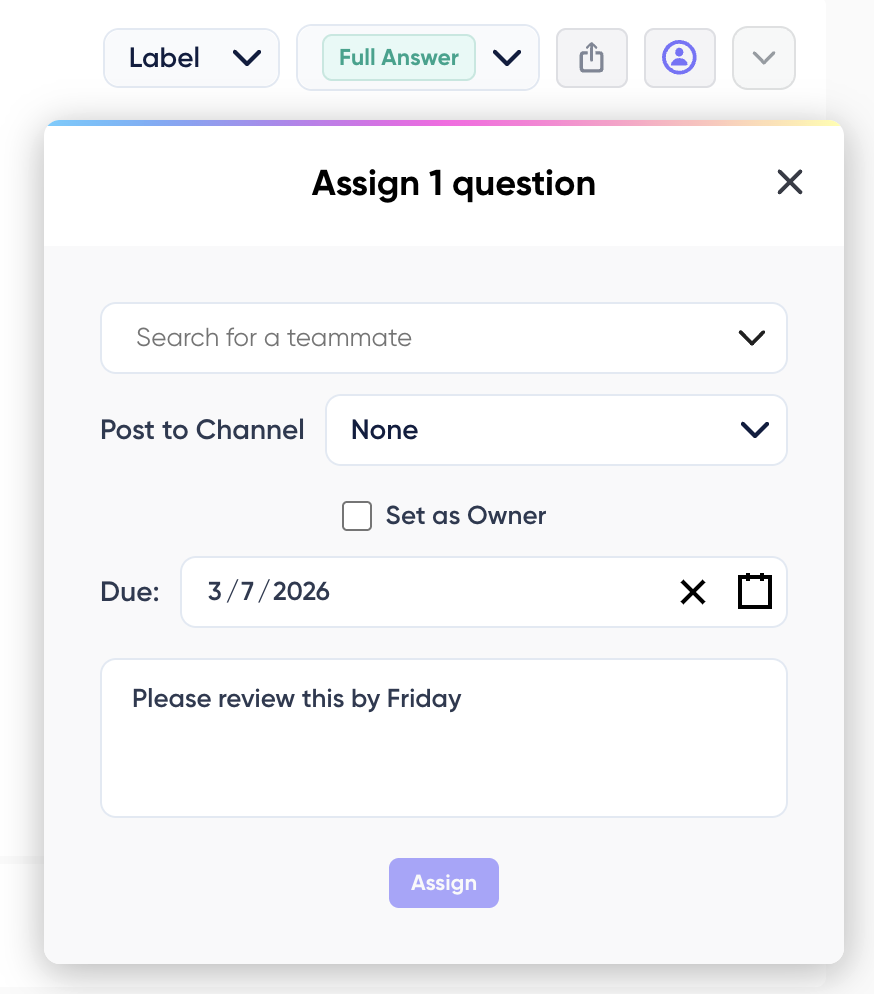
If an answer needs an SME opinion, you can assign it to them directly from the review screen. Add a due date, leave a note, and choose whether to notify them via email, Slack, Teams, or Google Chat. They get a notification, review the answer, and can respond through the comment stream without ever opening the questionnaire file themselves.
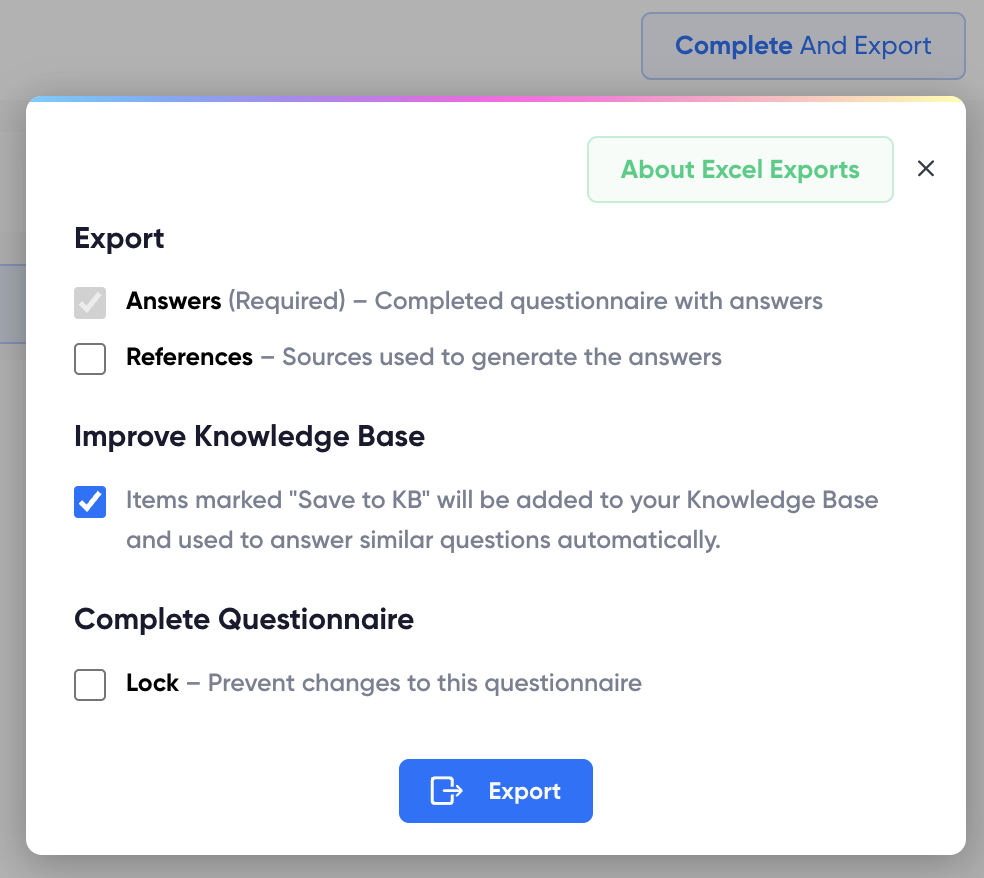
When you are done, export your answers. Checking the “Improve Knowledge Base” option before you do means every answer you reviewed gets saved back into your knowledge base. The more questionnaires you complete, the less work the next one takes. Your knowledge base grows as you use it.
For the step by step process, check out our User Guide.
Dos and Don'ts for Maintaining a Questionnaire Knowledge Base
Building a questionnaire knowledge base is step one. Keeping it useful over time takes a little attention, but not as much as you might think.
Building a questionnaire knowledge base is about turning a reactive, time-draining process into a repeatable system that gets smarter with every use. Instead of chasing answers across teams, you create a single source of truth that works for you in the background.
The first questionnaire might still take some effort, but each one after that gets faster, easier, and more consistent. Over time, what used to take days becomes something you can turn around in hours, without pulling your team away from the work that actually matters.
What Content Belongs in a Questionnaire Knowledge Base?
Typically, companies have the content they need, so you do not need to create new material. You just need to gather what already exists. Here is what to collect:
Product documentation
API docs, product sheets, your Confluence pages, anything that explains how your product works. If you have built it up over time, it already contains answers to a lot of product and technical questions.
Help desk and support content
Internal FAQs, your help center articles, support site content. These often have plain-language explanations of how things work, which translate well into questionnaire answers. Release notes are also useful here, especially if prospects ask about specific features or roadmap items.
Sales and marketing assets
Blogs, case studies, brochures, pitch decks. These are not strictly necessary but sales enablement assets go further than most people expect. A well-written case study often contains answers to product capability questions that would otherwise take an hour to track down.
Previously completed questionnaires
This is the big one. If you have answered a security questionnaire before, those answers are gold. Collect your old RFPs, DDQs, and compliance questionnaires and add them in. They are the closest thing to a ready-made answer library you will find.
Security and compliance policies
SOC 2 reports, audit documentation, pen test summaries, data retention policies. Anything you used to complete those previous questionnaires belongs here too.
You do not need everything to be perfect before you start. A partial knowledge base that covers your most common questionnaire topics is already better than starting from scratch every time.
Automation Success Stories
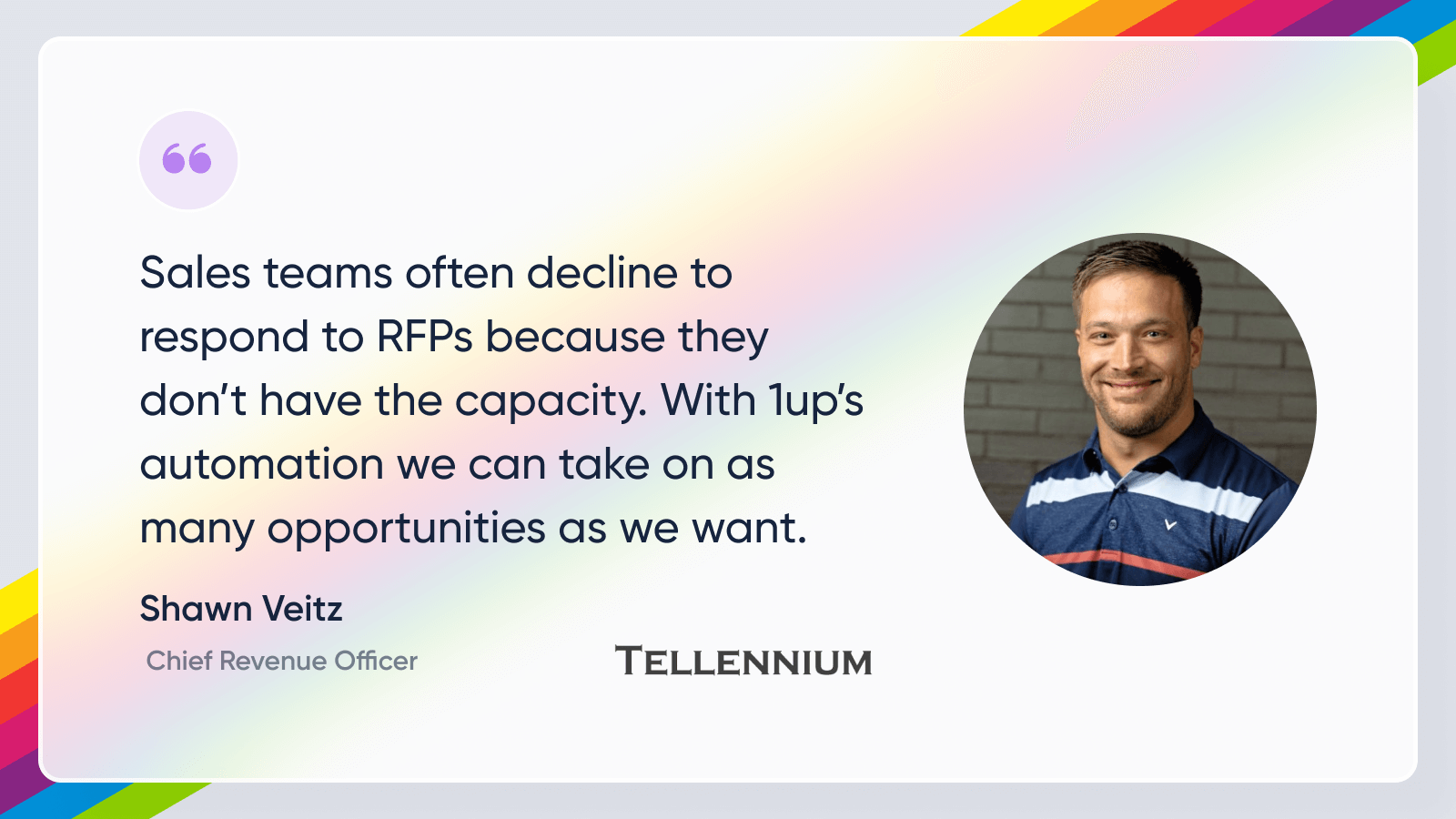
Tellennium, a leader in enterprise expense management, was dealing with a high volume of complex security questionnaires. After automating with 1up, their leadership team more than doubled their response capacity.
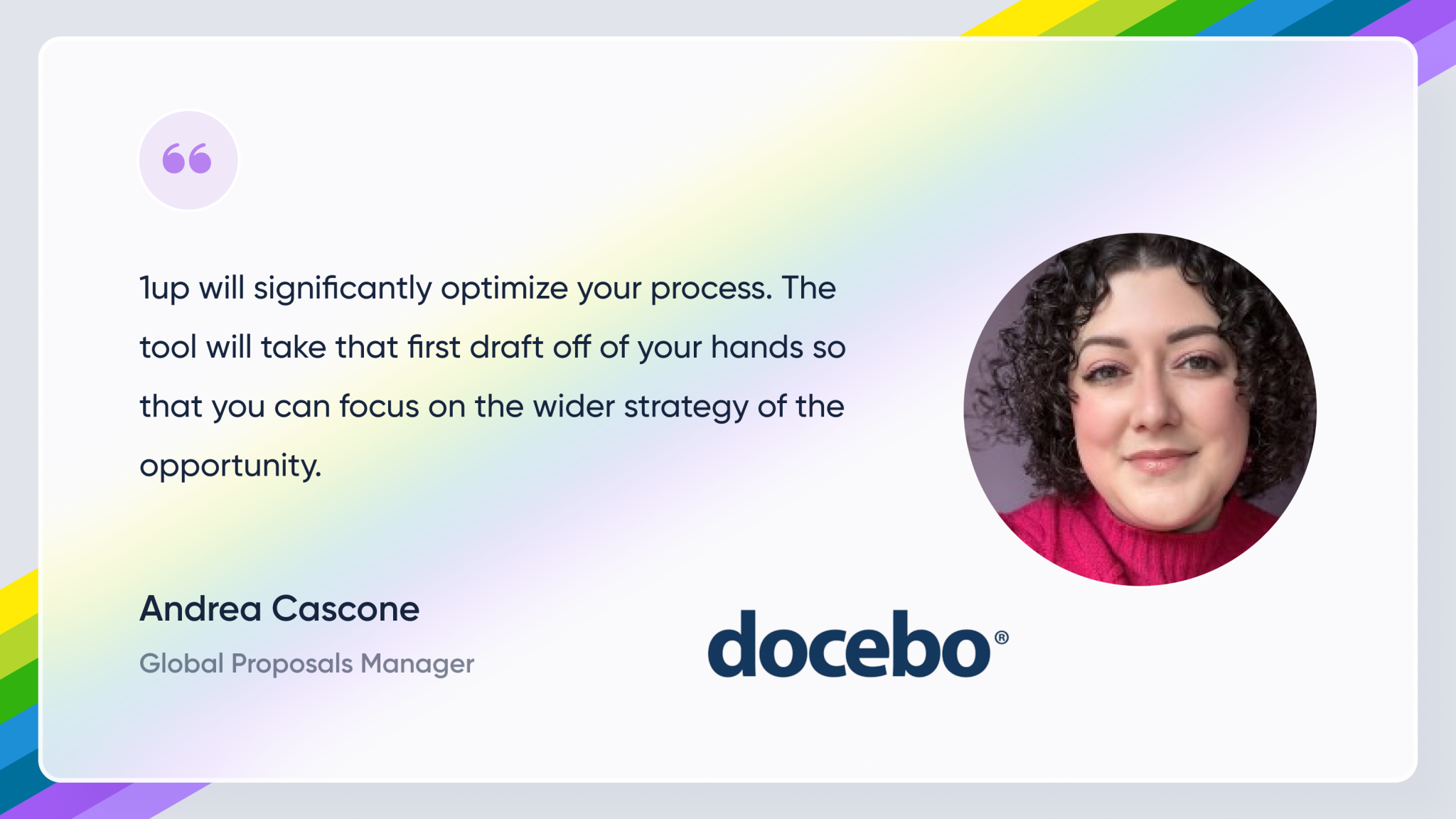
Docebo a global provider of AI-powered learning platforms, struggled to handle a high volume of security questionnaires because their process relied on manually searching and rewriting answers from a large but hard-to-navigate content bank. This made the work time-consuming and forced their proposals team into long hours just to keep up. With 1up, they now generate draft responses in minutes, saving days of work and freeing the team to focus more on customer-facing activities.
Lineup, which provides a unified platform for publishers and media companies to manage CRM, order management, finance, and analytics, struggled with a slow and manual RFP process despite having a large library of past responses. Finding and adapting the right answers took significant time, leaving less room for review, accuracy checks, and strategic messaging while handling multiple complex bids. By adopting 1up, they streamlined first drafts, reduced repetitive work, and enabled faster, more accurate responses without relying heavily on subject matter experts.

FAQs
A questionnaire knowledge base is a centralized collection of company documentation and past responses used to answer RFPs, DDQs, and security questionnaires quickly.
Common sources include product documentation, help desk content, sales and marketing materials, previous questionnaire responses, and security or compliance policies.
Automation tools analyze your knowledge base and automatically fill in questionnaire answers, route unclear questions to teammates, and save new responses for future use.


The Payoff of Connecting Questionnaire work to your Sales Pipeline

How to Write an RFP Response That Survives AI Scoring

SIG vs CAIQ vs VSA: A Simple Guide to the Big Three

How to Win Government RFPs With AI (Without Getting Disqualified)

Why Most Internal AI Assistants Get Built and Then Abandoned