ChatGPT vs. Copilot vs. Claude for RFPs: A Side-by-Side Comparison


If your team handles RFPs, you have probably had the same debate. Should you use ChatGPT, Microsoft Copilot, or Claude to get through the next pile of questions faster? All three are strong. All three can read a document and write a clean answer. All three get better every month. This is the question worth answering directly: across the AI tools teams reach for on RFPs, which one actually gets you to a finished questionnaire? Here is how the three big models stack up against each other, and against a tool built only for this job.
Comparing ChatGPT, Copilot, and Claude on RFPs
Each of these tools has a real strength, and it is worth saying out loud before the criticism starts.
ChatGPT has the biggest ecosystem and the most polish. It has an agent mode, a huge library of connectors, and the largest user base, so your team probably already knows how to drive it.
Copilot lives inside the tools you already use. It sits in Word, Excel, and Teams, and it grounds its answers in your Microsoft 365 files through Microsoft Graph. Its Office agent mode can also edit a Word doc or an Excel sheet directly, which the others cannot do as cleanly.
Claude is known for sharp writing, a very large context window, and strong reasoning on long documents. It also supports MCP natively, since Anthropic created the standard, which matters a lot for the approach further down this page.
So none of these is a weak tool. The point of this comparison is narrower. For RFP questionnaires specifically, the three converge on the same set of gaps, and that convergence is the real insight.
What makes an RFP questionnaire hard
A questionnaire is not one task. It is four jobs stacked on top of each other. You have to get your knowledge into the tool. You have to get accurate answers back out and into the right fields. You have to trust those answers enough to send them. And you have to do all of it with a team, across many deals, without rewriting the same answers every time. The table below rates all four tools on the thirteen capabilities that decide whether an AI can actually carry that load.
The comparison table
Ratings: Yes means built in and reliable. Limited means possible but partial, manual, or not purpose-built. No means not available.
The pattern jumps out fast. The three models look almost identical, and the one tool built for RFPs is the one that fills the gaps. Here is what each group of rows actually means in practice.
Getting your knowledge in
This covers uploading files, pulling from webpages, reading complex documents, and managing a knowledge base over time.
All four tools let you upload a file, so that row is a tie. The gap shows up after that. A general model reads the file you handed it in this chat and forgets it later. It can visit a webpage if you paste a link, but it does not crawl your site, your product docs, and your old questionnaires into one place that stays current. It also struggles to read a messy questionnaire the way a person does, skipping past instructions and section headers to find the actual questions, including the ones hidden in dropdowns and checkboxes.
1up was built for that first mile. It pulls from your website, product docs, past RFPs, and connected sources like Google Drive, SharePoint, and Confluence, and it keeps a single questionnaire knowledge base that refreshes as your content changes. It also reads the structure of a complex document instead of choking on it. That is the difference between a tool that answers a question and a tool that understands your questionnaire.
Getting answers back out
This is the autofill group: PDF, web forms, Word, and Excel. It is where the models fall hardest.
Writing an answer is not the same as placing it. An RFP has numbered requirements, dropdowns, checkboxes, and answer cells that have to line up exactly. ChatGPT and Claude can write the text but cannot drop each answer into the right field of your actual document. Copilot does a little better on Word and Excel because its agent mode can edit Office files, which is why it earns a Limited instead of a No there. But none of the three can fill a PDF questionnaire accurately, and none of them can touch a web-based portal like SAP Ariba or Coupa, where a growing share of security reviews now live. On those, you are copying and pasting one answer at a time.
1up handles all four formats, maps each answer to the right spot, fills dropdowns and checkboxes, and exports the file in the same format you uploaded. Its browser extension does the same thing on web portals, right on the page.
Trusting the answers
This group covers hallucination prevention, conflicting data, and image answers, and it is the one that should worry you most. The core problem is tone. A general model answers with the same confidence whether it is right or wrong, and on a questionnaire full of hallucinated claims, that calm certainty is exactly what waves a wrong answer through. The model also has no clean way to settle conflicting information. If last year's answer and this year's answer both sit in your files, it may grab either one, with no sense of which is approved or current, and you will not catch it unless you already knew the right answer yourself.
Most teams underestimate this. You might think that handing the model the right document solves the problem. It does not. Vectara keeps a widely cited public test that does one simple thing. It gives a model a document and asks it to summarize only what is actually in it. Even on that narrow task, with the source sitting right in front of them, the leading models still add details that were never there. On Vectara's harder set of longer, real-world documents, several of the top models cross a 10% hallucination rate. A questionnaire works the same way. The right answer can be in your files, and the model can still drift from it.
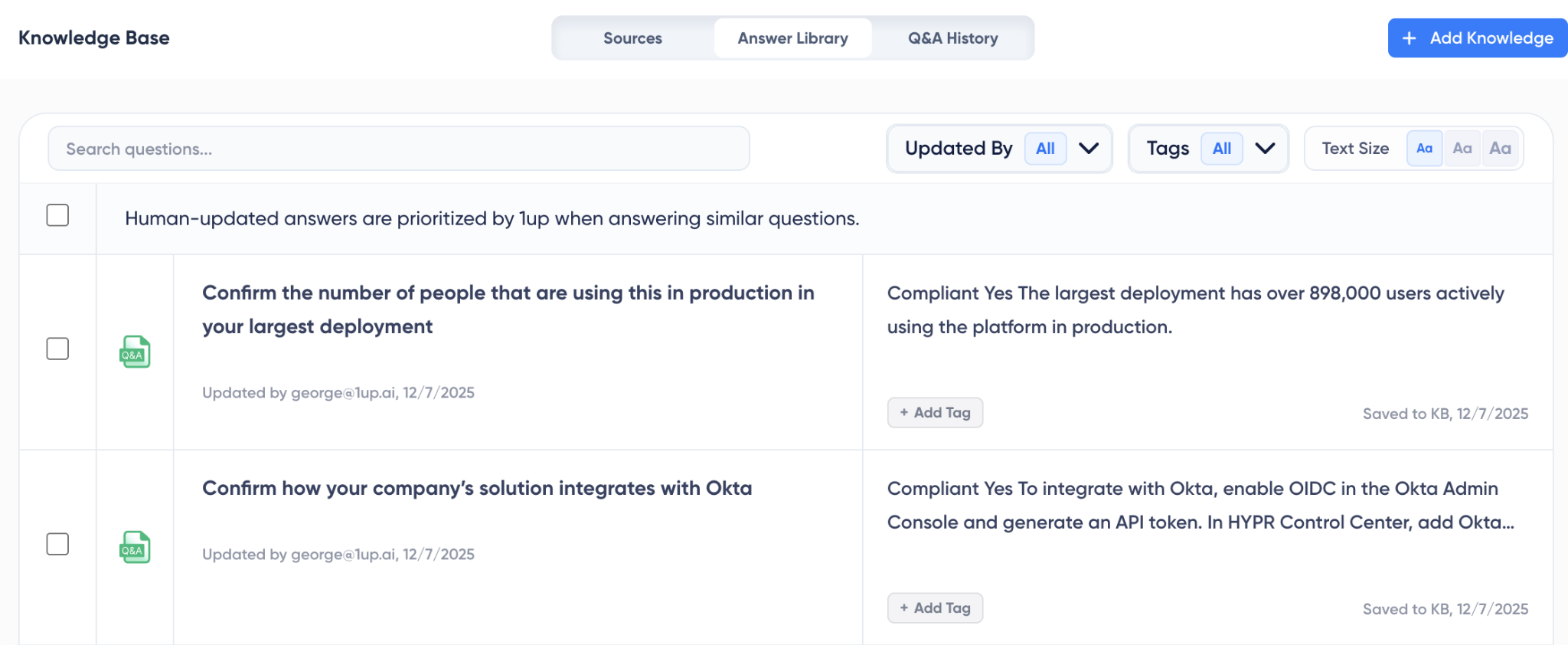
No tool is immune to this, and 1up does not pretend to be. What it does is lower the odds and make errors easy to catch. It grounds every answer in your approved content, attaches a source to each one so a reviewer can verify it in seconds, and learns the correct version when someone fixes it. That is also why it earns the Yes on conflicting data and image answers, where the models come up short.
Teamwork and reuse
The last group is answer library management and SME collaboration, and it is the part general models forget entirely.
A real RFP pulls in your security lead, your legal team, and a product expert or two. No model can assign a question to the right person, set a due date, or show who has finished what. And none of them keeps a library of your best, approved answers, so every RFP starts from a blank box and your team rewrites work it already did three weeks ago.
1up runs the RFP as a shared project, assigns questions, tracks progress, and saves every approved answer back into a library that gets sharper the more you use it.
What each model is actually best for
For RFP questionnaires, here is where each one lands.
ChatGPT is the best generalist and the easiest to adopt, but it has no RFP workflow and the highest hallucination risk of the three when it has nothing to ground on.
Copilot is the strongest if your whole world is Microsoft, thanks to Graph grounding and Office editing, but it cannot leave the Microsoft apps, so web portals and true RFP collaboration are out.
Claude is the best at long, complex documents and reasoning, and its native MCP support makes it the easiest to pair with a real RFP system, which leads to the actual answer here.
Keep your favorite model, fix what it is missing
Here is the part that changes the whole question. You do not have to pick a single model and live with its gaps. MCP, the open standard for connecting AI models to outside tools, lets you keep the model your team already likes and plug 1up in underneath it. The model keeps doing the drafting and reasoning it is good at. 1up provides the approved answer library, the source citations, the autofill, and the workflow. You get the best of both instead of forcing one tool to do a job it was never built for.
Which AI should you use for complex RFPs?
If you answer a handful of simple questions a few times a year, any of the three models is fine, and you can pick the one your team already knows. If RFPs and security questionnaires are a real part of how you win business, the model alone will not get you there, no matter which one you choose. You need the layer the table keeps pointing to. For a deeper look at how to evaluate that layer, the RFP software buyer's guide walks through what to look for.
The smartest setup is not Claude or Copilot or ChatGPT. It is the model you like, doing the thinking, with 1up doing the parts a chatbot was never built to handle.
FAQs
For drafting a single answer, all three are strong, so the best one is usually whichever your team already uses. But none of them runs a full RFP on its own. They all lack an approved answer library, real teamwork, accurate autofill, and a way to handle web portals, so the right pick depends on whether you face the occasional question or a steady flow of questionnaires.
Only partly. All three can write answers, but none can fill a PDF or a web portal accurately, and only Copilot can edit Word and Excel files directly. They also answer with confidence even when they are wrong, which is risky on a security review. A purpose-built tool like 1up fills all those formats and attaches a source to every answer.
A model like Claude or ChatGPT is a strong writer, but it stops at drafting. A dedicated RFP tool runs the whole process. 1up keeps a library of approved answers, coordinates your experts, autofills Word, Excel, PDF, and web forms, and grounds each answer in a source. Through MCP, you can even connect your favorite model to 1up so it handles the parts the model cannot.
.png)
AI Made Writing Code Free and Moved the Bottleneck to Code Review

The Payoff of Connecting Questionnaire work to your Sales Pipeline

Shadow AI: What Your Reps Are Pasting Into ChatGPT Right Now

How to Write an RFP Response That Survives AI Scoring

SIG vs CAIQ vs VSA: A Simple Guide to the Big Three