
How to Automate GDPR Vendor Assessments with AI

The Problem
A 200-row GDPR risk assessment could take hours to fill out manually - sometimes days. Whether you work in sales, product compliance, or security, these documents are a grind. Even if you use an LLM to help, going one answer at a time is still slow. The deal is waiting and the assessment is not going anywhere.
The Solution
1up automates the whole document in bulk. Upload the GDPR assessment, point 1up at your compliance materials, and it scans every question, fills in every answer column, and handles dropdowns and multi-select fields automatically. You review and send.
How to Automate GDPR Vendor Assessments with 1up
Companies like WalkMe, SAP, JumpCloud, and Deliveroo are using 1up to automate compliance assessments like these. The process is the same whether it is a GDPR risk assessment, a vendor due diligence questionnaire, or a security review. You connect your compliance content, upload the document, and 1up handles the rest. Here is how it works.
Getting set up is quick. Once your compliance content is connected, you can start automating GDPR assessments in minutes.
Step 1: Connect Your Docs to 1up
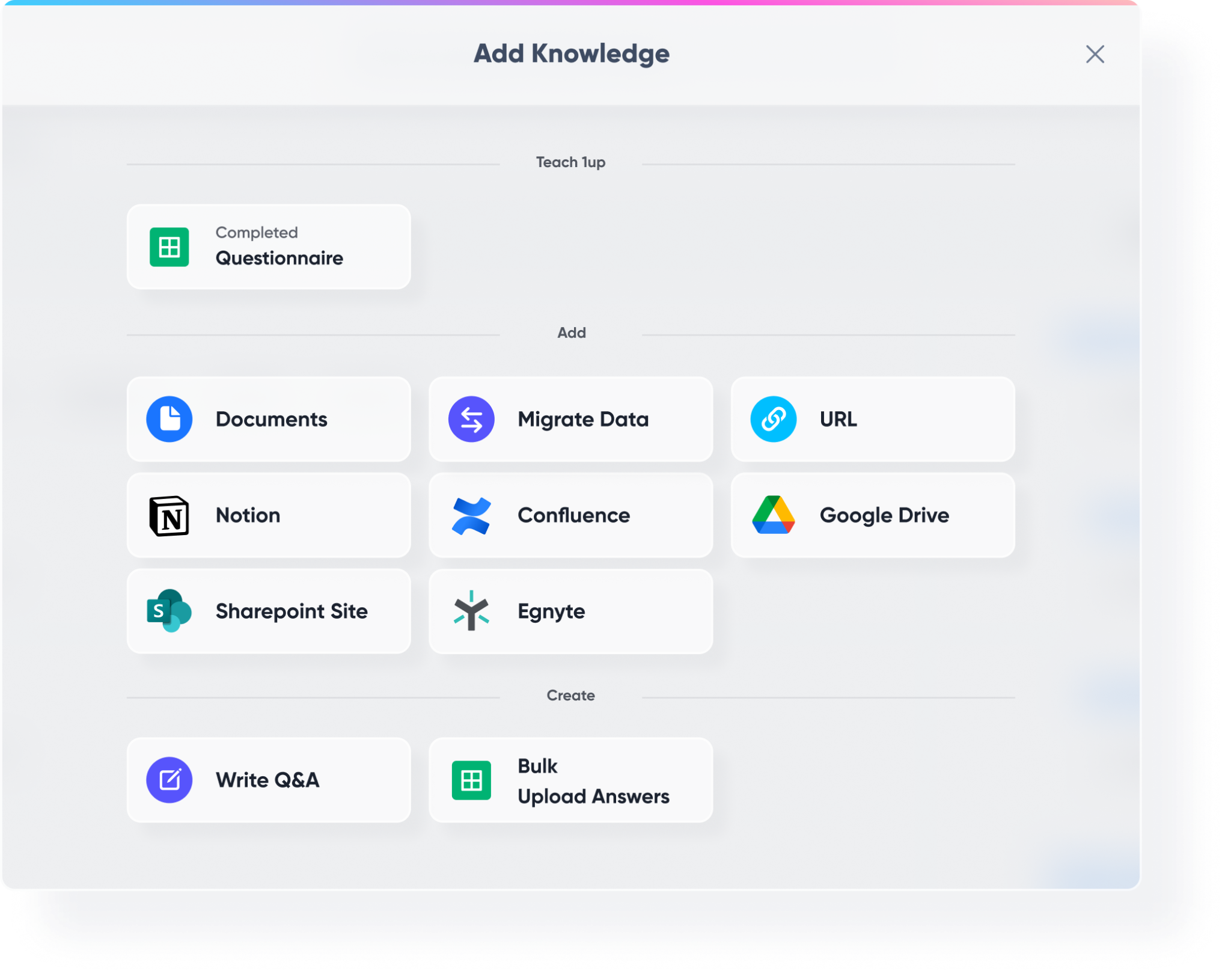
Head to Knowledge in your 1up dashboard and start building your compliance knowledge base. Bring in your GDPR-specific materials first - data processing agreements, SLAs, pen test reports, SOC 2 documents, and your InfoSec policy. Then add your broader compliance materials, product documentation, API docs, and previously completed questionnaires.
Your source documents do not need to be perfectly organized. Word docs, PDFs, previously completed assessments, web-based content - all of it works regardless of format or structure. The more you connect, the more accurate the responses.
Step 2: Tag Your Sources So It's Easy to Navigate
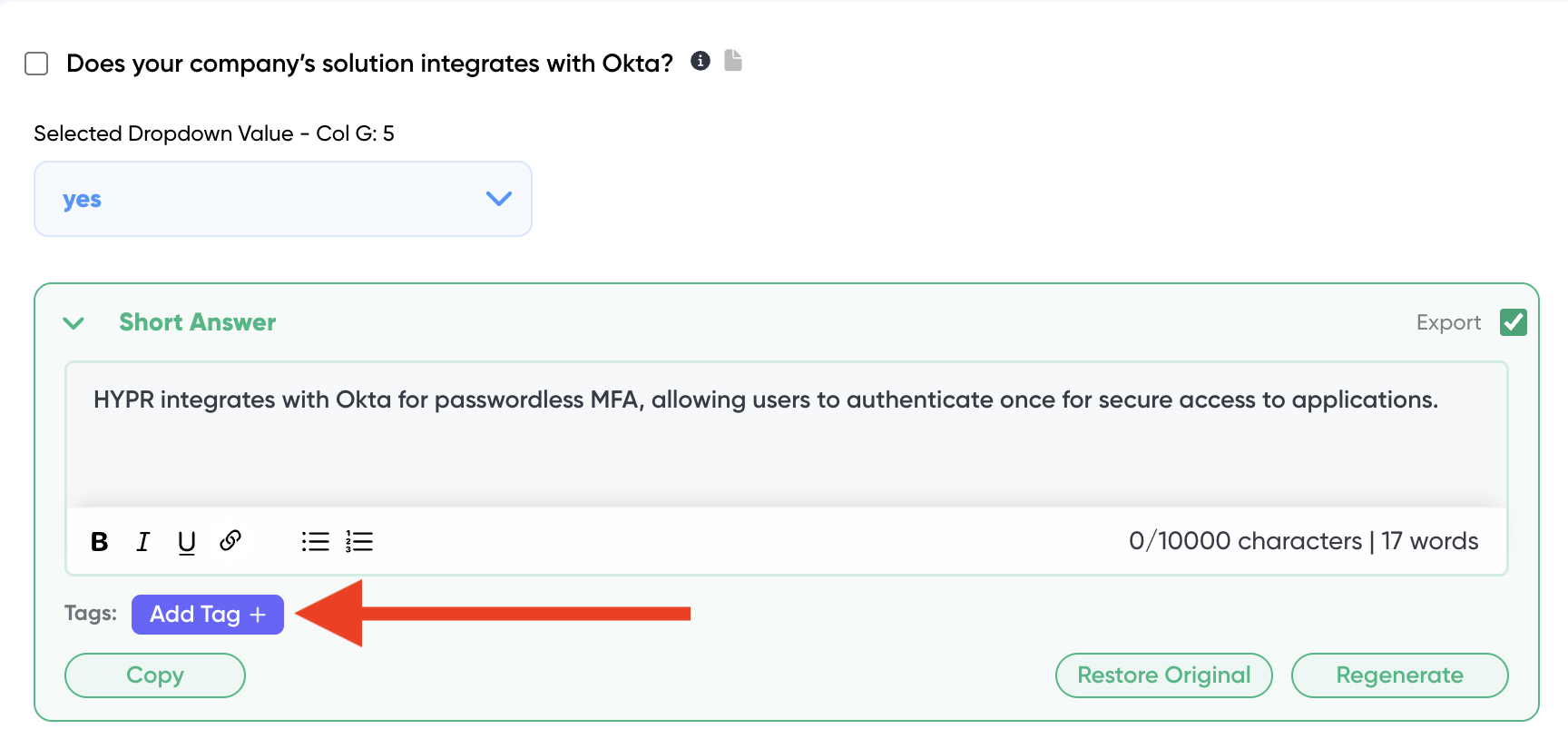
Once your content is in, add tags to keep things organized. Something like "GDPR," "Compliance," or "Security" works well. Tags tell 1up exactly which content to draw from when you are filling out a specific assessment. This keeps responses accurate and on-topic rather than pulling from everything at once.
Step 3: Add 1up to Slack, Teams, or Google Chat
Go to Ask 1up in your dashboard and connect your messaging tool. Once that is done, your compliance and sales team can ask GDPR-related questions right in Slack, Teams, or Google Chat and get answers sourced from your actual documentation without switching tools.

Step 4: Get Answers from Ask 1up, the Browser Plugin, or by Uploading Questionnaires
There are a few ways to put your compliance knowledge base to work.
Ask @1up in Slack, Teams, or Google Chat for instant answers to GDPR questions, security queries, or anything else covered in your compliance documentation.
Use the Browser Plugin to pull answers while filling out web-based assessments that do not let you download the document.
Upload your GDPR assessment directly into 1up. Tell 1up the language you want, the answer length you prefer, and which sources to use. 1up scans every element - answer columns, dropdowns, multi-select fields, written response sections - and fills them all in. Choose from a short answer, a longer answer, or a response from your previous answer library for each question. Edit anything directly and 1up learns from every correction for similar answers going forward.
You can also monitor what your team is asking most to spot compliance knowledge gaps and keep your documentation current.

Step 5: Bonus - Spin Up a Customer-Facing Answer Hub
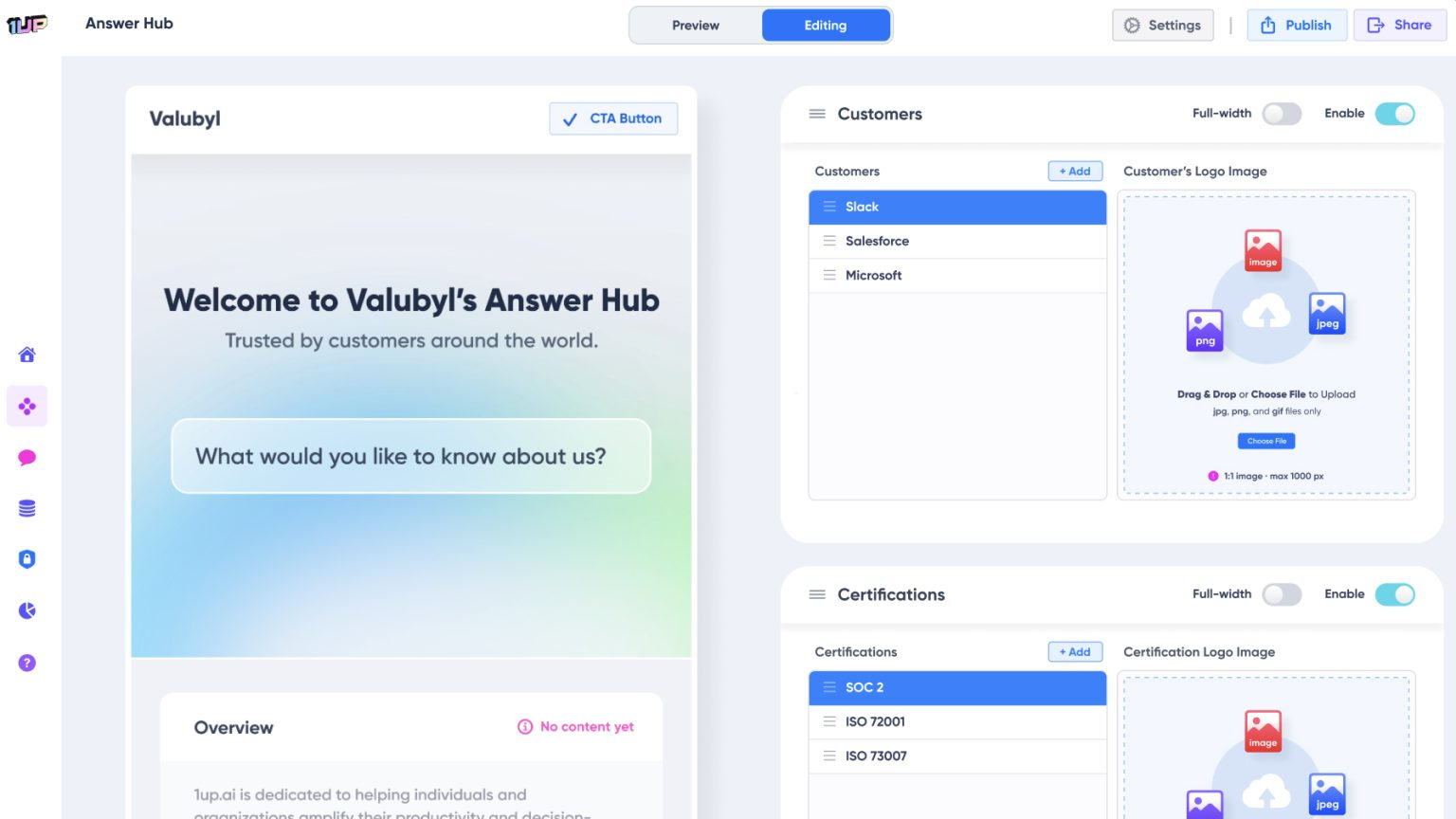
Once your GDPR and compliance content is live in 1up, you can publish a customer-facing Answer Hub. Prospects and customers can self-serve answers to compliance and security questions without waiting on your team. A solid fit for companies dealing with a high volume of vendor assessments and security reviews.
The teams that move fastest on GDPR assessments are usually the ones that loaded their compliance content into 1up before the assessment arrived. Data processing agreements, security policies, SOC 2 docs, pen test reports - all tagged and ready so 1up knows exactly what to draw from.
From a GTM perspective, automating this process is not just about saving time. It is about capacity. If a GDPR assessment currently takes your team three days, that limits how many you can handle in a quarter. When it takes a few hours, you can handle more deals without turning any away. That is what DDQ automation actually looks like in practice - not just faster responses but more pipeline.
What Changes Once You Automate GDPR Assessments with 1up
- Hours of work become minutes: A 200-row assessment that used to take a full day gets processed in a fraction of the time. 1up extracts every question, generates responses, and handles formatting automatically. Your role shifts from researcher and writer to reviewer and curator.
- Your source docs do not need to be perfectly organized: Word docs, PDFs, previously completed questionnaires, API docs - all of it works regardless of format or structure. Connect what you have and 1up learns from it.
- Complete control over every response: For each question you can choose from a short answer, a longer answer, or a response from your previous answer library. Edit anything directly and 1up remembers that improvement for all similar answers going forward.
- Built-in collaboration for compliance reviews: Assign specific questions to a compliance expert on your team, set a due date, and they get notified to review. Everything stays organized in one place instead of scattered across email threads and shared docs. Works well alongside multi-language response workflows for GDPR assessments coming in from EU customers in different languages.
See how other teams are using 1up to get compliance assessments done faster and close more deals. Read Customer Stories
FAQs
1up handles Word, PDF, Excel, and web portal formats. It automatically detects answer columns, dropdown fields, multi-select options, and written response sections and fills them all in.
No. 1up works with Word docs, PDFs, previously completed questionnaires, and web-based content regardless of how they are structured. Connect what you have and 1up learns from it.
Yes. For each question you can choose between a short answer, a longer answer, or a response from your previous answer library. You can also specify preferred language and whether to avoid technical jargon.
Yes. Assign individual questions to teammates, set due dates, and they get notified to review. 1up keeps the whole process organized in one place.




