Most advice about writing RFP responses assumes a person on the other end. Someone opens the file, reads your answers, makes notes in the margin, and forms an opinion. That is still partly true. But a growing share of the first pass now happens before any human opens the document. Procurement teams are feeding responses into AI tools that pull out answers, check them against requirements, and line up every vendor side by side. Anyone who has spent time on RFP analysis from the seller side already knows how much software can pull out of a document in a few seconds. Buyers figured that out too.
Which means the thing you are optimizing for has shifted. Your response still has to convince a human. But, it also has to survive a machine reading it first.
The First Read Is Not Really a Read
Buyer-side AI tools do not usually pick a winner. Most of them do something less dramatic and more consequential. They handle the boring middle of evaluation, which is exactly the part that used to give a good writer room to breathe.
A typical setup does some mix of these jobs:
- Parse the file. Turn your Word doc, Excel sheet, or PDF into text the system can work with.
- Pull out the requirements. Build a list of every question, mandatory item, and stated criterion from the original RFP.
- Match your answers to those requirements. Find where you responded to item 4.2.1, and pull that text out.
- Flag what is missing. Anything with no matching answer gets marked.
- Compare vendors. Put all four bidders' answers to the same question next to each other.
- Summarize. Compress a 60-page response into a page the committee will actually read.
- Score against a rubric. Sometimes automatic, sometimes a suggested score a human confirms.
A person still signs the award. But by the time that person sees your response, a lot has already happened to it. The shortlist has narrowed. Gaps have been counted. Your careful prose has been chopped into rows and bullets.
So the question stops being "will they like this" and becomes "will this hold up after it gets taken apart."
Rule 1: If the File Cannot Be Read, the Answer Does Not Exist
This one sounds too basic to matter, and it fails more responses than anything else on this list.
A scanned PDF is a picture of text. A locked or password-protected file cannot be opened. An answer typed inside a screenshot is invisible to the parser. Exported slides sometimes lose their text layer entirely. In every one of those cases, you wrote the answer and the system recorded a blank.
Two tests take about ten seconds each. Open your finished file and try to select a paragraph with your cursor. If nothing highlights, the text is an image. Then use search and look for a phrase you know is in there. If search comes up empty, so will their extraction.
The federal guidance on creating accessible PDFs is written for a different reason, but the checklist maps almost one to one onto machine readability. Tagged headings, real text instead of images, proper table structure, no content trapped in graphics. Documents built that way get parsed cleanly by almost anything.
While you are checking, look at your tables. Merged cells and nested tables confuse parsers badly. One question per row, one answer per cell, no cells spanning three rows because it looked tidier. Headers and footers are another blind spot, since text placed there often gets stripped out or attached to the wrong section during extraction. Same reason your own tooling sometimes chokes on a buyer's spreadsheet, which is a common reason AI struggles with RFP documents in the first place.

Rule 2: Put the Answer Next to the Question
Cross-references used to be efficient. "Our approach to data retention is described in Section 6.3" saves you from repeating yourself, and a human reader would flip back and find it.
Extraction tools do not flip back. They pull the text that sits with the question. If that text is a pointer somewhere else, the answer field comes back either empty or filled with a sentence that answers nothing. On a compliance check, empty and unclear land in the same bucket.
Don’t be afraid to repeat yourself. Write the actual answer in the actual answer field, even if you already said it three sections up. Redundancy costs you a few hundred words. A blank on a mandatory requirement can cost you the bid.
The same goes for appendices. Supporting documents are fine as backup. They are a poor place to keep the answer to a scored question, because there is no guarantee the appendix even gets ingested with the main file.
Rule 3: Put Your Answer First, Followed by Evidence
Because lengthier responses are frequently chunked, summarized, or truncated, initial sentences carry more weight than ever.
This principle is grounded in empirical evidence. Research demonstrates that evaluative language models exhibit sensitivity to content position; merely reordering response options can alter which output a model rates superiorly. Though the study focused on model output comparison rather than formal proposals, the core takeaway applies directly: automated scoring mechanisms evaluate content placement as well as substance.
Standardize the formatting of each response using this consistent structure:
1. Direct Answer: Start immediately with the core response (e.g., yes/no, specific metric, standard, or timeline).
2. Supporting Evidence: Follow with two to three sentences detailing implementation, scope, and verification.
3. Clarifications: Conclude with any necessary constraints, caveats, or conditional terms.
While human reviewers might patiently read through introductory background before reaching a conclusion in sentence four, automated system summaries will classify such responses as ambiguous.
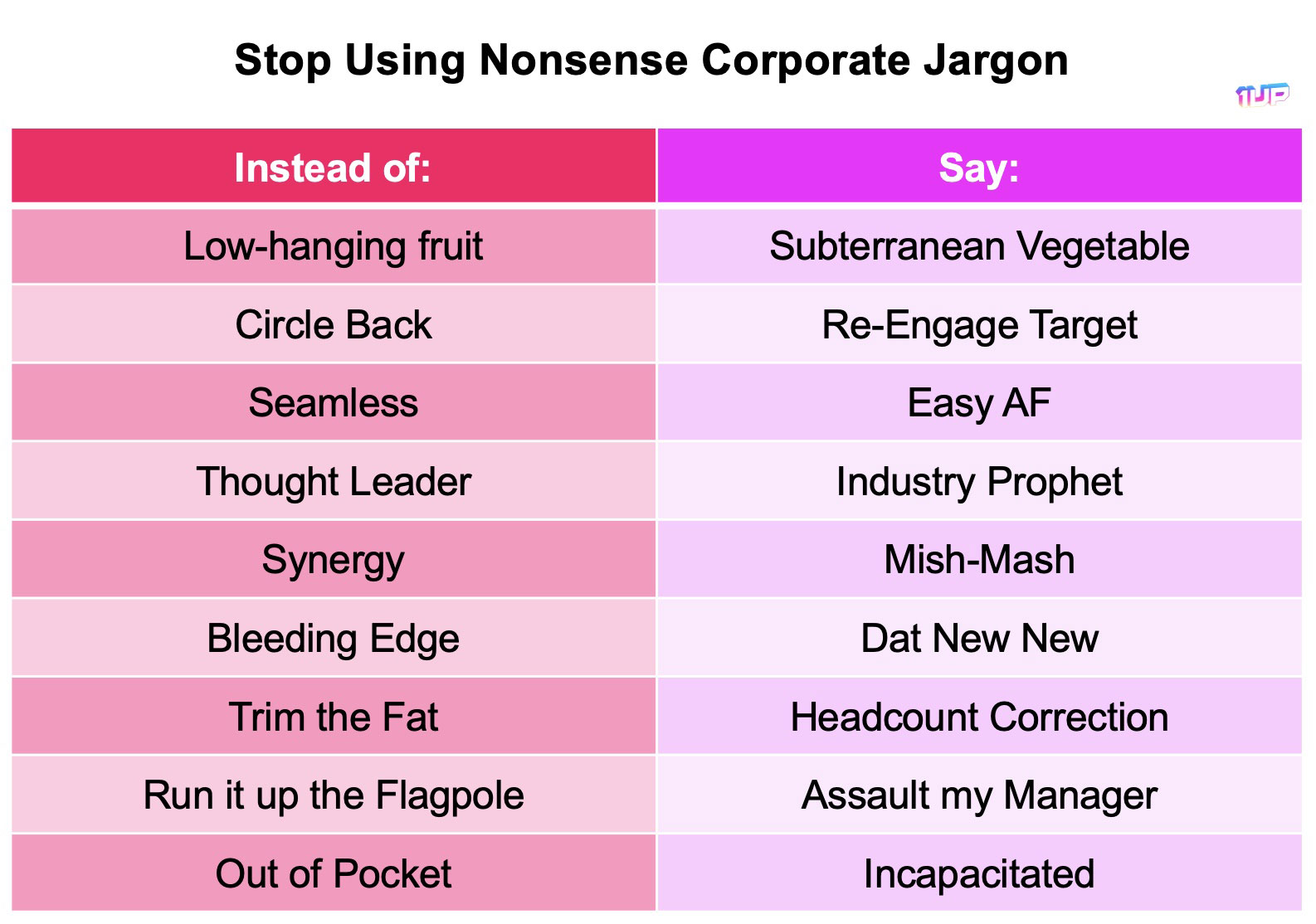
Rule 4: Use Their Words, Not Your Jargon
Matching engines look for overlap between the requirement and your answer. Some use keywords, most use meaning, and nearly all of them do better when the vocabulary lines up.
If the RFP says "data residency," write "data residency." Do not swap in "regional hosting" because that is what your product page calls it. If they use an acronym, use the same acronym, spelled out once. If they ask about "encryption at rest," the phrase "encryption at rest" should appear in the answer.
This is not keyword stuffing. Say it once, naturally, in a sentence that means something. The goal is a clean match, not density. Anyone who has built a set of security questionnaire answers and responses has already run into this, since the same control gets ten different names across ten different frameworks.
One habit worth breaking: renaming the buyer's concept with your internal product term. Your team calls it Sentinel Mode. The buyer asked about intrusion detection. Write intrusion detection, then mention what you call it.
Rule 5: Write Things That Survive a Summary
Try this on your last submitted response. Take one of the answers you were proud of and compress it to a single sentence. What is left?
If the sentence reads "the vendor says they take security seriously," that answer contributed nothing to the committee's decision, because a summary is all most of them saw.
What survives compression is specific. Numbers. Dates. Named standards. Named systems. Concrete commitments with a time attached.
- Survives: "SOC 2 Type II, audited annually, most recent report dated March 2026, available under NDA."
- Does not survive: "We maintain a robust and industry-leading security posture backed by rigorous third-party validation."
The second one is longer, sounds more impressive out loud, and evaporates the moment anything condenses it. Adjectives are the first thing a summarizer throws away. Facts are the last.
This is a decent editing pass on its own. Go through your response and mark every sentence that would disappear in a summary. Then decide whether it is worth the space.
Rule 6: Your Own Document Gets Fact-Checked Against Itself
A human evaluator reads a 60-page response the way anyone reads a 60-page document. Carefully at the start, then in patches. Contradictions buried on page 41 mostly went unnoticed.
That grace is gone. An AI reads all of it and holds all of it at once. If your executive summary promises a four-hour recovery time and your technical section says twenty-four hours, the comparison surfaces. If two sections give different employee counts, or different certification dates, or different answers about subprocessors, someone will see both numbers on the same screen.
This hits teams hardest when several people write different sections and nobody does a full read at the end. Old library content is the usual culprit. A stat that was true two years ago gets pasted next to a stat that is current, and neither writer looked at the other's section.
Two fixes. Keep a short facts sheet for each bid with the numbers everyone must use, and check the final assembled document for those specific numbers before you submit. It is a fifteen-minute job that catches the kind of mistake that reads as sloppy at best and dishonest at worst.
Rule 7: Answer the Compliance Question Before You Explain It
Hedging used to work. "We have a comprehensive approach to this requirement, and while our implementation differs slightly from the described model, customers consistently find it meets their needs" is a sentence built to avoid saying no.
A compliance checker reads that and cannot classify it. Unclassified usually gets flagged, and flagged answers get read closely by the person you were hoping would skim.
State the compliance position first, then explain:
- "Yes. Supported natively since 2024."
- "Partial. Supported for Salesforce and HubSpot. Not currently supported for Dynamics, targeted for Q3."
- "No. Not supported. Customers usually handle this through the API, described below."
A clean no with a workaround scores better than a fuzzy maybe. It also builds credibility for every yes you gave elsewhere, and evaluators notice which vendors were straight with them.
Score Your Own Response Before They Do
The most useful habit here costs almost nothing. Before you submit, run your finished response through an AI tool the way the buyer will, and see what comes back.
Ask it these six things:
- List every requirement in the original RFP that this response does not answer.
- What is the answer to question 4.2? Quote it.
- Summarize this response in five bullets for an evaluation committee.
- Where does this document contradict itself?
- Which answers are vague or hedged?
- Based on this response alone, what are this vendor's three biggest weaknesses?
Question six is the uncomfortable one and usually the most useful. Whatever comes back is roughly what the buyer's summary will say about you.
Do this on a response you already lost, first. The gap between what you thought you submitted and what a machine reads back is usually wider than expected, and it is easier to face on a dead deal. Teams that build this into their bid management process tend to stop making the same three mistakes on every submission.
Read Your Own Response the Way the Buyer Will
There is a version of this check built into 1up, and it runs before you answer anything.
Upload a questionnaire under Automate Questionnaires and 1up does a fast pass over the text in the file. Once that pass finishes, an Ask About This button appears in the upload window. Click it and a chat opens next to your file, where you ask questions in plain language and get answers based on what is actually inside the document.
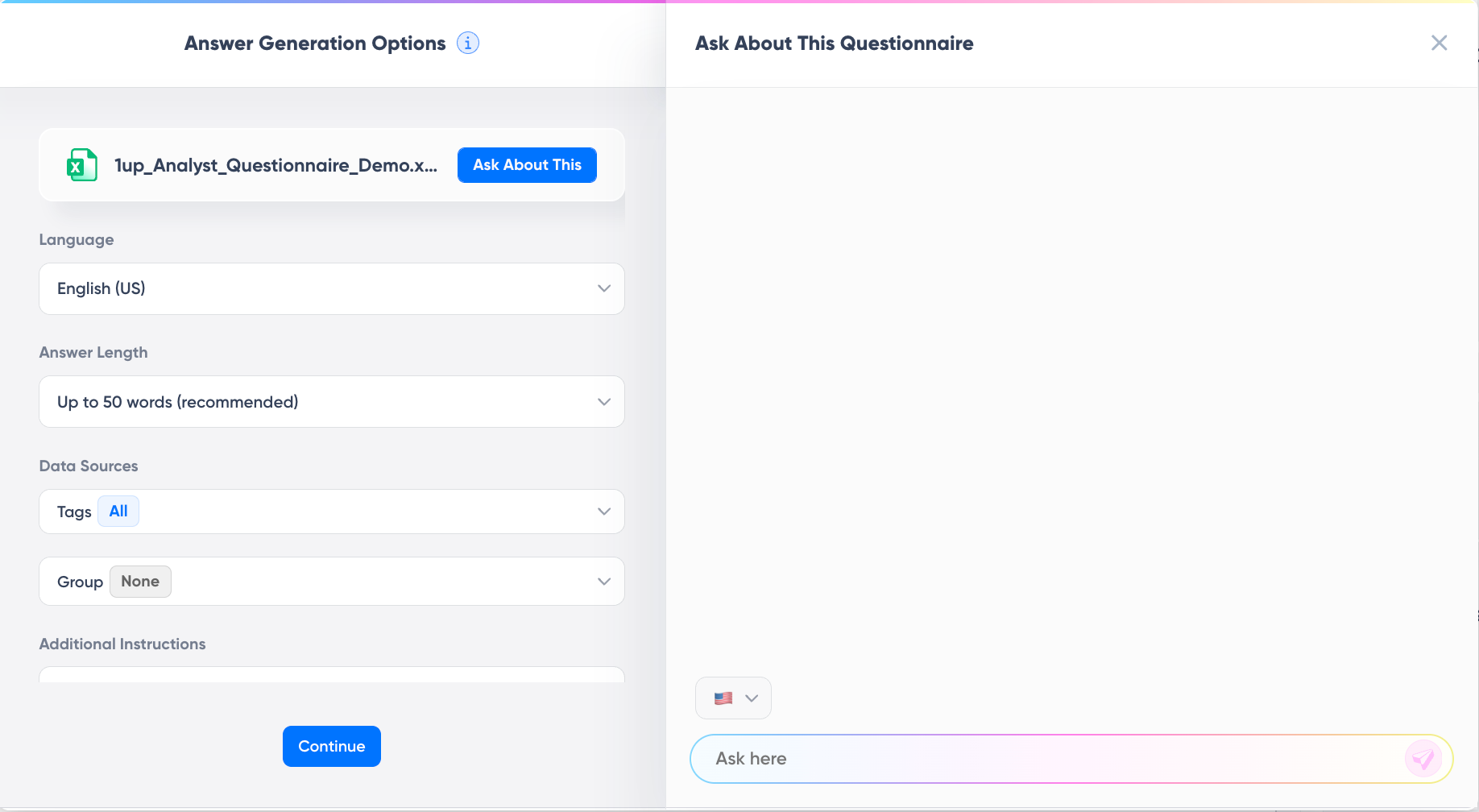
The feature is called Ask about Questionnaire, and it behaves like an analyzer. Before any automation runs, it reads the document and tells you what is in there.
It works on the text in any file you upload, so Excel, Word, CSV, and PDF all behave the same way. Web-based questionnaires go through the browser plugin instead.
The first prompts worth running are the ones that tell you what you are dealing with:
- Summarize this file with the most important details
- What topics does this questionnaire cover?
- What sections are included in this document?
- Are there any security or compliance questions here?
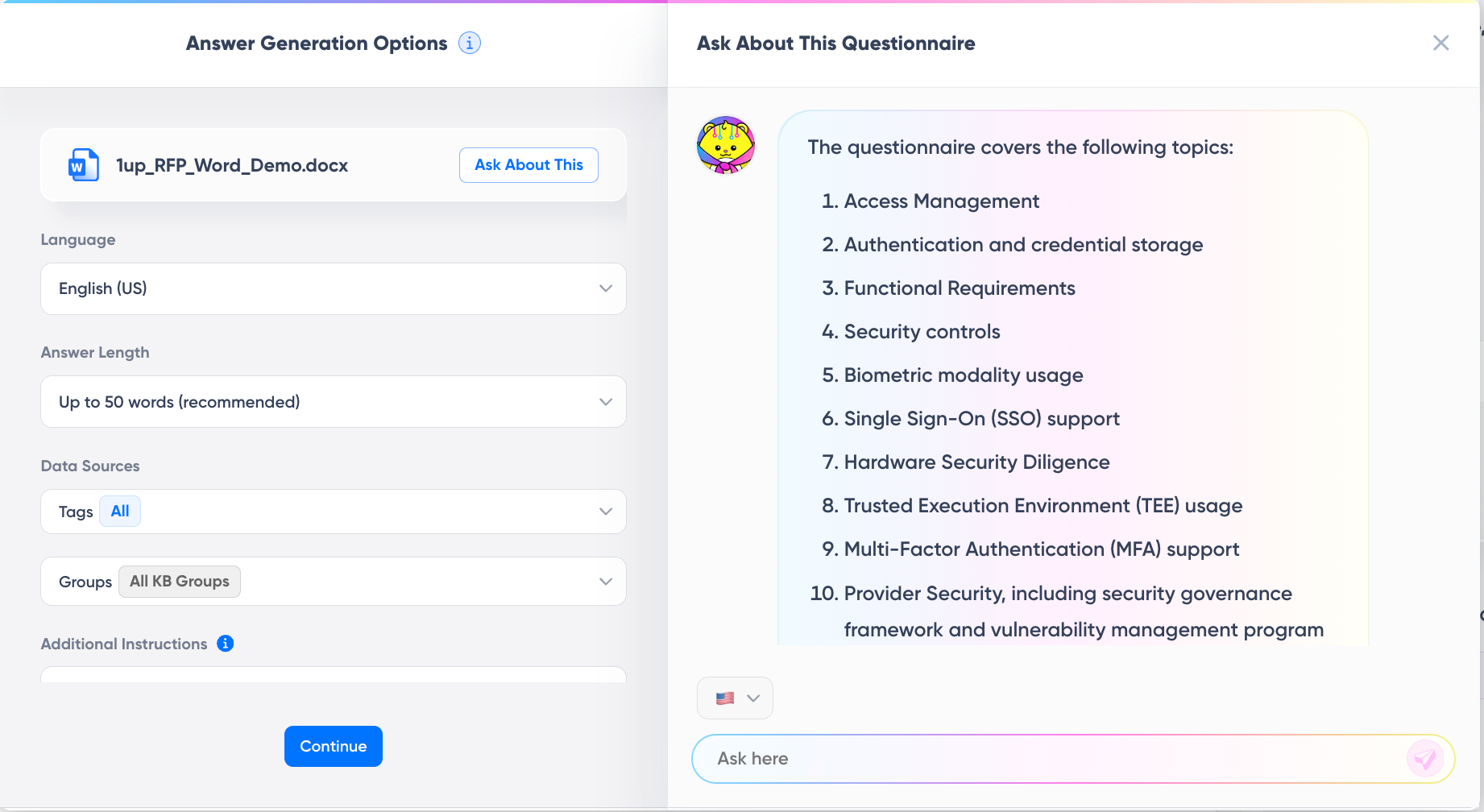
That last one is the triage question. A form that comes back with ten security and compliance topics needs your security lead, and finding that out in twenty seconds beats finding it out on Thursday afternoon.
The side benefit is the one that matters for everything above. What this pass reads is close to what the buyer's tooling will read when your response lands on their end. Same job, pointed the other direction. Upload your own finished response and ask it to summarize the file with the most important details. If the summary that comes back is thin, vague, or missing whole sections, that is a preview of what the evaluation committee gets handed.
Worth knowing what this is and is not. The quick read is why it answers so fast, and it gives you a feel for the contents rather than a precise inventory. It will not hand you an exact question count. For the full breakdown and generated answers, run the file through questionnaire automation.
The Part No Machine Handles
None of this means writing for a scoring engine and calling it done. Automated scoring narrows the field. Humans still choose the winner, and they choose based on things that no parser measures like:
- Whether the response felt like it was written for them or copy-pasted from the last one.
- Whether your references check out. Whether the demo matched what the document promised.
- Whether the team seemed like people they wanted to spend two years working with.
The good news is that clean, direct, specific writing wins with both audiences. Nobody ever complained that an answer was too easy to find. The stuff that helps a parser, which is plain structure, front-loaded answers, real numbers, and consistent facts, is the same stuff that helps a tired evaluator on their sixth response of the day. Vague and padded writing was never actually working. Automated scoring just made the cost visible.
Three Immediate Upgrades for Your Next Bid
You don't need to overhaul your entire library to see better results. Implement these three high-impact changes on your next submission to ensure your response survives both the machine and the committee:
- Verify Machine Readability: Perform the select-and-copy test on your final PDF. If you can't highlight the text or search for keywords, the buyer's AI will record a blank. Fix your structure before you hit send.
- Front-Load Every Answer: Rewrite your responses so the first sentence is the direct answer (Yes, No, or a specific stat). Save the context and proof for the subsequent sentences to prevent your meaning from being lost in a machine summary.
- Run a Pre-Submission AI Audit: Validate your finished document using the six-question audit. Force the AI to find your weaknesses and contradictions now, while you still have the time to fix them.
This represents roughly one hour of work. Against the dozens of hours spent drafting content, it is the highest-leverage hour you can spend to ensure your response is actually heard.
FAQs
Most do not hand the scoring over completely. What they automate is the middle of the process, like pulling requirements out of the RFP, matching your answers to them, counting what is missing, comparing vendors on the same question, and summarizing long responses for the committee. Human evaluators still make the award decision, but they often make it from a machine-generated summary rather than your full document.
Two tests, about ten seconds each. Open the finished file and try to select a paragraph with your cursor. If nothing highlights, your text is an image and no parser will read it. Then use search and look for a phrase you know is in the document. If search finds nothing, the buyer's extraction will come up empty too. After that, check your tables for merged cells and text sitting in headers or footers, since both cause extraction errors.
The RFP Analyzer reads a questionnaire or RFP file before anything gets automated. It finds the questions and requirements, detects answer locations and dropdowns, and shows you what it pulled out, which tells you whether the document is worth processing before you spend credits on it. The same analysis works in reverse on your own finished response. Questions it cannot find are questions the buyer's system will likely miss, and answer fields it reads as empty are fields that will come back flagged.

.png)
AI Made Writing Code Free and Moved the Bottleneck to Code Review
The Payoff of Connecting Questionnaire work to your Sales Pipeline

Shadow AI: What Your Reps Are Pasting Into ChatGPT Right Now
SIG vs CAIQ vs VSA: A Simple Guide to the Big Three

How to Win Government RFPs With AI (Without Getting Disqualified)