
How to Automate RFP Collaboration with AI
The Problem
Completing an RFP is rarely a one-person job. Technical questions need a subject matter expert. Legal language needs a review. Security sections need someone from IT. Coordinating all of that across email threads, shared docs, and calendar invites is slow, disorganized, and stressful - especially when the deadline is tight.
The Solution
1up automates the answers and streamlines the review. Upload your RFP, let 1up generate responses from your knowledge base, then assign specific questions to the right teammates for review. Everyone works in one place, due dates keep things moving, and nothing gets missed.
Stop Coordinating RFPs by Email and Start Collaborating in 1up
Most teams spend more time coordinating an RFP than actually writing it. Chasing people down for input, tracking who has reviewed what, consolidating edits from three different versions of the same document. 1up removes most of that friction. The answers get generated automatically, and the collaboration happens in a single organized workspace instead of a scattered email chain.
A lot of teams spend more time managing the RFP process than actually completing it. Chasing subject matter experts, tracking who reviewed what, reconciling edits from three different versions of the same document. By the time everything comes together, half the deadline is gone.
Step 1: Upload RFPs and Assign Questions
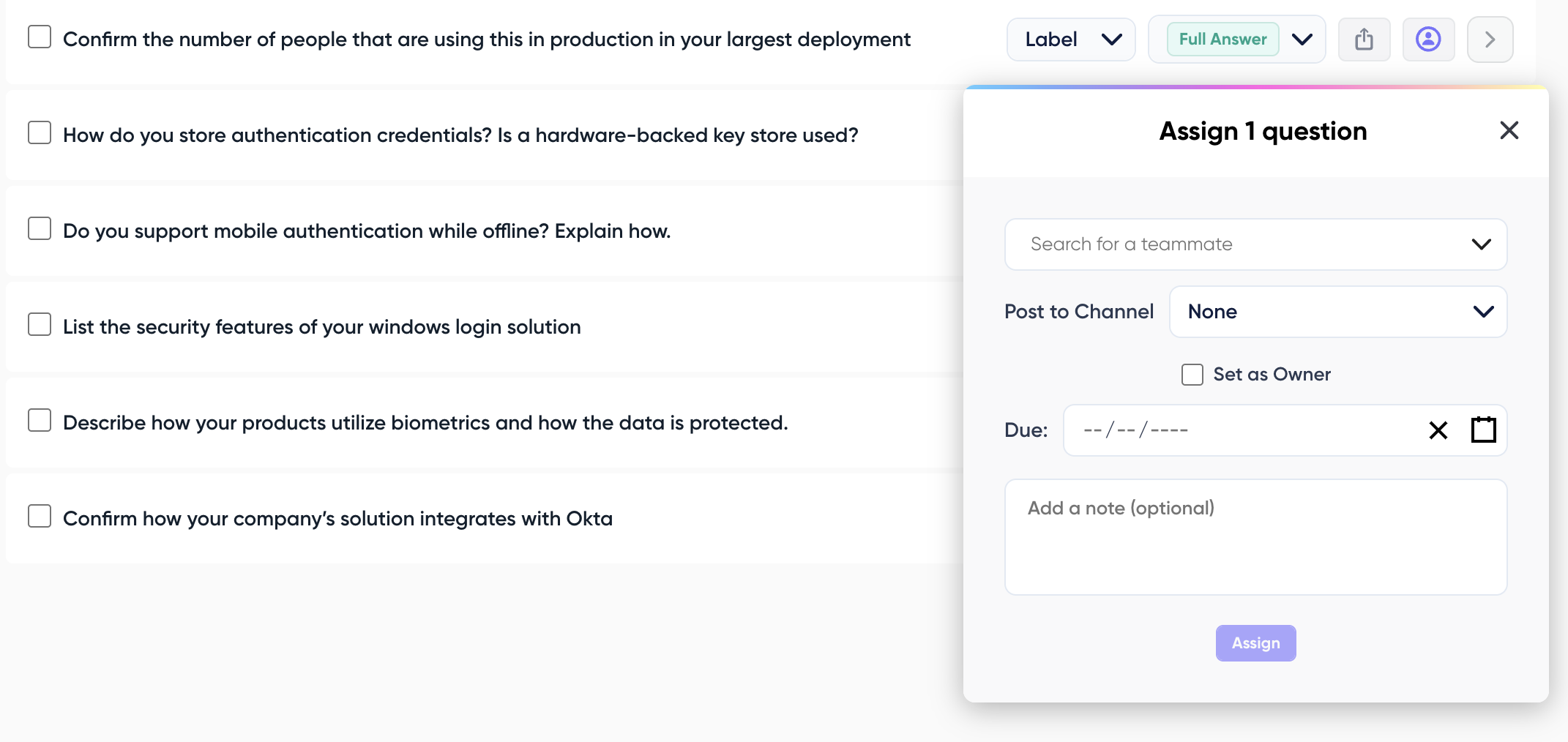
With 1up, you upload the RFP and it starts generating answers immediately from your knowledge base. From there, you assign questions to the right teammates, set due dates, and everyone works in one organized place. No email chains, no version confusion, no wondering where things stand.
Once answers are generated, open the questionnaire and review responses. Every answer includes a source link so you know exactly where it came from. Edit anything directly and 1up permanently learns from every correction - similar questions get better answers going forward.
Step 2: Get Second Opinions Quickly
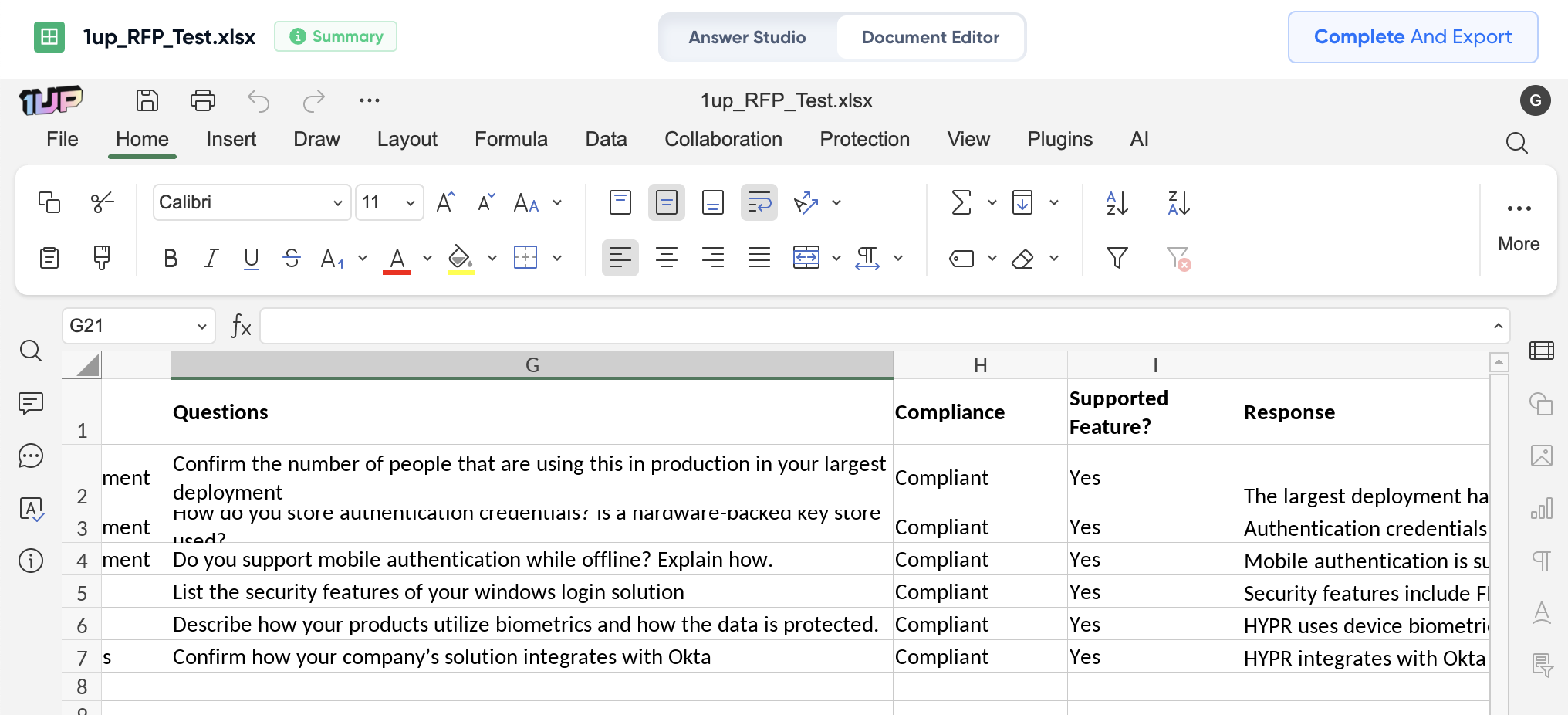
For anything you want a second opinion on, click the assign button, pick a teammate, and set a due date. They get notified and see a clear assignment view showing everything waiting for them. As an admin you can filter by assignee, track due dates, and see exactly what is outstanding at any point. When everything is reviewed, export the completed document in the same format you uploaded - answers mapped to the right sections, dropdowns filled in, formatting preserved. Ready to send. Works great for Word questionnaires and Excel formats alike.

Teams dealing with a high volume of RFPs get the most out of this. When you have three RFPs running simultaneously and six people contributing to them, keeping everything organized is half the battle. The project view in 1up gives you a single place to see the status of every active questionnaire and who is working on what.
The collaboration features also help with institutional knowledge. Every correction a teammate makes gets saved back to the knowledge base. Every improvement compounds over time. An RFP process that used to take days starts taking hours, and the answers get better with every one you complete. If you want to win more of the RFPs you submit, a faster and more organized process is a real advantage in winning RFP bids.
What Your Team Gets with 1up
- Most of the work is done before anyone reviews a single answer 1up generates responses to the entire RFP from your knowledge base before your team even opens the document. Your reviewers are polishing and approving, not writing from scratch. That alone cuts the time required dramatically.
- Everyone knows what they need to do and when Assigned questions, due dates, and a clear assignments view means nobody is guessing what is left or who is responsible for it. The whole team works from the same document in real time instead of trading versions over email.
- Every improvement makes the next RFP easier When a teammate corrects an answer, 1up learns from it. The next time a similar question comes in, the improved answer is already there. Over time the review cycle gets shorter as the knowledge base gets sharper.
- Full visibility for whoever is running the process As an admin you can see everything. What is assigned, what is pending, what has been reviewed, and what still needs attention. No surprises when the deadline arrives.

See how other teams like Optimove are using 1up to complete RFPs faster and with less back and forth. Read Customer Stories
FAQs
1up generates responses to your RFP automatically from your knowledge base, then lets you assign specific questions to teammates for review with due dates. Everyone works in one place and the admin has full visibility into what is outstanding at all times.
Yes. Admins can filter by questions assigned to specific people, see due dates, and get a full picture of what has been reviewed and what is still pending.
Yes. Every correction a teammate makes gets saved to the knowledge base. Similar questions in future RFPs get better answers automatically the more you use it.
You can be up and running in minutes. Connect your knowledge sources, upload your first RFP, and 1up starts generating answers immediately.




