
How to Generate Multi-Language RFP Responses with AI

The Problem
You work out of the London office and a security questionnaire just landed from another region. It is in German. The questions are technical, your docs are in English, and your one German-speaking teammate is in the middle of something else. This is a situation global revenue teams run into constantly.
The Solution
1up generates accurate RFP and questionnaire responses in any language, even when your internal knowledge base is written in a completely different one. Upload the questionnaire, pick the language, and 1up handles the rest.
How to Generate Multi-Language RFP Responses with 1up
Your internal docs do not need to be in the same language as the questionnaire. 1up translates from your knowledge base into whatever language your prospect needs, producing grammatically correct responses sourced from your actual content. No external translators, no pulling in teammates, no delays.
The setup is straightforward. Once your knowledge base is connected, you can start generating questionnaire responses in any language in minutes.
Step 1: Connect Your Knowledge Base in 1up
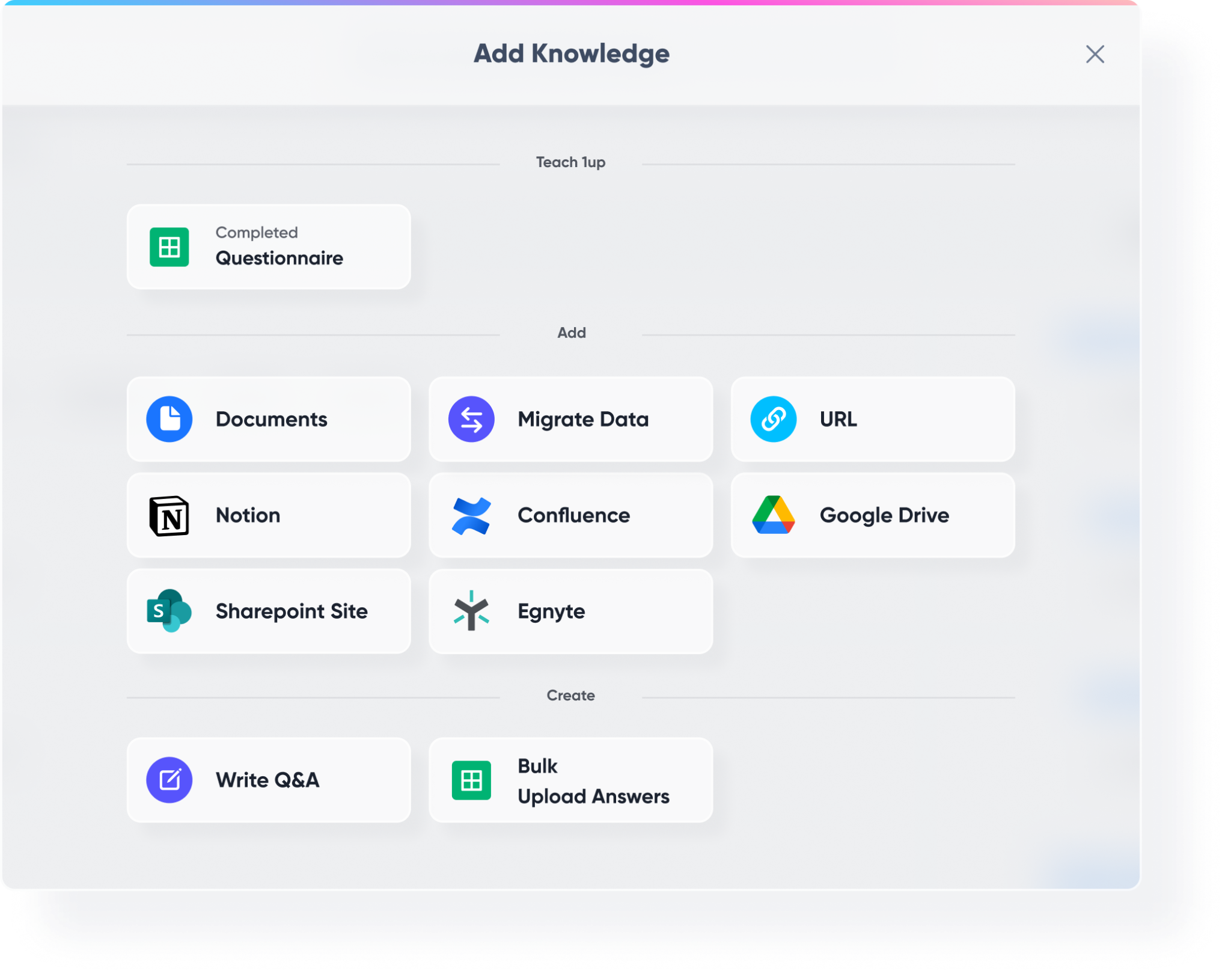
Head to Knowledge in your 1up dashboard and load up your content. This is where everything comes together. Bring in your sales playbooks, product docs, compliance materials, past completed RFPs, and security documentation.
Then connect your third-party tools. SharePoint, Confluence, Google Drive, Notion - wherever your content lives, 1up can pull from it. You can even have docs in multiple languages across different sources. 1up will pull from all of it and translate into a single cohesive response in the language you choose.
Step 2: Upload an RFP and Set the Language
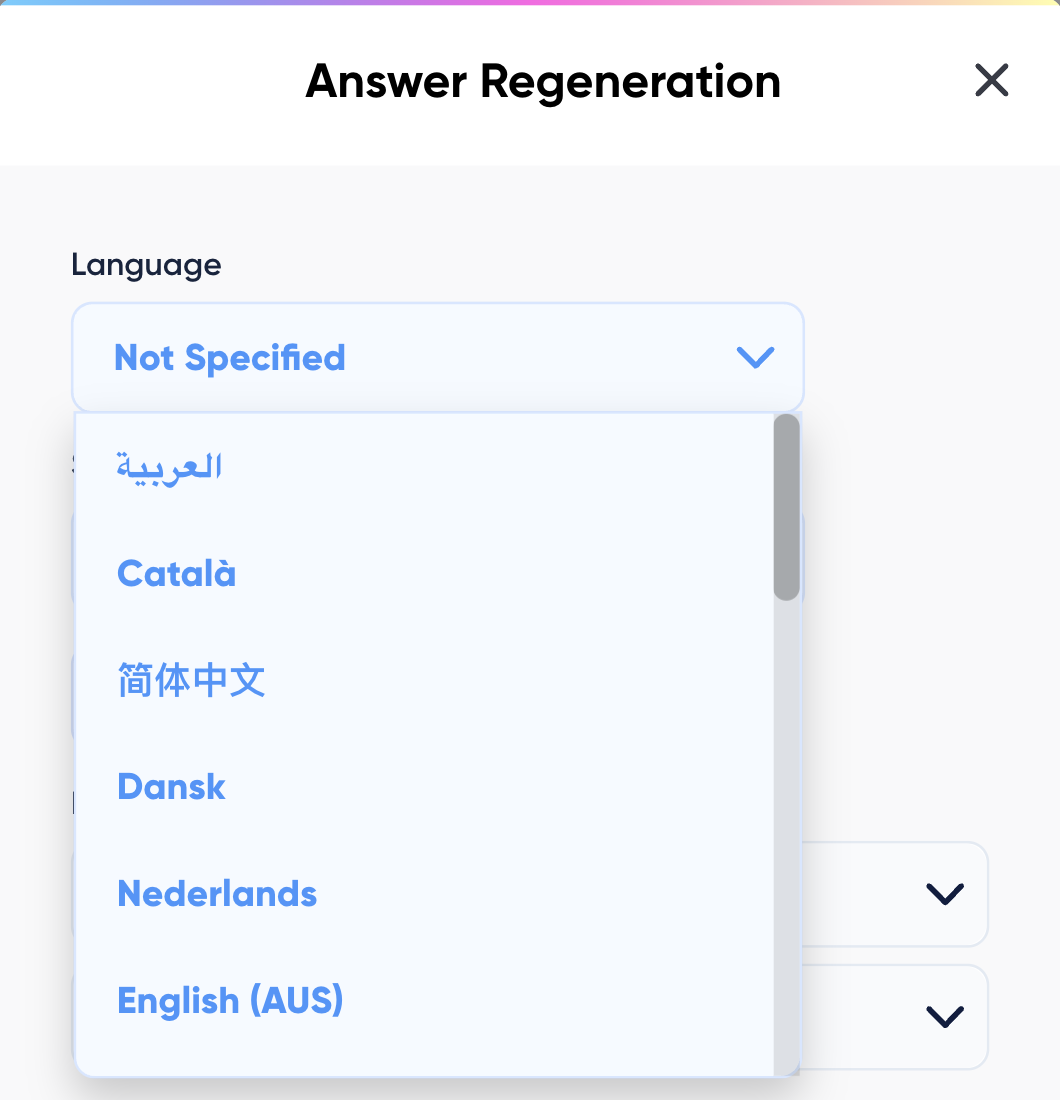
Go to Questionnaire Automation in your 1up dashboard and upload your file. 1up accepts PDF, Word, and Excel formats. When prompted, select the language you want your answers generated in. Your knowledge base does not need to be in that language - 1up analyzes every question, matches answers from your connected sources, and translates the responses to be grammatically correct in your chosen language automatically.
Step 3: During Review, Flip the Flag to View Responses in Any Language
Once your answers are generated, review them in the questionnaire automation interface. You can toggle the flag icon next to any answer to switch the language on the fly. If you want to view a Spanish response in English to verify accuracy, just flip the flag. You can also choose between short answers, long answers, or previous responses from your library. Edit any response directly, save it back to your knowledge base, and 1up learns from that correction going forward.

When everything looks good, export the completed file and get back the original format with all answers embedded in your chosen language.
Step 4: Bonus - Spin Up a Customer-Facing Answer Hub
Once your knowledge base is live in 1up, you can publish a customer-facing Answer Hub so customers can get answers in any language without waiting on your team. A solid fit for global companies with prospects across multiple regions.

The teams that get the most out of this are usually the ones dealing with a high volume of international questionnaires. Instead of each one becoming a coordination exercise - who speaks the language, who knows the product, who has time - the whole thing gets handled in minutes.
You upload the questionnaire, pick the language, review the responses, and send. Your team focuses on polishing instead of translating. That is a much better use of everyone's time, especially when the questionnaires keep coming in from different regions.
What Your Team Gets with 1up
- No more pulling in translators or teammates: The moment a questionnaire lands in another language, your team no longer has to track down a colleague who speaks it or hire an external vendor. 1up handles the translation automatically, sourced from your own documentation.
- Your knowledge base stays in one language: You do not need to maintain multiple versions of your docs in different languages. 1up translates from whatever language your content is written in into whatever language the questionnaire requires. The source material and the output language can be completely different.
- Responses are accurate, not just translated: This is not a generic translation tool. 1up pulls answers from your actual documentation and then translates them. That means the responses reflect your product, your security posture, and your brand voice - just in a different language.
- Handles any format, any language: PDF, Word, Excel - upload whatever comes in. 1up supports responses across a wide range of languages including Spanish, German, French, Portuguese, Japanese, Dutch, and more. Global teams dealing with RFPs, DDQs, and security questionnaires across multiple regions use it to respond faster and more consistently than they ever could manually.

See how other teams like FusionAuth are using 1up to complete RFPs faster across every region. Read Customer Stories
FAQs
1up currently translates into eight languages, but it’s adding more languages as we speak. The current languages available include English, Spanish, Portuguese, German, French, Russian, Japanese, and Dutch.
1up has designed a top-of-the-line large language model that can be translated accurately and precisely. It considers context, your documents, and the questions of the RFP or questionnaire.
Significantly faster. What used to involve coordinating translators, subject matter experts, and multiple review cycles gets done in minutes. Your team reviews and refines instead of starting from scratch.
Nope. 1up will translate from your knowledge base to the preferred language of the RFP or questionnaire.




