
How to Automate Answers from Notion with AI
The Problem
All of your company knowledge is stored in Notion, but your team doesn't want to spend the time going through all those documents. Searching for answers takes a lot of time, and that is the one thing sales teams never have enough of.
The Solution
1up connects to your Notion workspace and turns it into a knowledge base your team can actually query. It speeds up answers so your teammates and customers can get the information they need FAST.
How to Connect Notion to 1up and Start Getting Answers Fast
If your team is already using Notion to store product docs, process guides, or sales materials, you have more than you think. The problem is nobody wants to stop mid-call and go dig through it. 1up connects your Notion content to the tools your team is already in, so they get answers without ever opening Notion at all.
Sales teams use 1up's Notion connector to automate answers to customer questions, RFPs, DDQs, and complex questionnaires. Getting it set up only takes a few minutes.
Step 1: Connect Your Notion Workspace
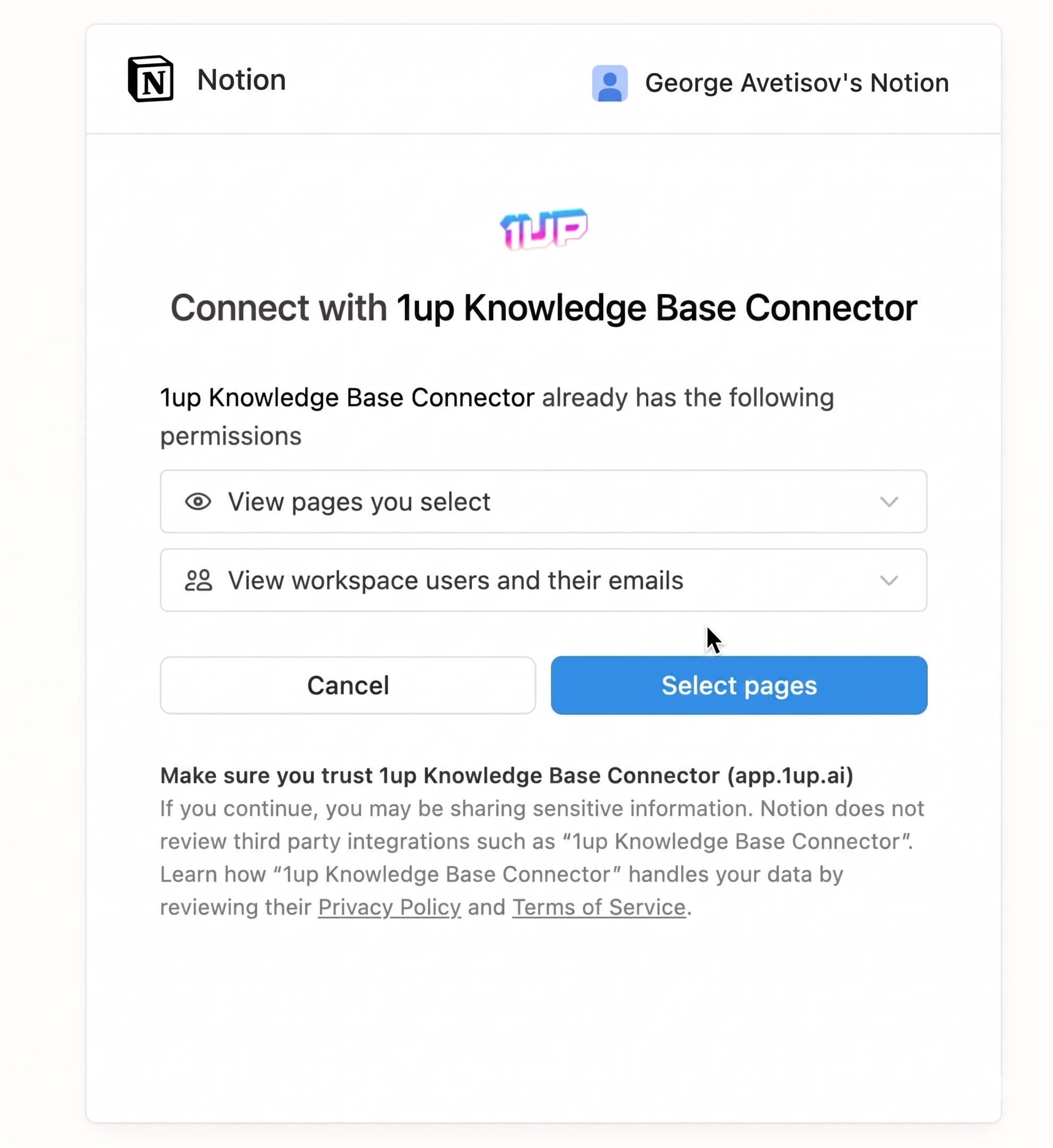
Go to Knowledge, then Add Knowledge, then select Notion. Click Confirm to start the authorization. From there you choose which parts of your Notion workspace 1up is allowed to access. 1up does not pull any data until you explicitly select pages, so you stay in control from the start.
Select the pages or spaces you want, things like Enablement Content, RevOps, or Technical Docs, and click Allow Access.
Step 2: Select and Sync Your Notion Pages
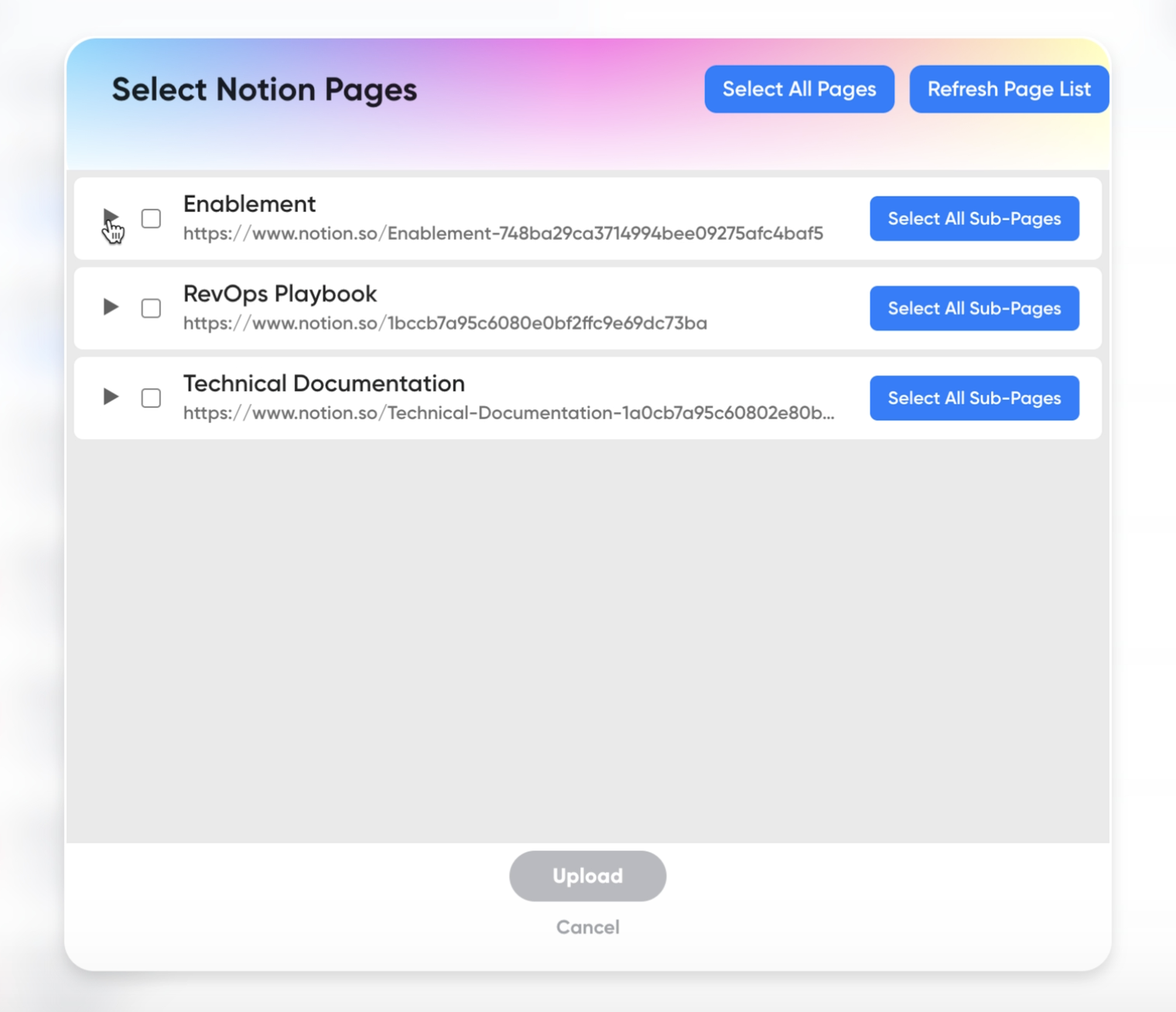
Go back to Add Knowledge and select Notion. Use the page selector to choose all pages or just specific pages, subpages, database entries, or objects within your Notion tree. Once synced, they show up in your 1up knowledge base. Any updates you make in Notion get reflected in 1up automatically. No manual refreshes needed.
Step 3: Tag Your Sources So It's Easy to Navigate
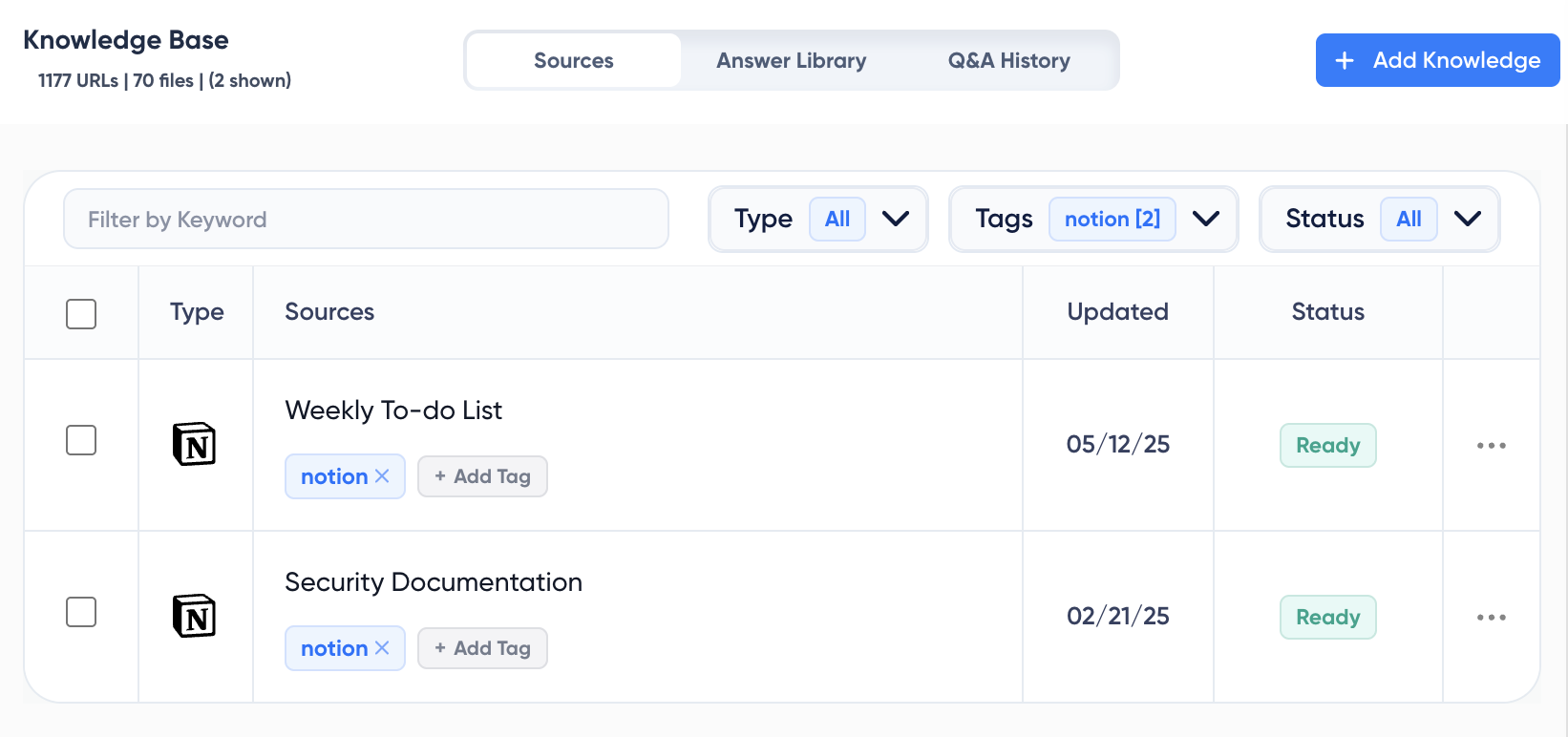
Once your content is synced, add tags to keep things organized. Something like "Notion" works well, or whatever category makes sense for your team. Tags let you narrow Q&A or RFP automation to Notion-only content when generating answers. This is what keeps responses accurate and on-topic.
Step 4: Get Answers from Ask 1up, the Browser Plugin, or by Uploading Questionnaires
There are a few ways your team can pull answers once everything is connected:
Ask 1up in Slack, Teams, or Google Chat. Product questions, sales questions, objection handling - things like "How do we integrate?" or "What do I say to this?" get answered instantly using your Notion content.

Use the Browser Plugin to pull answers while browsing the web or filling out online forms without leaving the page.

Upload a questionnaire to automate answers in bulk. 1up supports Word, PDF, and Excel files. Select Notion as your source, choose your language and response length, and 1up generates answers in minutes. Works for RFPs, DDQs, security questionnaires, and customer questionnaires.
Step 5: Spin Up a Customer-Facing Answer Hub
Once your Notion knowledge is live in 1up, you can take it one step further and build a customer-facing Answer Hub. Your prospects and customers get instant answers on their own without waiting on a rep. It takes just a few minutes to set up and runs around the clock.
Once 1up processes your questionnaire, you can review every response before anything goes out. You will see exactly which Notion pages were used as sources for each answer, so nothing is a black box. If your Notion library has the right content, it shows up here as the source of truth for your replies.
That transparency is what makes this actually useful at scale. Your team stops guessing and starts trusting the process because they can see where every answer came from. For teams also using Microsoft Teams, you can get answers from your Notion content without ever leaving the app.
What Your Team Gets with 1up
- Your Notion content stops sitting idle: Most teams put real effort into building out their Notion workspace. The problem is people do not use it when they actually need something. 1up makes all of that content queryable so it starts pulling its weight.
- Answers without leaving the tools your team already uses: No separate login, no hunting through pages. Your team asks a question in Slack, Teams, or Google Chat and gets an answer back in seconds sourced straight from Notion.
- Always working from the latest version: When you update a page in Notion, it updates in 1up automatically. No manual syncing, no stale content. Your team is always working from the current version of your docs.
- Built for the big stuff too: Customer questions, RFPs, DDQs, compliance questionnaires - 1up handles all of it. Upload the doc, pick Notion as your source, and it generates accurate responses based on what you have actually written. It also works well alongside tools like Confluence if your team uses both.
See how teams like WalkMe are using 1up to automate the answers that used to slow everyone down. Read Customer Stories
FAQs
Tag @1up in Slack, Teams, or Google Chat and get an instant answer sourced from your Notion workspace. You can also use Ask 1up directly in the web app.
All answers come directly from your sources, weather it be from Notion pages or your own website. When you update these pages, 1up will automatically update the information and when you edit information, 1up will learn from this as well.
Yes. 1up has enterprise-level security and only uses your content to generate answers for your team. Your data stays isolated and is never shared.
Just a few minutes. Connect your workspace, select the pages you want to sync, add tags, and you are good to go. Some setups take less than a minute.
.jpg)
.jpg)



