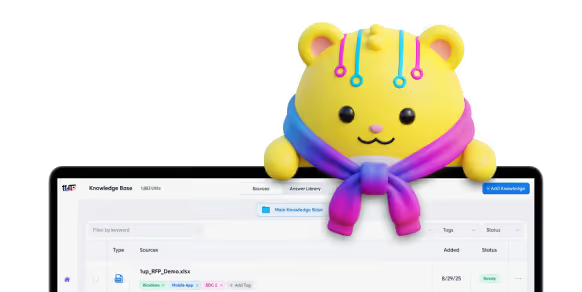
Product teams create a lot of documentation. Product requirements, technical docs, release notes, internal FAQs, enablement guides, and API docs add up quickly.
Most of it never gets used.
Product knowledge exists, but teams cannot find answers.
Documentation is spread across many tools. Search does not work the way people expect. When teammates get stuck, they ask product managers for help. Sales teams post questions in Slack. The same questions come up again and again. Product teams lose time and focus.
Many teams try to fix this with a company knowledge base. That's a good step, but often times will lack specific product information.
Most knowledge base tools are too generalized. Without the ability to navigate product-specific content, finding the right answer takes longer than asking a person. Some tools use AI, but the answers are often wrong or misleading. Even good AI tools can be too generic and do not understand product details.
A strong company knowledge base works differently. It is built around real product documentation. It can classify products and generate different answers based on the type of query. It shows where answers come from. It gives teams answers where they already work.
This guide shows you how to create a product knowledge base that your teams will actually use.
1. Bring All Product Knowledge Together
The foundation of a knowledge base is centralization. Most product teams already have the information their teams need. The problem is that it lives everywhere. This is a core challenge in enterprise knowledge management, especially as teams scale and add more tools.
Product knowledge is usually spread across roadmaps, feature docs, release notes, internal FAQs, and technical documentation. In technical companies, this often includes API references, integration guides, and developer materials. In non technical teams, it might be product collateral, service descriptions, and pricing documentation.
When this information is fragmented, getting a clear answer becomes difficult. Sales teams miss opportunities because they do not understand upcoming features. Customer success teams risk overpromising because they are working from outdated information. Knowledge does not flow easily between teams.

Centralizing product knowledge solves this by ensuring everyone stays current on what the product does today and where it is headed next.
A strong company knowledge base should include more than just internal product documentation. Sales and marketing assets should live alongside product docs so teams stay aligned on how the product is positioned and explained.
This includes:
- Product requirement documents
- Technical documentation and API references
- Integration and developer guides
- Help center articles and internal FAQs
- Release notes and roadmaps
- Sales and marketing assets like blogs, case studies, brochures, and pitch decks
Keeping these materials close together helps prevent drift between product documentation and go to market messaging. When sales reps build a pitch, they can pull the most up to date product collateral. When marketing launches a campaign, they can easily share new messaging with the sales team.
A modern information base does not replace existing tools like Google Drive, Confluence, Notion, SharePoint, or Dropbox. It connects them. This creates a single source of truth without forcing teams to migrate content or change how they work.
This approach turns scattered documentation into a shared, living knowledge system that product, sales, marketing, and customer teams can rely on.
2. Make Product Docs Searchable With AI
Once product knowledge is centralized, the next challenge is making it easy to access. This is where most knowledge bases fall apart.
Traditional systems rely on folders, tags, and rigid structure. As documentation grows, search becomes unreliable. Teams have to guess where information lives or know the exact phrasing used in a document. That friction sends people back to Slack messages and direct questions.
An AI powered knowledge base changes how teams interact with documentation. Instead of searching, they ask.
Sales, marketing, customer success, and even engineering teams can ask questions in plain language and get clear answers instantly.
Examples include:
- How do I enable offline mode
- Do we support SAML
- What integrations are available
- What features are coming next
AI knowledge management makes this possible by searching across all connected product documentation at once. The system understands context, pulls from multiple sources, and generates a clear answer in seconds. Teams do not need to know where information lives or which document to open.
This becomes especially powerful when applied to technical documentation. API references, integration guides, and developer materials answer a large percentage of product questions, yet they are often difficult for non technical teams to navigate.
By pulling API documentation and technical guides into an AI powered company knowledge base, sales reps can answer technical questions with confidence. Customer success teams can support customers more effectively. Engineers can quickly reference product behavior without digging through repositories.
Because much of this content already lives on the web, it is easy to connect to modern knowledge automation tools. Once centralized and searchable with AI, the same product knowledge can serve every team across the company.
This is the point where product documentation stops being static content and starts functioning like a shared intelligence layer for the entire business.
3. Show Answer Sources to Build Trust
Trust determines whether a product knowledge base actually gets used. If answers feel vague, outdated, or unverifiable, people will fall back to asking a human.
Showing the sources behind every answer changes this behavior. Team members can see exactly which product documents were used and confirm details themselves. This creates confidence in the answers and reduces unnecessary follow up questions.
For example, here's how 1up shows answer citations:

This is especially critical for security and compliance documentation. These materials are often deal critical and change frequently. In industries like software, finance, healthcare, and manufacturing, compliance requirements are refreshed every year and sometimes more often.
When security and compliance documents live in the company knowledge, teams can respond to customer questions and questionnaires faster. Sales and marketing teams can answer confidently without tracking down subject matter experts. Customer teams can stay aligned on what is approved and current.
Common examples include:
- SOC 2 reports
- Audit documentation
- Penetration test summaries
- Security policies
Centralizing this content ensures teams always reference the latest version instead of outdated files.
Access control matters here. Not every employee needs access to sensitive documentation. A strong knowledge base supports role based access so security and compliance materials are available only to the right teams.
Showing sources also helps prevent AI hallucinations. When teams rely on product answers to make decisions or close deals, accuracy matters. Source backed answers create accountability and make self service possible.
This level of transparency builds trust across the organization and encourages teams to rely on the organization's knowledge base instead of interrupting product managers.
4. Answer Questions Where Teams Already Work
A knowledge base should not live behind another login or require teams to change how they work.
Product questions already happen inside tools like Slack, Microsoft Teams, and Google Chat. The knowledge base should live there too. A modern organizationals knowledge base should be available in those same channels so answers appear where the work is happening.
When a sales rep asks a product question in Slack, the system can generate an instant answer using accurate, up to date product documentation. Product managers do not need to step in, and answers stay consistent across the organization.
This reduces interruptions for product teams and helps sales and customer teams move faster with confidence.
Accessibility matters as well. A strong company knowledge base should be usable by people across the company, including teammates who do not have a dedicated license. This ensures product knowledge is available wherever work is happening.
Answering questions in chat is only part of the picture. Product knowledge should also be accessible anywhere teams work online.
With browser extensions, teams can use the product knowledge while filling out web based questionnaires, responding to customer emails, or reviewing third party portals. Instead of switching tools or searching manually, teams can generate answers directly from the page they are on.
By embedding product knowledge into daily workflows, internal company AI stops being abstract and starts delivering immediate, practical impact.
5. Keep the Knowledge Base Updated Automatically
A product knowledge base should improve over time without creating extra work for product teams.
As products evolve, documentation changes constantly. New features ship, security requirements refresh, enablement materials get updated, and compliance documents are revised multiple times a year. Manually maintaining a knowledge base under these conditions does not scale.
Modern knowledge management software automates how product knowledge is ingested, updated, and used. When new documentation is added or existing content changes, AI incorporates it automatically and improves answers as knowledge grows.
This automation extends beyond core product documentation. Enablement content like sales playbooks, channel partner guides, onboarding materials, and competitive battlecards should be part of the same system. These assets originate from product documentation and represent the next layer of product knowledge used to train teams, educate customers, and win deals.
Do’s and Don’ts for Keeping Your Product Knowledge Base Updated
Here are some guidelines to keep your company knowledge base accurate, useful, and easy to maintain as your product changes.
Keeping enablement content alongside product documentation ensures teams always work from the same source. Sales onboarding becomes faster. Training stays consistent. Customer conversations reflect the current state of the product.
Automation also unlocks high impact workflows. Teams can generate answers for RFPs, DDQs, and security questionnaires by uploading documents directly into the system. Instead of starting from scratch, teams reuse accurate product knowledge and respond faster with confidence.
An organizational knowledge base that updates automatically becomes a living system. It evolves alongside your product, reduces manual effort, and determines whether knowledge management delivers real business impact or stays theoretical.
Why a Strong Product Knowledge Base Matters
A product knowledge base is not just a documentation project. It is a way to help teams share knowledge, stay aligned, and move faster as the product changes.
When product knowledge is scattered, sales misses opportunities, customer success risks overpromising, and product teams become the default support channel. Answers live in people’s heads instead of being accessible to everyone who needs them.
A well built organizational knowledge base changes that. It centralizes product documentation, sales and marketing assets, technical guides, security materials, and enablement content in one connected system. AI makes that knowledge searchable, trustworthy, and available wherever teams work. Here’s how:
Sales teams can answer questions with confidence. Marketing stays aligned with product reality. Customer success supports customers more effectively. Product teams spend less time repeating answers and more time building what matters next.
When product knowledge is easy to access and kept up to date automatically, it stops being a bottleneck and starts becoming a competitive advantage.
If your product documentation is underused and your product team is overloaded with questions, building a company knowledge base is one of the highest impact changes you can make. See how this works in practice and book a demo.
FAQs
A product knowledge base is a centralized system that brings together product documentation, technical guides, enablement content, and customer facing materials so teams can find accurate answers quickly.
A strong product knowledge base includes product requirements, technical and API documentation, release notes, help center articles, sales and marketing assets, security and compliance materials, and enablement content like playbooks and battlecards.
AI allows teams to ask questions in natural language and get accurate answers pulled from multiple sources at once. It removes the need to search through folders or know where documentation lives.
Product managers, sales teams, marketing teams, customer success, engineering, and partners all benefit from fast access to accurate product information.
Sales teams can answer product and technical questions with confidence, stay aligned with current features, and respond faster to RFPs, DDQs, and customer questions without waiting on product managers.


The Payoff of Connecting Questionnaire work to your Sales Pipeline

Why Most Internal AI Assistants Get Built and Then Abandoned
.jpg)
Building AI Governance for Enterprise Knowledge

Why Your Internal AI Assistant Gives Wrong Answers: A Document Audit Guide

Your Buyer Is in the Room and You're Not: 5 AI-Native Sales Rooms