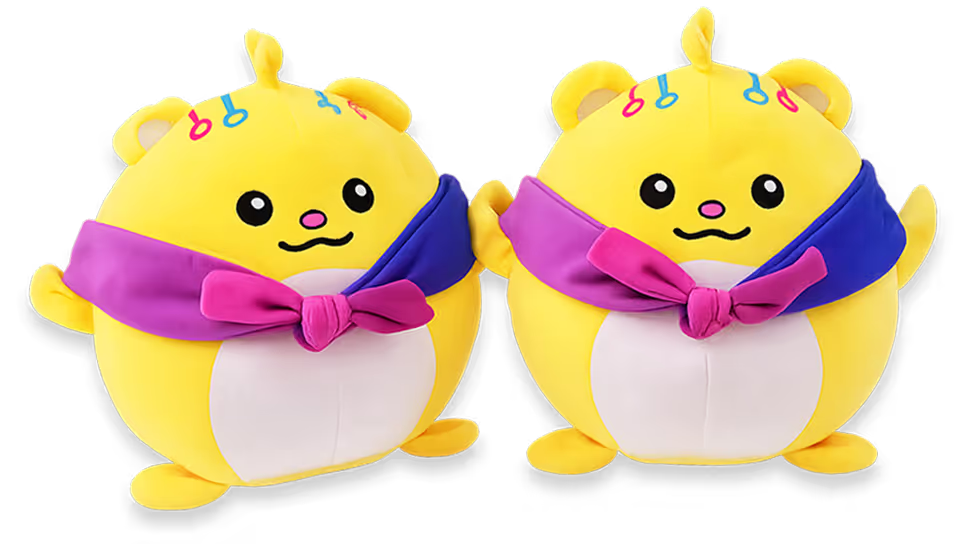
Grab a Plushie.
Win a Vacation.

KB needs a vacation. You deserve one too.

So we're giving away $4,500 in AirBnB gift cards.

How to Win:

  1. Take KB out on an adventure - coffee, gym, bar, Costco. Doesn't matter where as long as it's outside.
  2. Post a photo or video of KB on LinkedIn. Tag @1up and use #KBAdventure
  3. Once a week, we'll choose a winner.

Post by June 17th, 2026 to win.

To get started, drop your address into the form (US residents only).

Two Plushie toys shown from front and side angles — a round yellow character with a purple-and-pink scarf and colorful accents
Some Form Elements
hbspt-form
form-columns-1
form-columns-2
hbspt-form is main form class.
form-columns-1 is class of wrapper with 1 column for inputs.
form-columns-2 is class of wrapper with 2 columns for inputs.
input and label
hs-input
Field Description / Help text
hs-field-desc
This is help text for the field
Field error message
hs-error-msgs inputs-list
hs-error-msg
  • Error message label
hs-error-msgs inputs-list is an HTML list element.
hs-error-msg is a text span inside HTML List Item element.
Text area Input
hs-input hs-fieldtype-textarea
hs-fieldtype-textarea is added as combo class.
Checkboxes
hs-form-booleancheckbox
hs-form-booleancheckbox-display
inputs-list
hs-input
Note: HubSpot uses basic HTML checkboxes, Webflow checkboxes work differently than the default HTML checkboxes, hence in order to style HubSpot checkboxes you need custom CSS.
you can use Webflow checkbox to style and then copy CSS from it.
Radio Buttons
inputs-list
hs-form-radio
hs-form-radio-display
inputs-list
hs-input
Success message
submitted-message
RecaptCHA
hs-recaptcha
Submit button
hs_submit
hs-button
Oops! Something went wrong while submitting the form.