How to Get Instant Answers from Your SharePoint with AI
.jpg)
The Problem
You have valuable knowledge in SharePoint, but your sales team doesn't know where to find it. There is too much content, it is hard to organize, and the search tools are not great. So most people just stop using it.
The Solution
1up connects to your SharePoint and turns it into a knowledge base your team will actually use. It speeds up answers so your teammates and customers can get the information they need fast.
How to Set Up SharePoint in 1up
Most SharePoint sites are packed with useful stuff. Product docs, process guides, support materials. But if your team is not logging in, not finding what they need, or just giving up and asking a coworker instead, that content is not really doing its job. 1up fixes that. Connect your SharePoint site, tag your sources, and your team can start getting answers right away from the tools they are already using.
This is one of the more popular use cases for 1up and it only takes a few steps to get going. Once it is set up, your team can ask questions in Slack, Teams, or Google Chat and get answers pulled straight from your SharePoint content. No more hunting through folders or stopping mid-call to dig through docs.
Step 1: Connect SharePoint to 1up
Head to Knowledge in 1up, click Add Knowledge, and select SharePoint. You will be prompted to sign into Microsoft. Once you are in, 1up is authorized to pull files and pages from your SharePoint site.
Step 2: Choose What to Sync
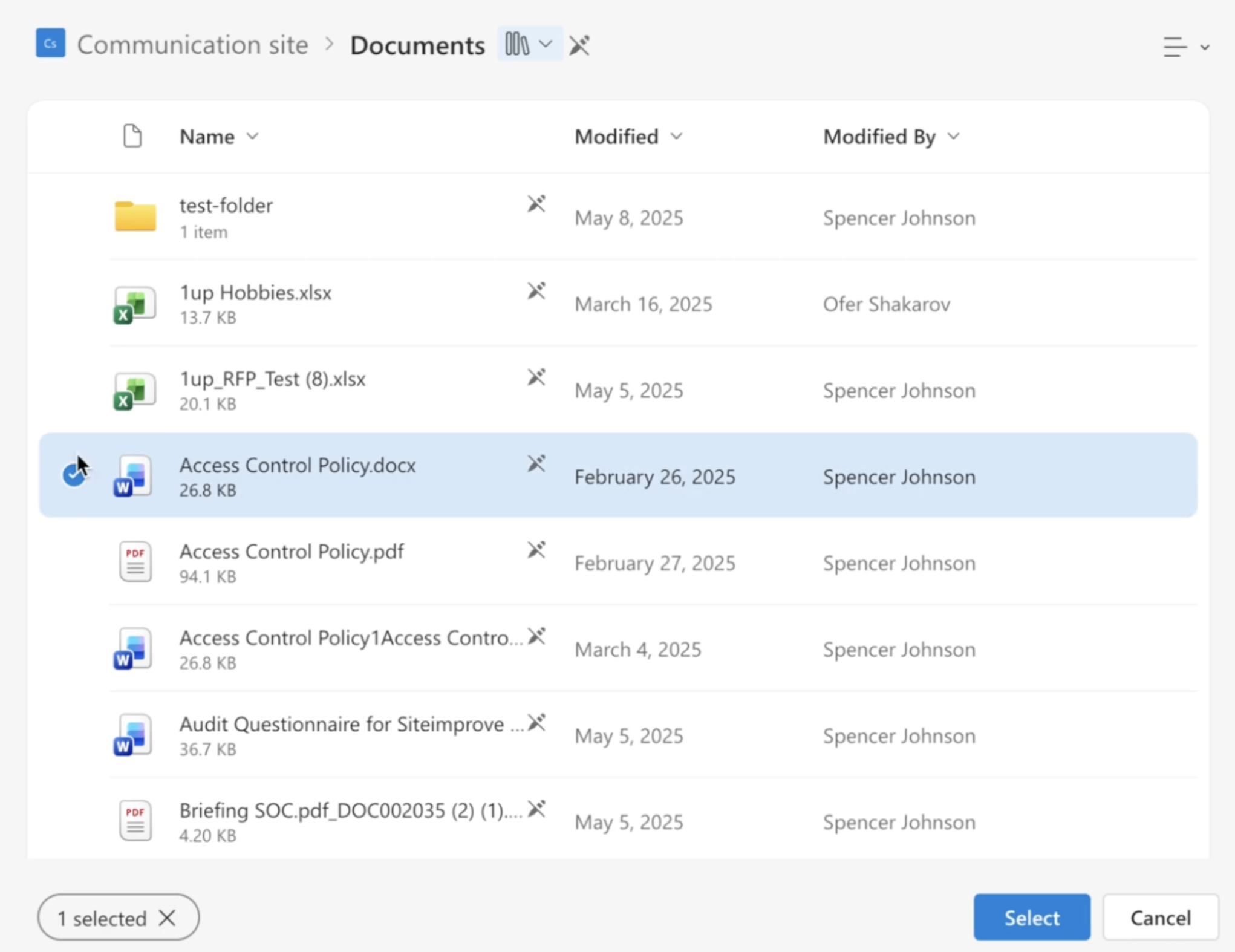
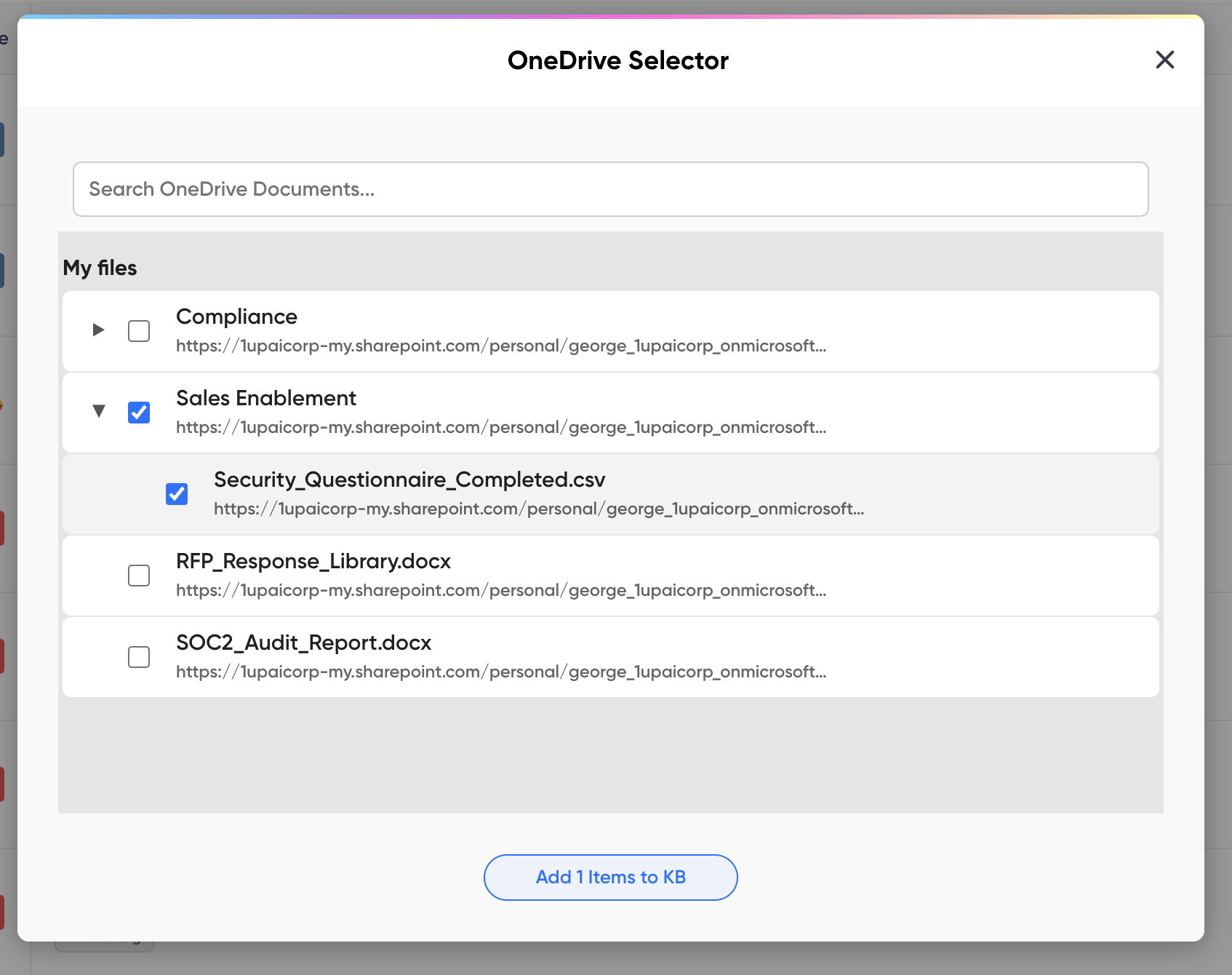
Pick the specific files or pages you want in your knowledge base. If you select a full SharePoint site, 1up pulls in all pages within it automatically. And whenever something gets updated in SharePoint, it updates in 1up too. No manual syncing needed.
Step 3: Tag Your Sources
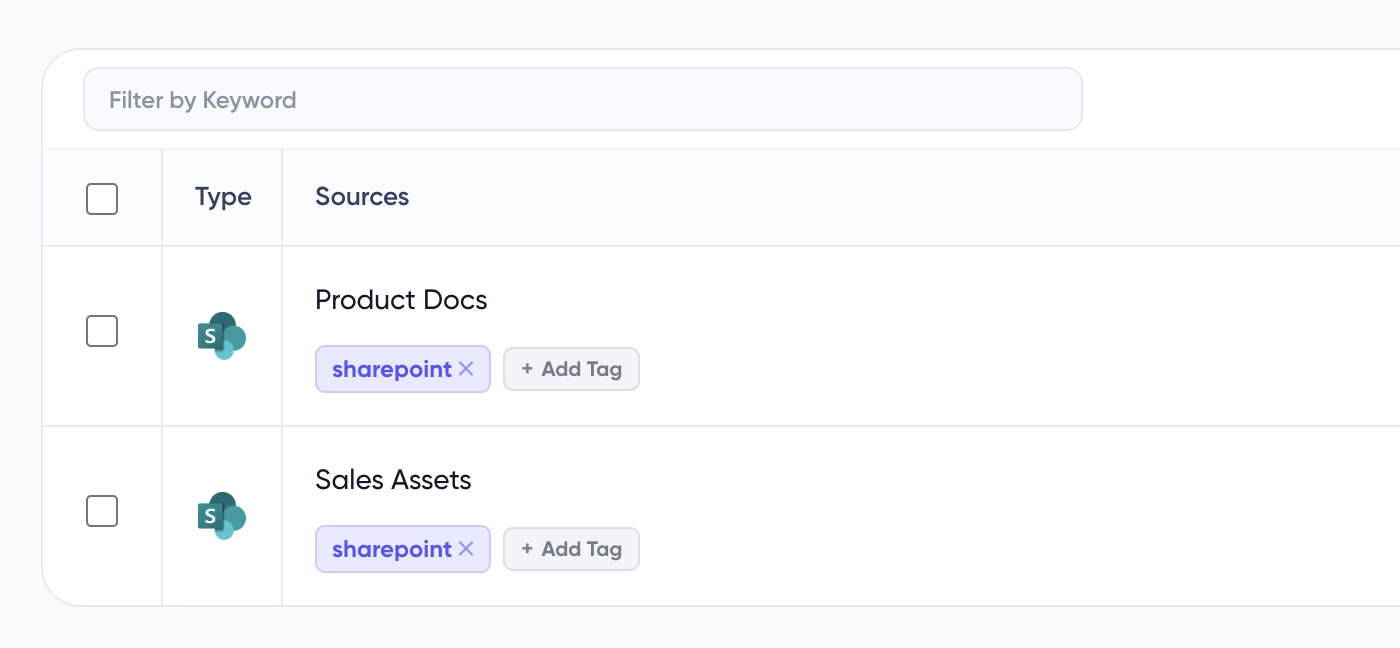
Once your content is synced, add tags to keep things organized. Something like "SharePoint" or "Support Docs" works great. Tags are how you tell 1up exactly which sources to draw from when your team is asking questions or filling out a questionnaire. This is what keeps answers accurate and on-topic.
Step 4: Add 1up to Slack, Teams, or Google Chat
Connect 1up to whichever messaging app your team lives in. Once it is there, anyone can tag 1up in a channel or DM and get an answer back in seconds. No new tools to learn, no context switching.

Step 5: Get Answers from Ask 1up, the Browser Plugin, or by Uploading Questionnaires
There are a few ways your team can pull answers from SharePoint once everything is connected:
Ask 1up directly in Slack, Teams, or Google Chat. Questions like "How do I handle a purchase order?" or "What is our process for support tickets?" get answered in seconds, sourced straight from SharePoint.
Use the Browser Plugin to pull answers while browsing or filling out online forms without switching tabs.
Upload a questionnaire to automate answers in bulk. This works well for customer questions, RFPs, and DDQs. Select SharePoint as your source and 1up handles the rest.

What Your Team Gets with 1up
- Your SharePoint content actually gets used: Most teams put real effort into building out their SharePoint. The problem is nobody can find anything when they need it. 1up makes all of that content queryable so it stops sitting idle and starts doing work.
- Answers in the tools your team already uses: No new software, no separate login. Your team asks questions in Slack, Teams, or Google Chat and gets answers back in seconds. The content comes from SharePoint but the experience feels completely native.
- Always up to date: Whenever something changes in SharePoint, it updates in 1up automatically. Your team is always working from the latest version of your docs without anyone having to manually sync anything.
- Handles the big stuff too: Customer questions, RFPs, DDQs, compliance questionnaires - 1up can handle all of it. Upload the document, pick SharePoint as your source, and it generates accurate responses based on your actual content. It pairs well with other Microsoft tools like OneDrive too.
See how teams like McCready Law are using 1up to keep everyone equipped and up to speed. Read Customer Stories
FAQs
1up will only generate answers from specific SharePoint files and documents you choose. Within seconds, 1up can answer any questions your team asks in 1up, Slack, Teams, or Google Chat. You maintain complete control over your information at all times.
No way! 1up integrates with Slack, Google Chat, and MS Teams. If you’re messaging on it. We can work with it!
Because they come from you! All of the answers 1up gives your team will be from your databases. We’ve simply figured out a way to find those answers and deliver them fast.
Because we can speed up your sales processes by up to 10x with the most accurate answers. So, you save time, money, and tons of frustrations.
.jpg)