How to Get Answers from Your API Docs in Seconds with AI
The Problem
Your sales and solutions team needs answers from your API docs, but nobody wants to dig through them. Technical questions come up constantly during discovery, implementation, and customer calls, and the information is buried in dense documentation that takes forever to search through.
The Solution
Add your API docs URL to 1up and your team can query thousands of pages in real time. Ask a question in plain English, get an accurate answer sourced straight from your docs in seconds.
How to Connect Your API Docs to 1up and Start Getting Answers
API documentation is genuinely useful content. The problem is that most of your sales and solutions team will never read it, and you can't really blame them for that. 1up fixes the access problem without asking anyone to change how they work. Add the URL, tag the source, and your team can pull answers from your API docs right in Slack, Teams, or Google Chat without opening a single page of documentation.
The setup takes a few minutes. Once it is done, your team can query your entire API documentation portal in real time from wherever they are working.
Step 1: Connect Your API Docs to 1up
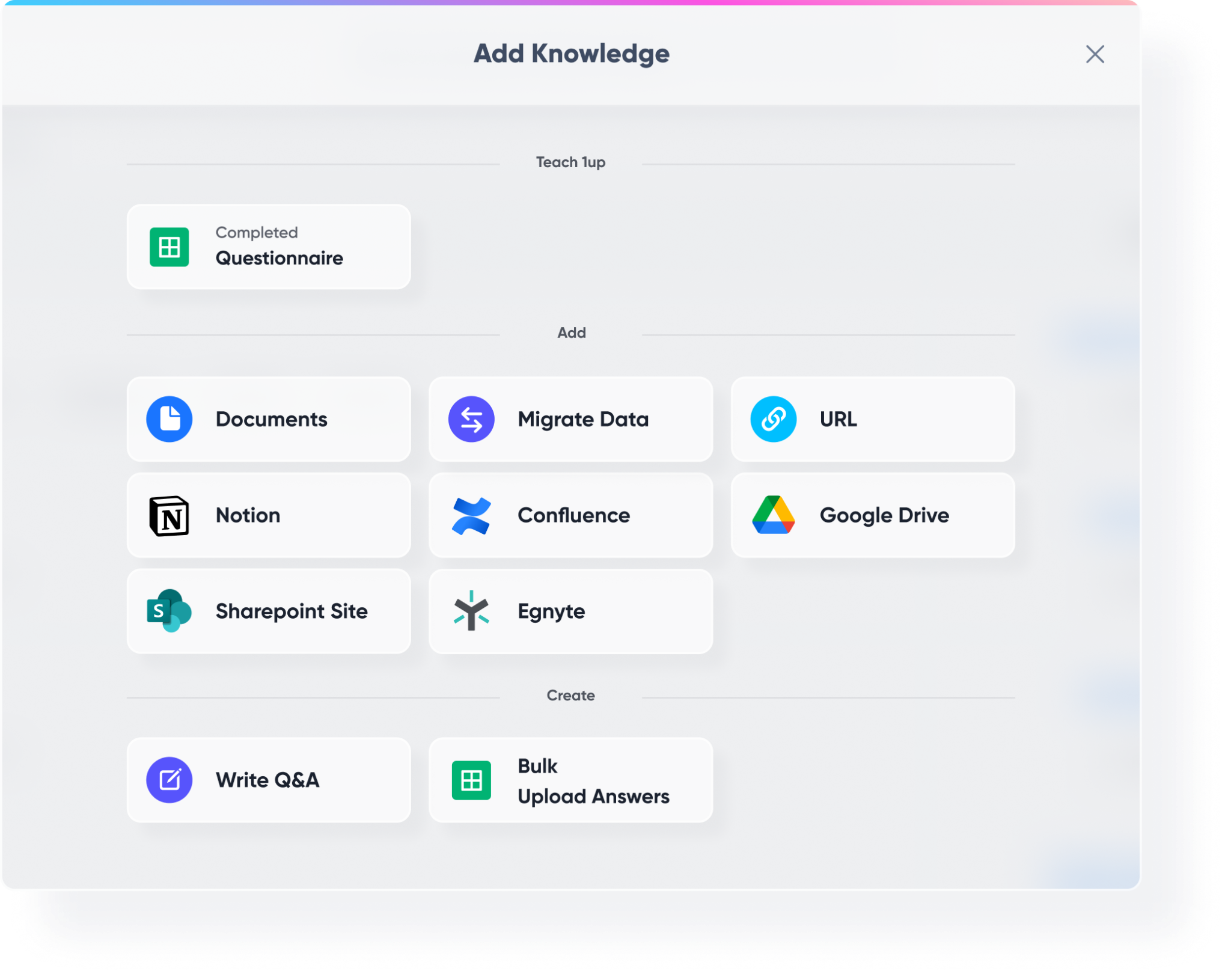
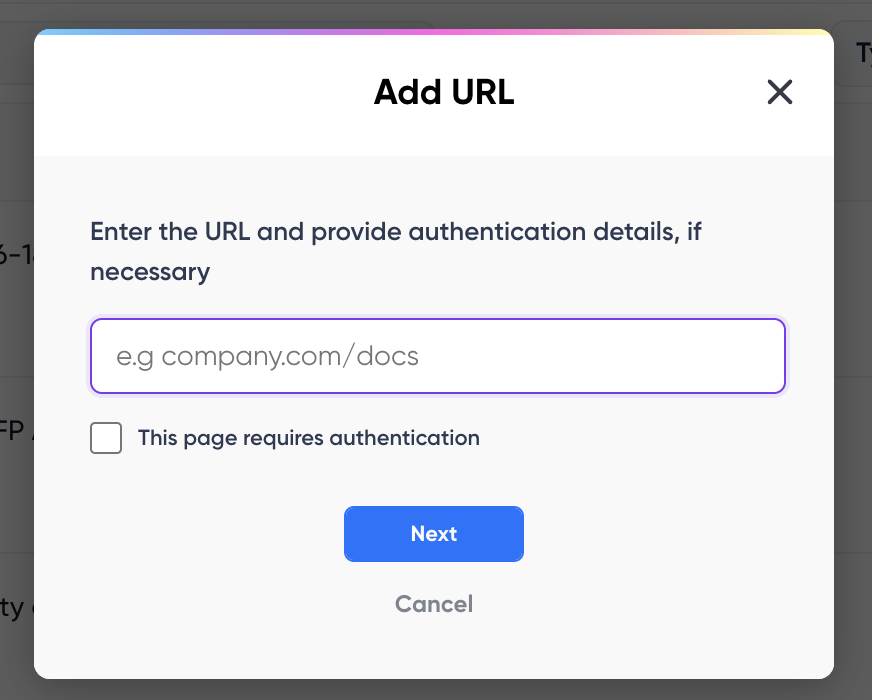
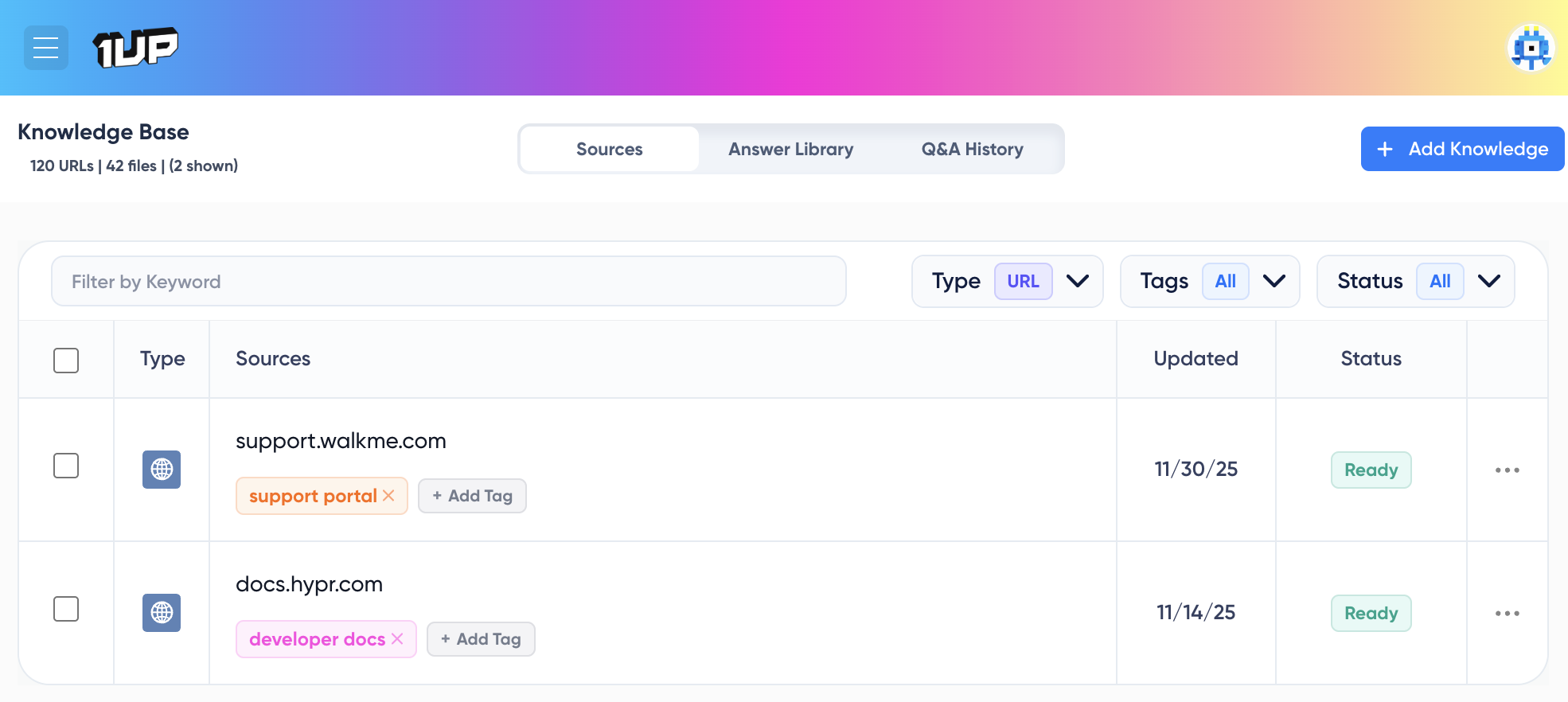
Go to Knowledge in your 1up dashboard, click Add Knowledge, then select URL. Enter the URL for your API documentation portal. You can add a single page or choose Full Crawl to let 1up pull every linked page it finds on that domain. 1up will automatically crawl up to 1,000 pages and pull in your doc portal as a knowledge source.
If your API docs are behind a login, enable the authentication option and provide your credentials. 1up stores them securely using hashing and salting. Website URLs are automatically re-crawled over time so your knowledge base stays current. You can also force a refresh any time by resubmitting the URL.
Step 2: Tag Your Sources So It's Easy to Navigate
Once your API docs are added, tag them to keep things organized. A tag like "API Docs" or "Website Docs" works well. Tags are how you tell 1up which sources to draw from when your team asks a question or when you are filling out a questionnaire. If you do not add tags, 1up will use your whole knowledge base by default, so tagging gives you more precise control.
Step 3: Add 1up to Slack, Teams, or Google Chat
Go to Ask 1up in your dashboard and connect your messaging tool. Once that is done, your sales and solutions team can ask technical questions right in Slack, Teams, or Google Chat and get answers sourced directly from your API docs. 1up also links back to the original source page so anyone who wants more detail knows exactly where to go.

Step 4: Get Answers from Ask 1up, the Browser Plugin, or by Uploading Questionnaires
Ask @1up directly in Slack, Teams, or Google Chat for instant answers to technical questions, implementation questions, or anything else covered in your docs. Use the Browser Plugin to pull answers while browsing or filling in web forms. Or upload an RFP, DDQ, or technical questionnaire and let 1up generate answers in bulk. Select your API Docs tag as the source and 1up handles the rest, pulling hundreds of precise answers in minutes.

Step 5: Bonus - Spin Up a Customer-Facing Answer Hub
Once your API docs are live in 1up, you can publish a customer-facing Answer Hub. Customers and prospects can self-serve technical answers without ever reaching your engineering or solutions team. A solid fit for any company with a developer audience or complex product documentation.

Nobody should expect a sales rep to dig through API docs. But you can give them a way to get the right answer from those docs in seconds. That is what 1up does here.
The real payoff shows up with RFPs and technical questionnaires. Instead of routing every technical question to an engineer, your team uploads the questionnaire, specifies your API docs as the source, and 1up generates the answers. Whether it is implementation questions, authentication flows, error codes, or integration steps, everything comes from your actual documentation. For teams dealing with a high volume of technical due diligence questionnaires, this cuts response time down dramatically.
What Changes Once Your API Docs Are Connected to 1up
- Your whole doc portal becomes queryable in seconds Your sales and solutions team can ask questions about thousands of pages of documentation without opening a single one. They type a question in plain English and get a precise answer back with a link to the original source.
- No more routing technical questions to engineers When a customer asks about authentication flows or error codes mid-call, your rep does not need to track down an engineer. They ask 1up and get the answer straight from your docs. That alone saves a lot of time and keeps deals moving.
- Handles RFPs, DDQs, and technical questionnaires in bulk Upload the questionnaire, select your API docs as the source, and 1up generates answers based on your actual documentation. Whether it is implementation questions, integration steps, or security details, everything comes from what you have already written. Pairs well with other technical content like your website documentation if your docs live in multiple places.
- Every answer traces back to the source 1up links each response back to the original page in your API docs. Your team can verify anything they need to and dig deeper when a question calls for it. Nothing gets made up.
See how other teams like Corestream are using 1up to get answers faster and keep deals moving. Read Customer Stories
FAQs
Go to Knowledge, click Add Knowledge, then select URL. Enter your API docs URL and choose between a single page crawl or a full domain crawl. 1up will pull in your documentation and make it queryable right away.
Because they come from your own documentation. 1up only draws from the sources you connect and always links back to the original page so your team can verify anything they need to.
Yes. 1up works with Slack, Microsoft Teams, and Google Chat. You can also use the Browser Plugin for answers anywhere on the web.
Yes. Upload the questionnaire, select your API docs tag as the source, and 1up generates answers based on your actual documentation. Works for RFPs, DDQs, technical questionnaires, and more.
.jpg)