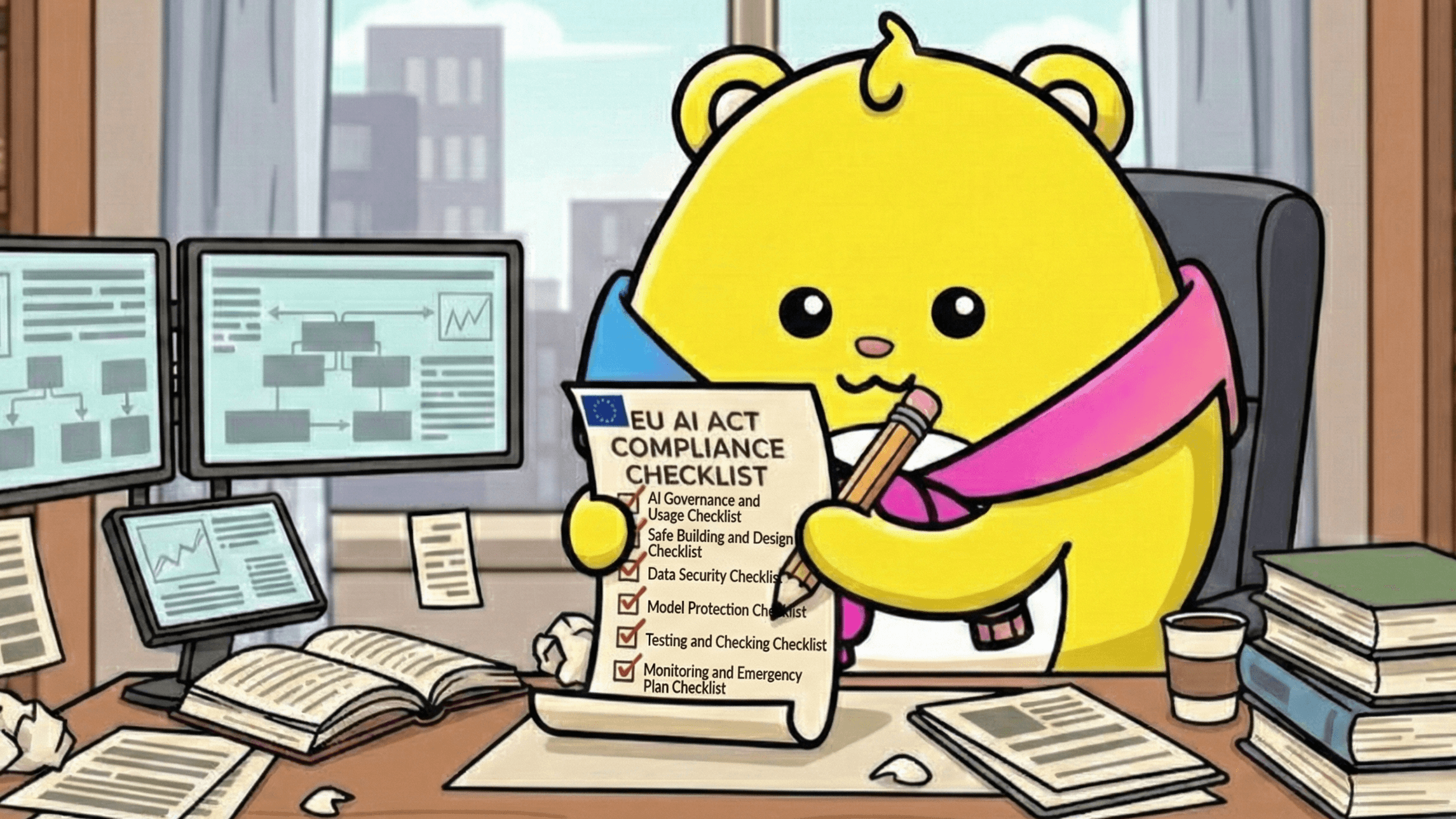
The EU AI Act isn't just some new government rule. The second you connect any AI tool to your company's real data, it turns into a security problem you have to deal with.
If an AI just writes a basic Facebook post, that’s probably low danger. But that same tool gets super risky fast if it can peek at your product secrets, customer names, or internal docs. That's why you have to get a handle on the AI danger before you start messing with security walls.
If your company uses AI for sales calls, customer support, searching internal stuff, running reports, or even built into your product, you're already in trouble (in scope). It doesn't matter if only employees use it or if customers see it.
.png)
This checklist takes the long, boring EU AI Act rules and turns them into simple security steps your teams can actually follow. It covers things like data access, keeping the AI models safe, watching what the AI does, what to do in an emergency, and dealing with outside AI tools. It's for the security, IT, and sales teams who want to use AI without causing a major headache.
Use this as a simple guide to find weak spots and lock things down. This is not legal advice, though.
1. AI Governance and Usage
Before you can secure anything, you need to know what LLMs you have, who's in charge of it, and how much trouble it could cause.
✅ Figure Out the Danger Level of Each AI
Not all AI tools are equally dangerous. The EU AI Act basically says you need to apply security based on how much damage it could do, not on what you intended to use it for.
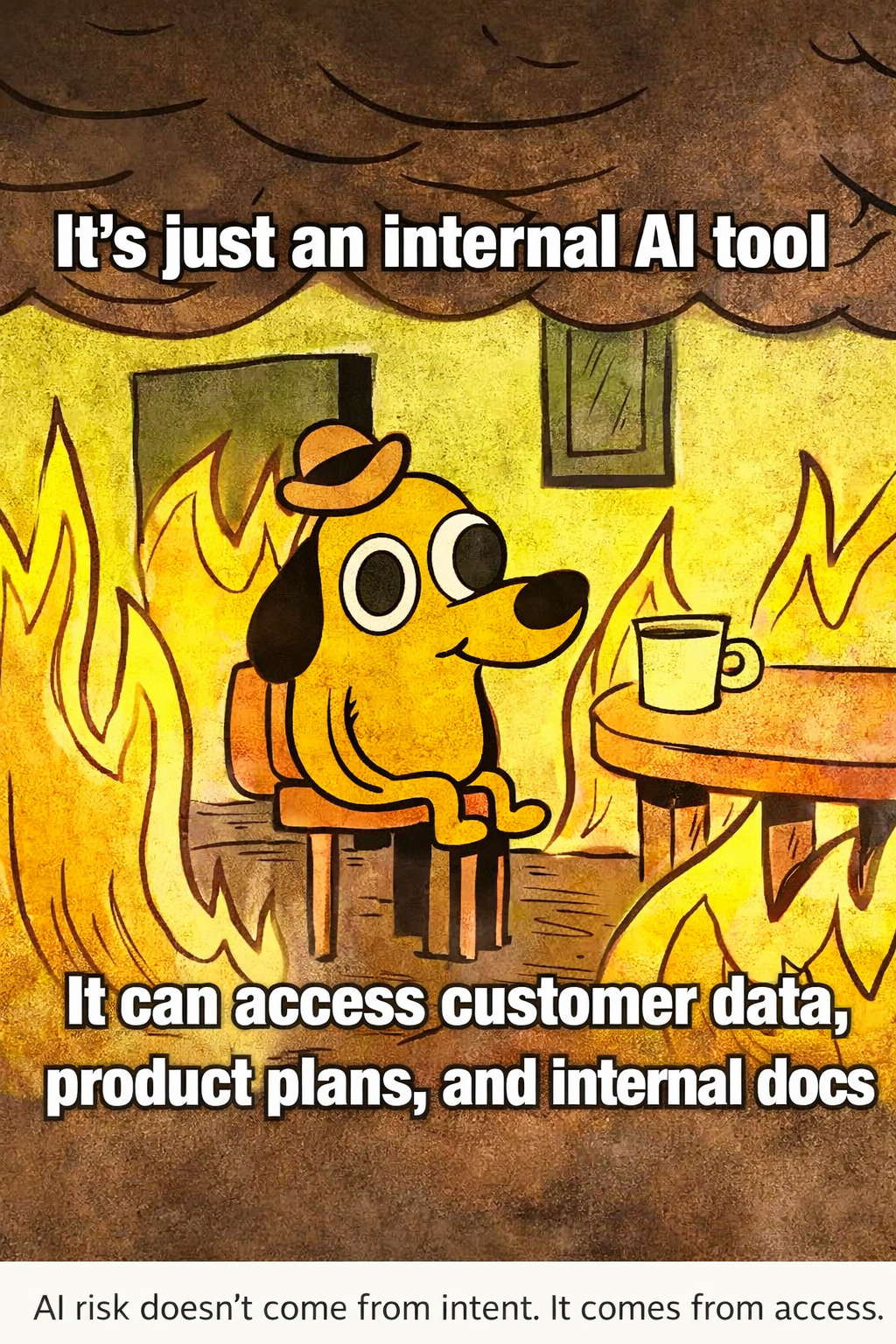
Start by finding every AI system your company uses. That includes the internal tools that help sales, support, and engineering. Lots of companies think internal AI is safe, but those tools often have access to a ton of secret company knowledge.
Ask yourself:
- What AI tools are we using right now?
- What company data can they look at?
- What happens if that data gets stolen, messed up, or used the wrong way?
For instance:
- An AI making generic marketing sentences is usually low risk.
- That same AI becomes high risk the second it connects to your product plans, customer data, or security guides.
The danger changes based on what data it can touch and what could go wrong later, not really the AI itself.
✅ Name a Boss for Each AI System
Every AI system must have one person clearly in charge of it. If no one owns it, the AI just gets messy, its data access grows without anyone noticing, and security fixes get put off until everything breaks.
This doesn't have to be complicated. Just pick one person for each AI tool who is responsible for how it’s used, what data it touches, and how to deal with the danger.
That owner needs to:
- Be responsible for the system's security.
- Know which data sources are connected and why.
- Approve any changes to the models, the user questions (prompts), and data links.
- Be the one who makes the calls if there’s an emergency or someone misuses the tool.
Many teams call this person an AI system owner or even an AI answer engineer, especially if the AI is connected to internal secrets and important business info.
This job usually ends up going to someone in security, IT, or platform engineering, even if other people handle the daily upkeep.
If no one owns the AI system, no one controls how dangerous it is.
✅ Keep a List of All Your AI Systems
You can't lock up what you can't see. Companies fail at compliance super fast when they lose track of all the AI tools they have and what those tools are connected to.
Your AI list should have more than just the model names. It needs to clearly show how information goes into and out of the system, especially since AI is being used everywhere now. When AI tools pull from shared internal knowledge, sales systems (CRMs), or internal documents, you have to see those connections.
Your list should include:
- Models you use, both your own and outside ones.
- The data sources connected to each model.
- The kind of data it sucks in, creates, or keeps.
- What it's supposed to do and who is allowed to use it.
This list becomes the base for figuring out the risk, running checks, and handling emergencies. If something goes wrong, you should know instantly which system is involved, what data might be affected, and who needs to fix it.
Without a constantly updated list, the AI danger quietly builds up until it explodes into a problem.
2. Safe Building and Design
The EU AI Act really pushes for you to build safety features into AI systems from the very start, instead of trying to glue them on after it’s all set up. A lot of companies have good security already, but those safeguards often get forgotten when teams start trying out new AI and ML stuff.

✅ Build Safety in from Day One
AI systems should be built and launched with the same strict rules as any other important company system, especially once they touch sensitive business data. Thinking of AI as a "special case" is how you skip basic security.
At the very least, AI systems should force:
- Layers of security for the network, the models, and the data.
- Keeping models, user questions (prompts), and outputs private.
- Strong passwords and access checks for users, services, and connections (APIs).
- Separate access for training, managing, and just using the AI.
Security holes pop up when teams think AI projects are just temporary or experiments, even though they become critical fast. That’s why data security for AI needs to be figured out when you first design the system, not after it's running.
AI doesn't get a free pass just because it's new. Once it starts messing with decisions, money, or customer trust, it needs top-level security.
✅ Check for AI-Specific Attacks
Normal security checks (threat modeling) are still needed, but they aren't enough when you use AI. AI changes how systems are abused because the input changes constantly, models learn from the data, and users trust the outputs way too easily.
Companies need to clearly check for AI-specific attacks based on how they actually use the tools, not just abstract stuff from research. This includes things like:
- Prompt injection: When a user asks a weird question to mess up the AI's behavior or steal secret data.
- Data poisoning: When bad or unverified data is used for training and ruins the model.
- Model extraction: When attackers figure out the model's secret logic by asking it questions over and over.
- Unauthorized inference: When secret patterns or internal knowledge are exposed just by using the AI.
- Abuse of automated workflows: When the AI takes action faster than a person can stop it.
Lots of these dangers show up as weird things like outputs that are confidently wrong (hallucinations). This can lead to data leaks or mistakes if you don't catch it. That's why teams should build controls to prevent AI hallucinations as part of their security testing, instead of just treating it like a bug later.
✅ Only Give the AI What It Needs to See
The "least privilege" rule (only give access to what's needed) applies to AI's inputs and outputs just like regular systems. A super common AI security screw-up is letting the models see more data than the people using them are allowed to see.
AI systems should never be a cheat code around your existing security rules.
Make sure that:
- Only approved users and systems can link up sensitive data sources.
- Management and rules-checking tools are super locked down.
- The access to the output matches how secret the original data was.
This is super important when AI connects to a company knowledge base which often has product strategy, security docs, customer info, and internal chats all mixed together. Without strict borders, the AI can accidentally show info to teams that shouldn't see it.
If a person can't see the source data directly, they shouldn't be able to get that info indirectly through the AI, no matter how easy it is to use.
3. Data Security
Protecting data is one of the clearest things the EU AI Act demands, and it starts way before you even use the models. Many companies have good data security, but those rules often go out the window when data is used to train or fine-tune an AI.
✅ Check All Training Data
Before you train any model, checking the data should be treated as a security step, not just a quality check. AI systems just make whatever data they are given bigger, so bad or old inputs can create a long-term danger in every output.
At the very least, teams should:
- Check that the data is real and where it came from.
- Remove data that's old, repeated, or can't be trusted.
- Make sure all data sources have been explicitly approved for AI use.
Putting the wrong data into a model isn't just a performance issue. It can lead to data poisoning, accidental secret sharing, and losing trust over time. Guides like the NIST AI Risk Management Framework clearly say that checking training data is a key step to managing AI risk.
Bad data doesn't just make bad outputs. It creates new security and compliance risks that are hard to undo once the models are live.
✅ Encrypt Data When It's Sitting Around and Moving
AI projects still need the same basic security rules as any other production system, even when teams are rushing or experimenting. A common mistake in AI projects is thinking that training data, embeddings, and logs are temporary or safe.
At the minimum, companies should enforce:
- Encryption (code protection) for training data, embeddings, logs, and model parts when they are stored.
- Encryption when data moves between data sources, models, and other applications.
- Secure storage and access limits for all the ML Ops tools you use.
Lots of teams with good security programs ignore these rules during AI experiments, often without knowing it. Those gaps show up later during checks, emergency cleanups, or vendor reviews, where it becomes clear that sensitive data wasn't handled correctly.
Security guides like the OWASP Top 10 for Large Language Model Applications point out weak encryption and unsafe storage as regular mistakes in real-world AI setups.
AI systems move fast, but the results of being lazy with data protection last way longer.
✅ Limit Data Access and How It's Used Later
Besides securing the data that goes in, companies need clear rules for who can see the AI data, who owns the outputs, and how those outputs can be used later. AI tools make it super easy to copy, download, and share information on a large scale, which creates new leak paths if you don't know who owns what.
You should be able to answer for sure:
- Who can look at the training and fine-tuning data?
- Who officially owns the outputs the model creates?
- Can these outputs be used again, exported, or shared outside the company?
- Is there a clear record of where the data went from input to output?
These questions are extra important when AI outputs are used with customers, in sales, or for compliance documents, because unclear ownership can quickly ruin trust. Setting clear visibility and responsibility around AI data flow is a key part of creating a reliable trust center that shows how your company uses and protects AI-created information.
Uncontrolled sharing of AI outputs is one of the most common and least visible ways data leaks, mainly because it often just looks like normal work instead of a security event.
4. Model Protection
Models are not just parts of your network. They are highly valuable assets that hold secret company knowledge, decision rules, and your competitive edge. Once they are exposed, it’s hard or impossible to get them back.
✅ Keep Model Weights and Secrets Safe
You must have safeguards to stop:
- People from accessing model weights and settings without permission.
- Model extraction through constantly asking questions or abusing the API.
- Figuring out your secret logic or training signals by reverse engineering.
In reality, many companies spend a lot of time securing the data going in but forget how dangerous the models themselves are. Like your boss said, protecting models starts with knowing who is using them, where they are using them from, and if that activity looks normal.
Model protection should include strict access limits, watching for weird usage, and limiting how many requests can be made (rate limiting) to reduce the risk of extraction attacks. Security guides like MITRE ATLAS list real-world attacks used to steal or mess with AI models, making it clear this is a real danger, not just a theory.
Models should be treated as secretly as your private source code, because once they are copied or abused, you basically lose control.
✅ Watch and Control API Usage
API abuse is one of the fastest ways AI systems get hacked. Once a model is available through an API, attackers don't need access to your network or training data. One stolen key is often enough.
Companies should build AI APIs assuming that the passwords will eventually get leaked, so they need layers of defense to limit the damage.
At a minimum, teams should put in place:
- Rate limiting to slow down automated attacks and model extraction.
- Constant monitoring of usage across all users, services, and environments.
- Regular changing of API keys and the ability to turn off keys super fast.
- Detection for weird activity to find unexpected spikes or usage patterns.
As the document notes, protecting AI starts with understanding who is using the model and where that usage is coming from. Sudden spikes in traffic, unknown sources, or usage outside the norm often mean a leaked key or abuse.
Guides from CISA on securing APIs stress that continuous monitoring, least privilege, and fast response are key rules to stop large-scale misuse.
If you don't actively watch your API activity, a hack will go unnoticed until the damage is already done.
.png)
5. Testing and Checking
Security testing needs to go beyond just checking if the AI is accurate.
✅ Test Against Malicious Inputs
Security testing for AI has to be more than just seeing if a model gives correct answers. AI acts differently than regular software, and malicious inputs can show weaknesses that normal tests miss.
Adversarial testing means intentionally trying to trick the model with inputs designed to cause failures, wrong classifications, or unsafe behavior. These aren't just rare theoretical cases. They are the kinds of questions and sequences that internal users, curious employees, or attackers might accidentally or intentionally use in the real world.
Teams should regularly test for:
- Prompt injection tries that mess with the model's logic or steal sensitive outputs.
- Data stealing via tricky question sequences that reveal training info.
- Abuse from internal users pushing the limits of what they are allowed to do.
- External risks when models are widely shared or connected to other tools.
As your team’s transcript points out, people naturally try out tools in unexpected ways, and AI is no different—you have to assume users will push the boundaries, even if they don't mean to. Adversarial testing helps you find weaknesses before they become real emergencies. Google's guide to adversarial testing for generative AI gives a simple process for checking how models act when given bad or unusual inputs.
If you only test for what you expect, you’ll miss the screw-ups that attackers and curious users will find first.
✅ Write Down Risks and How You Fixed Them
For every AI system, companies need to keep clear, up-to-date documents that explain what could go wrong, how you're stopping it, and what risks you've chosen to live with. This isn't pointless paperwork. It’s what lets teams move fast when problems come up and defend their choices later.
For every AI system, write down:
- Known risks based on how you use the system and what data it touches.
- The ways you are fixing or limiting those risks right now.
- Any remaining risks that you understand and have officially accepted.
As the document says, AI moves fast and can be abused even faster. When something goes wrong, teams need to know what risks they expected, what security controls they have, and who signed off on the remaining danger. That info is vital during emergency cleanups, checks, and outside reviews.
Clear risk documents also make it easier to answer security and compliance questions the same way every time, especially as customers and regulators start asking for more details about your AI security. This level of clarity turns AI risk talk into structured answers instead of last-minute excuses, similar to how teams handle a compliance questionnaire today.
This document often makes the difference between a small, controlled problem and a long, drawn-out investigation.
6. Monitoring and Emergency Plan
AI systems are quick. They create outputs fast, learn fast, and can be abused even faster. That speed makes always watching them a basic requirement, not some fancy extra feature.
✅ Set Up Constant Monitoring
Once AI systems are running, teams need to see in real-time how they are behaving and how people are using them. Without monitoring, problems are often only discovered after the damage has already happened.
At the minimum, watch for:
- Weird usage patterns or unexpected spikes in activity.
- Unauthorized or surprising data access.
- Changes in the model's behavior that make the outputs drift over time.
- People breaking internal rules or acceptable use guidelines.
As the document stresses, knowing what's going on inside an AI system is crucial for knowing when to step in, cut off access, or undo changes. Monitoring must be tightly connected to logging so that problems can be investigated fast and decisions can be backed up later.
Logs should be saved, protected from tampering, and easy to check during investigations or audits. Guides like NIST SP 800-92 say that log management is a fundamental control for finding weird stuff, helping with emergencies, and proving responsibility across complicated systems.
If you are not actively watching your AI systems, you are betting on luck instead of control.
✅ Have an AI-Specific Emergency Plan
Normal emergency response plans are necessary, but they often aren't enough for AI systems. AI acts differently because it can create outputs quickly, spread mistakes fast, and keep running even while a problem is happening.
Your emergency plan needs to clearly address AI-specific failure modes, don't just assume they’ll be covered.
At the very least, teams should clearly write down:
- How to quickly stop or turn off an AI system when the danger is too high.
- How to undo user questions (prompts), settings, models, or data links.
- How to stop data from leaking because of wrong outputs or misuse.
- Who is the decision-maker during an AI emergency, including the power to shut down systems.
As the document warns, AI emergencies get big fast. Models respond instantly, automated actions happen automatically, and the damage can pile up before people even notice. That speed means you need pre-planned actions and clear ownership. Waiting to decide who is responsible or what to do often turns a small issue into a major disaster.
Well-known guides like NIST SP 800-61 provide a strong starting point for setting up AI emergency response, making sure teams can find, stop, and fix problems in a controlled way that can be checked later.
When AI problems happen, the ability to act fast matters more than the ability to argue about the cause.
.png)
7. Third-Party and Vendor
Most AI setups rely heavily on outside companies—model makers, API services, data suppliers, and tool vendors. That reliance makes your security weaker and pushes part of your danger outside your control.
✅ Check Outside AI Providers
For every outside AI provider, security teams need to look beyond their sales pitch and generic compliance papers. The EU AI Act expects companies to understand how upstream providers handle data, emergencies, and changes that could affect your risk later.
For every vendor, make sure you know:
- How they keep your data safe when it's moving, stored, and being processed.
- If your data is used for training, fine-tuning, or shared with other customers.
- What their rules are for finding and telling you about security incidents.
- How transparent they are about their security controls and system changes.
As the document points out, you shouldn't accept vague security promises or boilerplate documents. If a provider can't clearly explain how data is protected or how they handle emergencies, that uncertainty becomes your problem.
Using structured tools like an AI vendor questionnaire helps keep these checks consistent and makes sure vendors stick to the same security and transparency rules.
If providers won't meet your security demands or promise transparency in the contract, it's usually safest to just find a new one.
✅ Update Contracts and Watch for Changes
Checking vendors once isn't enough. AI providers change fast, and updates to their models, data use, or network setup can significantly alter how dangerous they are to you over time.
Where you can, contracts and ongoing oversight should:
- Require them to tell you about incidents fast and set clear deadlines.
- Clearly define their duties for handling, keeping, and using your data.
- Give you visibility into big changes on their end that could change your risk level.
As the document emphasizes, companies should not just accept whatever standard contract a vendor gives them. If you have the power, update the main agreements, fight the standard language, and demand clarity on how your data is secured and how incidents are managed. If a provider doesn't want to promise transparency, that's a red flag.
Using structured tools like supplier questionnaires helps make these expectations official and holds vendors responsible, not just when you sign up, but throughout the entire time you work with them.
If transparency goes down or the risk gets too high, switching providers might be the best way to keep control.
8. Transparency and Human Checks
Transparency is a rule in the EU AI Act, but it's also key to building user trust. When people don't know when or how AI is being used, the danger increases fast, especially when it’s used with customers or for making big decisions.
✅ Tell Users When AI is Being Used
Users should know when they are interacting with AI, whether it’s in a customer support chat, a sales process, or an internal helper. Not telling them raises the risk because users might treat the AI's outputs as totally correct, accidentally share private info, or not realize they can ask for a human when something feels off.
Where it makes sense, companies should:
- Clearly say when AI is generating answers, recommendations, or content.
- Set clear expectations for what the AI can't do and how it should be used.
- Offer a way to opt out or an alternative human path if possible.
As the document notes, people shouldn't be forced to use the AI if they don't need it, and they should always have a clear way to step away from automation when the risk is high or the situation is sensitive. The EU AI Act’s transparency rules confirm that the disclosure has to be clear and given at the time of interaction.
✅ Give People a Way to Talk to a Human
Human oversight isn't just a nicety. It's a security and risk control. When AI systems run without a clear way for a person to step in, small issues can quickly turn into big emergencies.
Especially for customer-facing, sales, and support uses, companies must make sure there's always a way to stop the automation.
At a minimum:
- Let users switch from AI to a human when needed.
- Clearly say who is responsible for oversight and intervention.
- Don't let users get stuck in automated workflows without any option for help.
As the document warns, AI systems act fast and can multiply mistakes just as quickly. Whether it’s customer support, sales talks, or internal decision-making, teams need a defined way to pause, overrule, or send the AI interaction to a different path when the risk or sensitivity goes up.
The EU AI Act clearly states that human oversight is required to manage AI risk, confirming that companies must design systems where humans can intervene, correct the outcome, or shut down the system when necessary.
When it's hard or impossible to switch to a human, automation stops being helpful and becomes a liability.
What EU AI Act Readiness Really Looks Like
The EU AI Act doesn't expect perfection. It expects reasonable, documented, and consistently followed controls that match the level of risk.
For security, sales, and IT teams, real compliance isn't about tons of paperwork. It shows up in your day-to-day actions:
- Knowing which AI systems you have and why you use them.
- Controlling what data those systems can see and create.
- Watching how models and automated workflows act over time.
- Reacting quickly when misuse, drift, or data leaks happen.
Teams that treat AI as a core part of their security plan are in a much better place to move fast without creating huge blind spots. The ones that treat AI like an experiment often only find the risk after it has already gotten out of control.
What matters most is visibility into your systems, clear ownership, and actually following through.
FAQs
Yes. Internal tools are in scope if they access real company data or influence decisions, even if customers never see them.
No. It translates regulatory requirements into practical security actions, but legal review is still required.
Typically someone in security, IT, or platform engineering who controls data access, approves changes, and handles incidents.

%20(1).jpg)
From Security Review to Signed Deal: Build a Trust Center With AI

Security Questionnaire Examples: Top 20 Questions & How to Respond
How to Build a Questionnaire Knowledge Base

Top 5 Trust Center Products in 2026

AI Vendor Compliance: Top 20 Questions Being Asked of Sales Teams