“When I use AI, everything either sounds robotic or boring. Or it’s way overstuffed with words.”
Sound familiar?
AI is an amazing helper when it comes to content creation. Maybe you don’t have enough information about a subject. Or perhaps you’re trying to figure out how to outline or plan an article.
Automation tools can help you create amazing content.
But AI can’t do the job for you.
And that’s where you’ll run into major problems.
If you let robots do it all, you’ll likely end up with content that's shallow at best, or cringey at worst. No one really wants to read what a robot has to say, not even your internal team.
If you send a message that’s obviously AI-generated, your customers might ignore it. If your blog is full of repetitive content that some AI churned out, your readers can lose interest. And if your internal company messaging is entirely automated, your employees won't even read it.
On its own, will usually give you the equivalent of slop.
But here’s the good news: you can fix this problem fast with just a few style tweaks.
In this post, we’re going to teach you how to spot the slop… and how to clean it up.
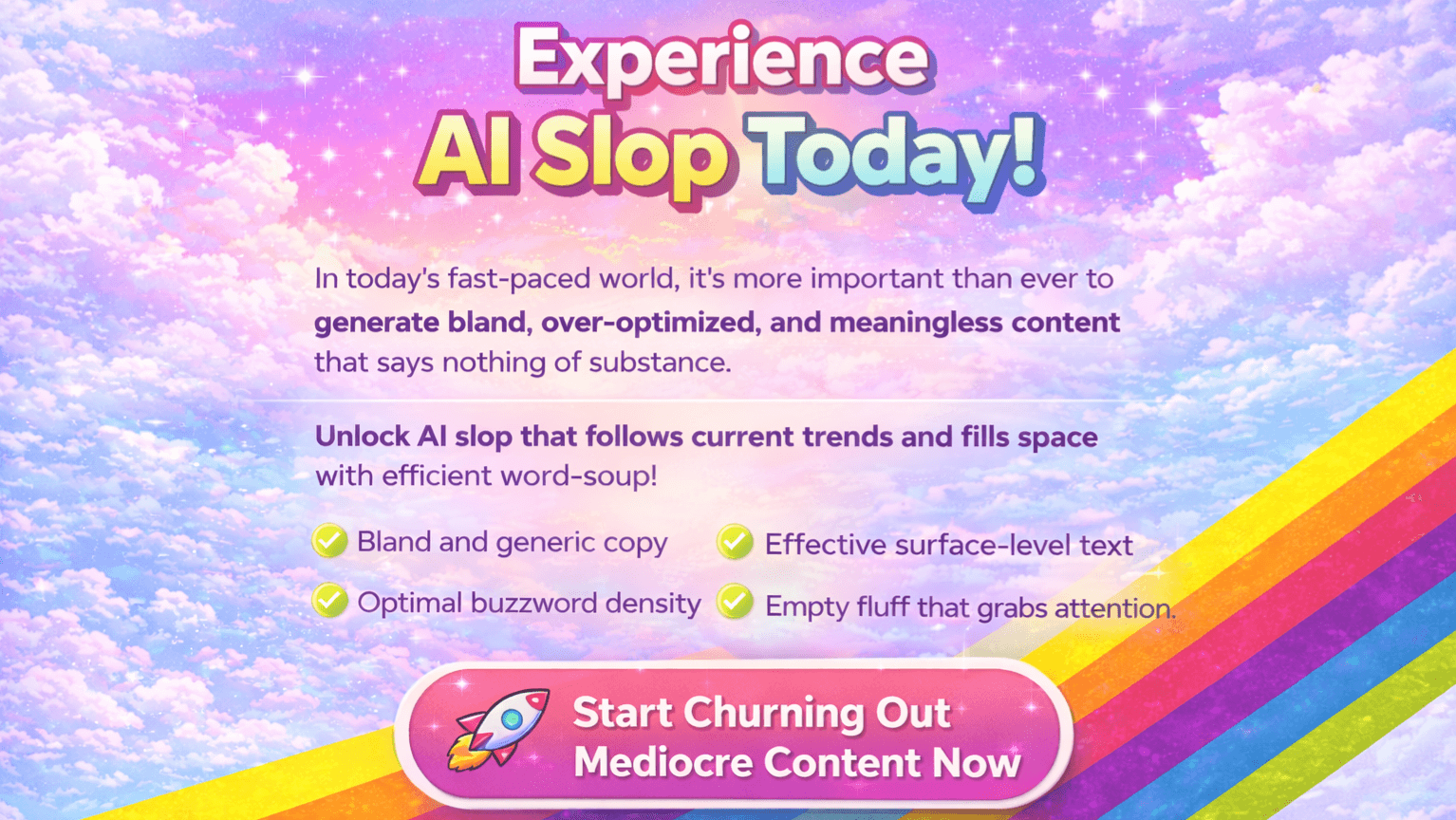
What is AI Slop?
AI slop is low-effort, mass-produced content generated by AI that looks acceptable at a glance. But when you read closely, it doesn't say anything new, it repeats itself a lot, and you can't always trust that it's true. Because so much of this low-quality content is being made, it makes it harder to find the good writing that people worked hard on.
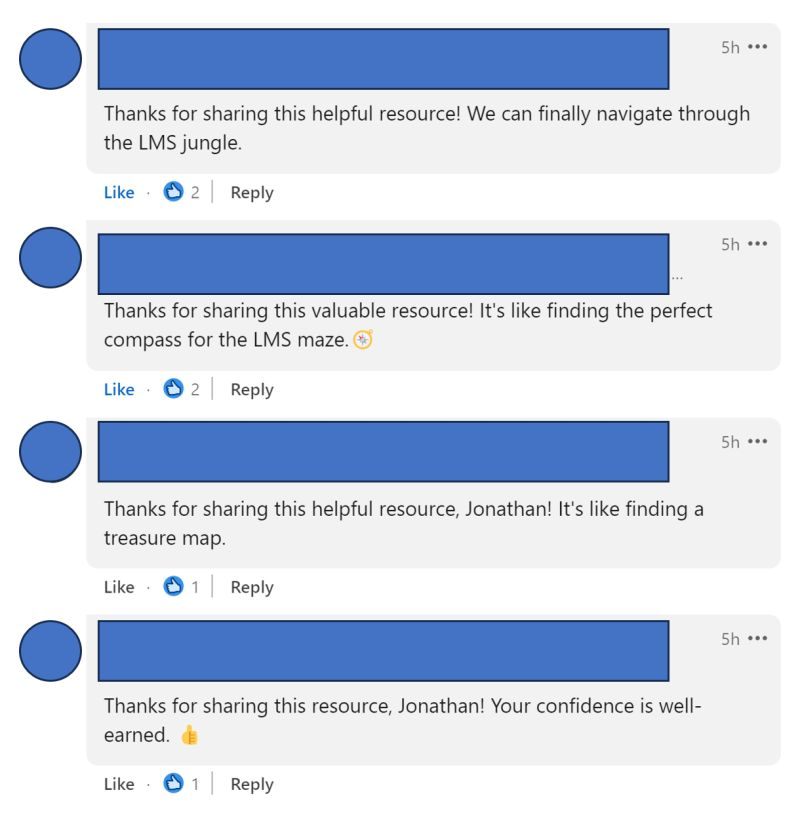
For example, have you noticed anything odd about LinkedIn comments lately?
And it's not just limited to written articles and social media posts. AI slop also includes images, video, and music.

We can share a million examples. For this guide, we'll focus on text and how to avoid looking like a bot.
How to Spot AI Writing
At 1up, we take good writing seriously.
No, really. We can’t stand AI slop.
Just look at our CEO ranting about it like a maniac on Linkedin:

Turns out, most people have a visceral reaction to it.
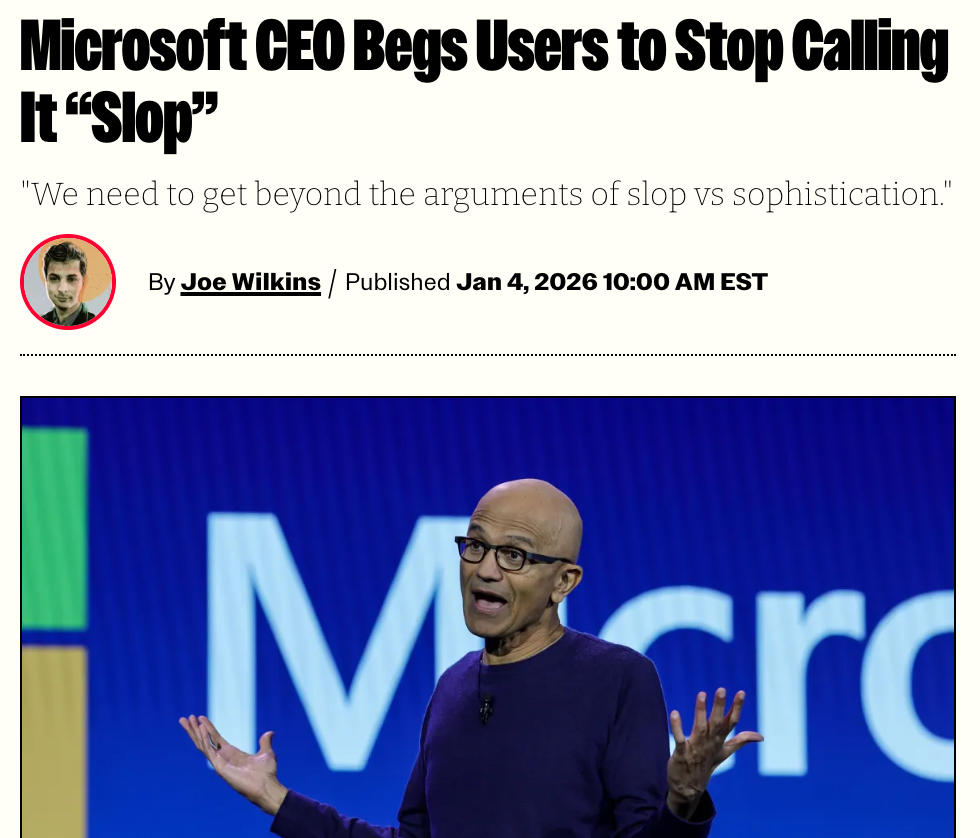
So much that the CEO of Microsoft himself has asked people to dial it down.
Here are just three examples of classic AI slop:
The AI-generated junk email

Eww. It’s got a generic subject line you’ve seen a million times. Your name is clearly generalized. The language is… dorky.
The obviously AI-generated comments:
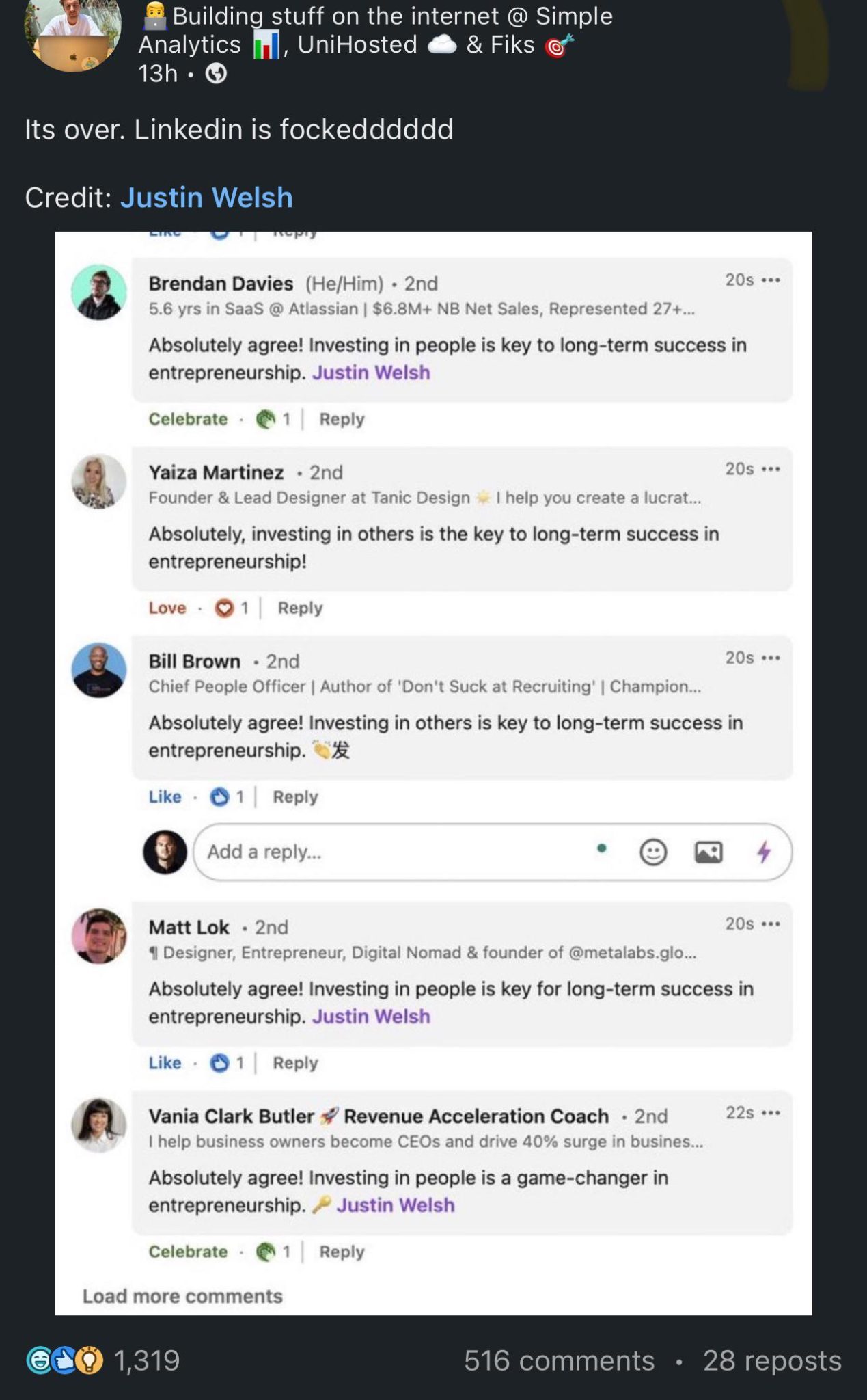
Okay, come on. When you see comment after comment with the same exact tone and language, you know you’re dealing with a bot army.
The unnecessarily long AI-generated explanation:
.png)
AI writing has a bunch of "tells." Once you know what they are, you'll see them everywhere. If your stuff has any of these weird habits, it's probably slop (or at least slop-adjacent).
How can I avoid sounding like AI Slop?
Here's a checklist of the most common things people (robots) still get wrong in the late 2020s:
1) Stop saying "It's not about this, it's about that."
Ok let’s start with the obvious one. “It’s not X, it’s Y.”
Like when people write: "It's not about selling stuff, it's about helping people."
Just say it straight: Seriously, just say what you mean. Like, "Quit trying to sell everything. Figure out the customer's problem and fix it."
2) The boring bullet point lists.
It's always stuff like:
- "Get more done"
- "Be super productive"
- "Make the company bigger"
Don't do that: Either give real details or just delete the list. Try: "Your salespeople are wasting like two hours every day looking for the right file. That's dumb. Fix it."
3) "Here's why" as a start.
Example: "Here's why you should care…"
Just start explaining: Nobody needs a warm-up. Just get to the point.
No one wants to read a wall of text.
4) Putting that dumb rocket emoji 🚀 everywhere.
Like: "This is going to make your results totally awesome 🚀"
Stop it: Either use an emoji because it's actually funny, or don't use any. Usually, just writing normal words is better.
5) The super-long, useless opening.
You see it all the time: "In today's fast-moving online world, companies have to change fast…"
Start with the problem: Get right to the thing that sucks. Say: "People are just skipping over your stuff. Want to know why?"
6) "It's important to note that…"
Like: "It's important to note that you need to do this all the time."
Just delete the extra words: The filler words are annoying. Just say: "Doing it all the time works."
7) "Let's dive in" or "Let's unpack."
Example: "Let's unpack all the important ways to fix this…"
Talk like a normal person: Don't use weird words. Say: "Here are the 3 ways that will actually fix it."
Seriously, write it yourself. This is how you avoid sounding like like everyone else:

8) Being too safe and saying "on one hand" stuff.
Example: "AI is pretty helpful, but it also can't do everything…"
Pick a side: Stop being so neutral. Say: "It's fine to use AI drafts. But if you hit publish without changing anything, you're lazy."
9) The super general, obvious stuff.
Like: "In the end, talking to people is the most important thing."
Make it real: Say something specific and true. Like: "If you confuse the person reading it, they're going to leave."
10) The totally boring "next steps" part.
Examples: "Call us to learn more" or "Let's get in touch."
Ask for something specific: Ask for a real answer. Say: "Want the template? Write back 'template' and I'll email it to you."
Tools to Help You Spot That Robotic Writing
Sometimes you think a piece of writing was made by a computer, but you can't really say why. That's where AI tools come in handy.
No, not AI slop-generators. We’re talking about detectors.

Just a heads-up: none of these tools are perfect. The robot detectors can be wrong, and they might even flag good stuff written by a person. But they're great for a second look, especially when you're editing super fast.
Here are a few tools that can help you find (and clean up) the robot slop:
1) GPTZero (Checks for AI)
GPTZero is one of the most famous "Is this a robot?" checkers. It looks for weird patterns that show up in writing made by computers.
- Good for: Fast checks on blog posts, LinkedIn updates, and emails.
- Watch out for: It sometimes flags clean, professional writing that a human wrote.
2) Originality.ai (Checks for AI + copying)
Content teams really like Originality.ai because it checks if the writing looks like AI and if it's copied from somewhere else.
- Good for: SEO stuff, agency work, and when you're getting ready to publish.
- Watch out for: It can get too excited and flag short parts or drafts you've already changed a lot.
3) Writer.com AI Content Detector (It's free and easy)
Writer's checker is simple and quick to use.
- Good for: A fast "hunch check" before you hit the publish button.
- Watch out for: Don't treat the score like a final answer. Treat it like a heads-up.
4) Copyscape (Checks for copying, not AI)
Copyscape won't tell you if a computer wrote something, but it will tell you if your content is too much like other stuff online.
- Good for: Making sure you don't accidentally copy when you use AI to do your research.
- Watch out for: It won't find the "slop" if the writing is boring but totally original.
5) Hemingway Editor (Checks for clear writing)
Hemingway is one of the best "anti-slop" tools because it finds the real problem: writing that's too confusing, too long, and too hard to read.
- Good for: Cutting out fluff and making your writing sound stronger.
- Watch out for: Don't just get rid of every long sentence. Keep the ones that sound cool.
6) Grammarly (Checks for tone + clear writing)
Grammarly helps you make sentences shorter, fix awkward parts, and catch obvious mistakes.
- Good for: Cleaning up AI drafts after you've already rewritten them.
- Watch out for: Grammarly can sometimes take away your personal style if you click "accept" on every single suggestion.
The Best Tool is Still a Real Person
If you want the absolute easiest way to find AI slop, do this:
Read your draft out loud.
If it sounds like something you would never actually say to a real person, it needs work.
The simple rule: tools can help you spot the slop. But only you can get rid of it.
FAQs
You can. But you really shouldn't. Use AI to generate ideas, do research, and draft early versions of your blogs. But don't publish AI-written content. You'll end up sounding robotic, generic, and bloated. Blech. Always write manually using your own voice and keeping your audience in mind.
Overused buzzwords, vague statements, and overly long sentences are obvious red flags. If your content sounds like it was written by a corporate intern using a thesaurus, you need to rewrite it.
Honestly? You should rewrite everything. Reformat, cut the fluff, write your own introduction, and get rid of all the buzzwords. Insert your voice, your perspective, and your own personal tone. Have a conversation with your reader. So… yes… you'll probably end up with an entire rewrite.
Humans want to hear from other humans. And we're pushing back more than ever on having AI content spoonfed to us. We want to build trust, and we can only do that with other humans. So yes, human-written content feels more relatable and leads to higher engagement.

.png)
AI Made Writing Code Free and Moved the Bottleneck to Code Review
The Payoff of Connecting Questionnaire work to your Sales Pipeline
Shadow AI: What Your Reps Are Pasting Into ChatGPT Right Now

How to Write an RFP Response That Survives AI Scoring
SIG vs CAIQ vs VSA: A Simple Guide to the Big Three